163
Shooting Settings
6
3
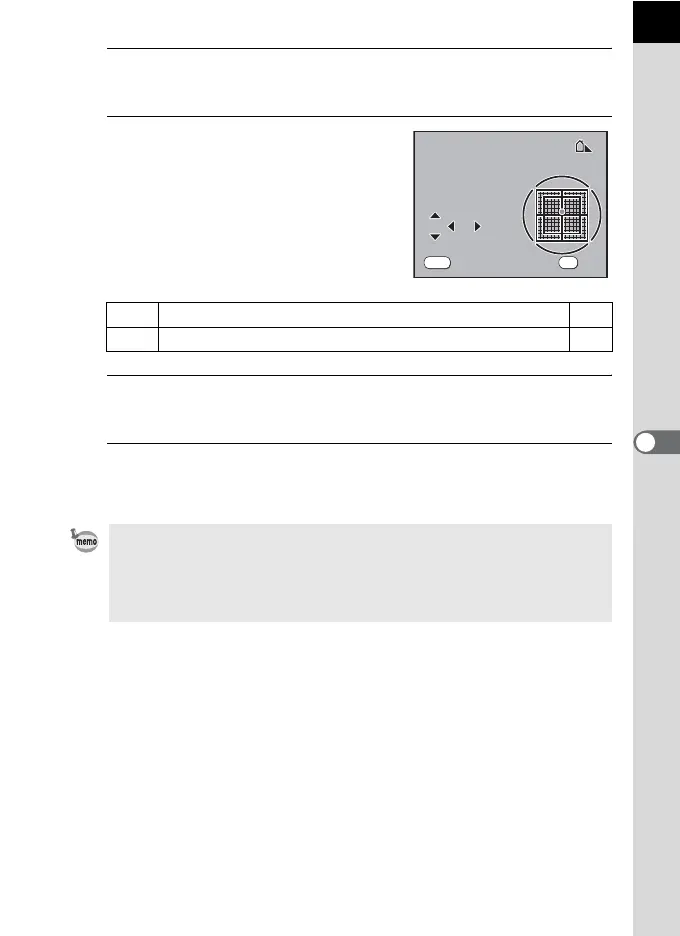
Press the four-way controller (5).
The [Adjust White Balance] screen appears.
4
Use the four-way controller
(2345) to fine tune White
Balance.
Seven levels and 225 patterns are
available on the G-M and B-A axes.
5
Press the 4 button.
The camera returns to the [White Balance] screen.
6
Press the 4 button.
The camera returns to the status screen and is ready to take a picture.
G-M Adjusts the tone of the colors between green and magenta.
23
B-A Adjusts the tone of the colors between blue and amber.
45
• If [8. Adjust White Balance] in the [A Custom Setting 2] menu is set to [Off]
after White Balance is adjusted, the adjusted values become invalid. Set [8.
Adjust White Balance] to [On] again to enable the values used previously.
• When set to K (Manual), White Balance can also be measured in the [Adjust
White Balance] screen by pressing the shutter release button fully.
Shade
GG
BBA
A
MM
±0±0G1
G1
WB
±
MENU
Cancel
OK
OK



 To Next Page
 Loading...










