173
Serial Port Profiles
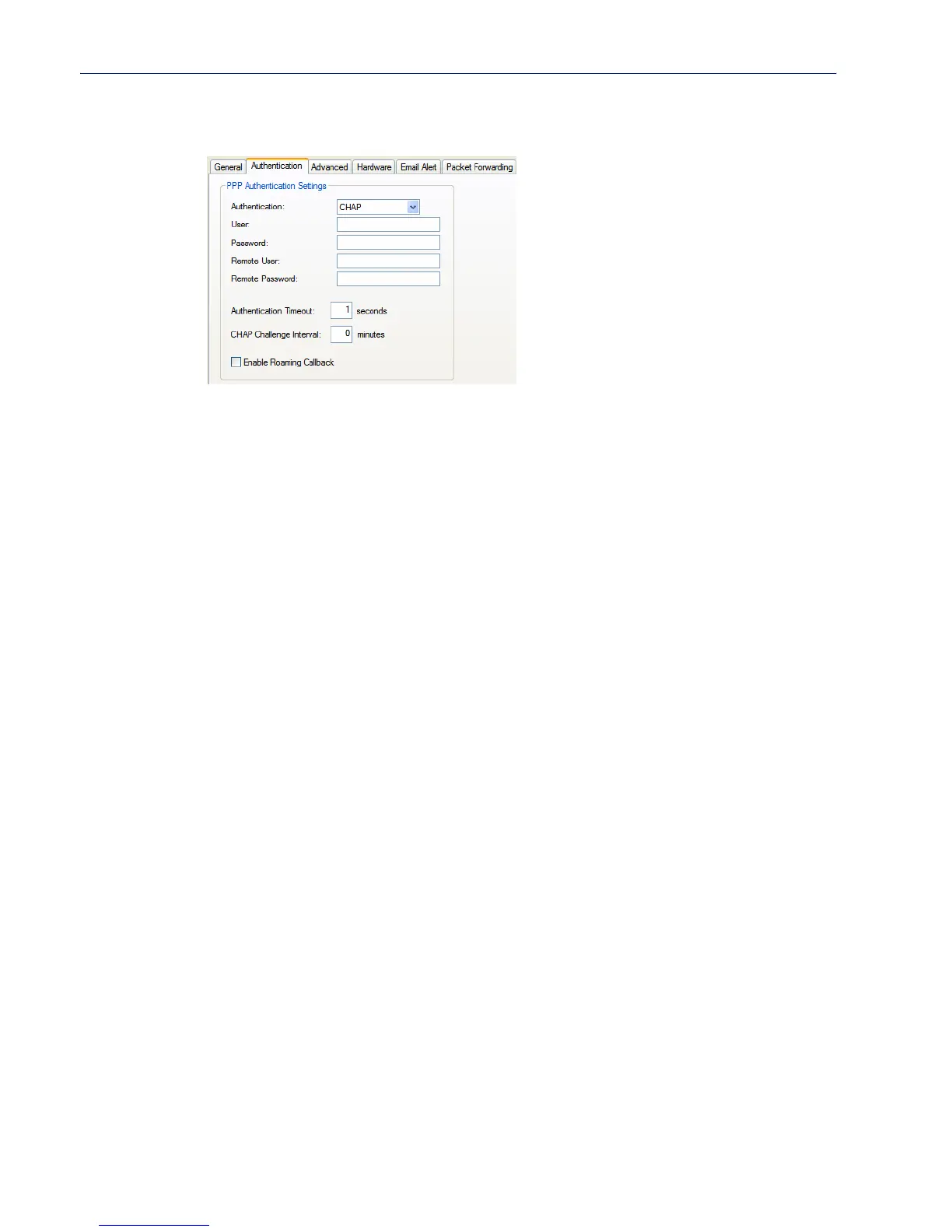
Authentication Tab Field Descriptions
Configure the following parameters:
Authentication The type of authentication that will be done on the link. You can use PAP or
CHAP to authenticate a serial port or user on the IOLAN, from a remote
location, or authenticate a remote client/device, from the IOLAN.
When setting either
PAP and CHAP, make sure the IOLAN and the remote
client/device have the same setting. For example, if the IOLAN is set to
PAP,
but the remote end is set to
CHAP, the connection will be refused.
Data Options:
z None
z PAP—is a one time challenge of a client/device requiring that it respond
with a valid username and password. A timer operates during which
successful authentication must take place. If the timer expires before the
remote end has been authenticated successfully, the link will be
terminated.
z CHAP—challenges a client/device at regular intervals to validate itself
with a username and a response, based on a hash of the secret (password).
A timer operates during which successful authentication must take place.
If the timer expires before the remote end has been authenticated
successfully, the link will be terminated.
Default: CHAP
User Complete this field only if you have specified PAP or CHAP (security
protocols) in the
Authentication field, and
z you wish to dedicate this line to a single remote user, who will be
authenticated by the IOLAN, or
z you are using the IOLAN as a router (back-to-back with another IOLAN).
When
Connect is set to Dial Out or both Dial In/Dial Out are enabled, the User
is the name the remote device will use to authenticate a port on this IOLAN.
The remote device will only authenticate your IOLAN’s port when
PAP or
CHAP are operating. You can enter a maximum of sixteen alphanumeric
characters; for example, tracy201. When connecting together two networks,
enter a dummy user name; for example, DS_HQ.
Note If you want a reasonable level of security, the user name and password
should not be similar to a user name or password used regularly to login to the
IOLAN. External authentication can not be used for this user.



 To Next Page