Authentication
208 IOLAN SDS/SCS/STS User’s Guide, Version 3.6
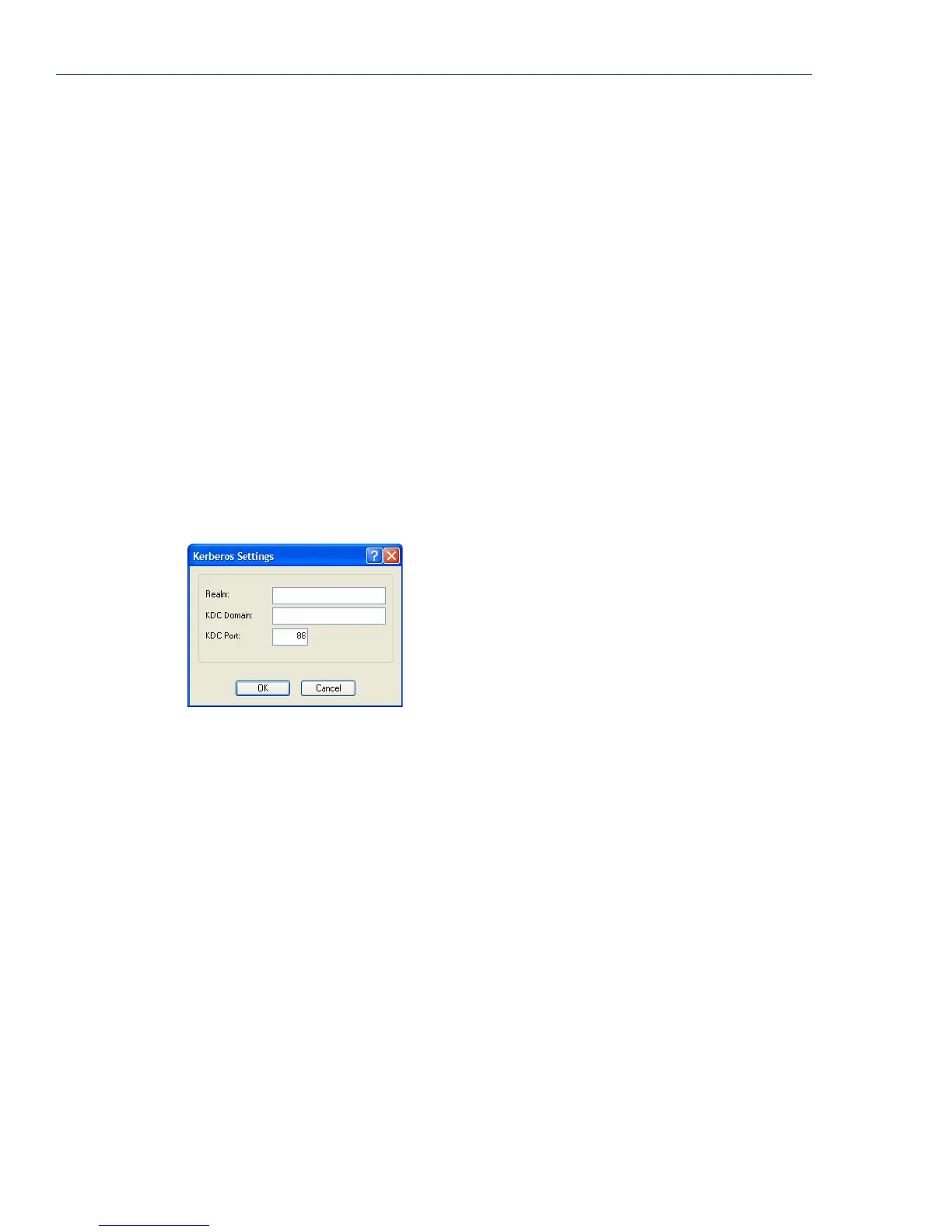
Kerberos
Field Descriptions
Configure the following parameters:
Use the following
NAS-IP-Address
When enabled, the IOLAN will send the specified IPv4 address to the RADIUS
server.
Default: Disabled
IP Address The IPv4 address that the IOLAN will send to the RADIUS server.
Default: 0.0.0.0
Automatically
determine
NAS-IPv6-Address
When enabled, the IOLAN will send the IOLAN’s IPv6 address to the
RADIUS server.
Default: Enabled
Use the following
NAS-IPv6-Address
When enabled, the IOLAN will send the specified IPv6 address to the RADIUS
server.
Default: Disabled
IPv6 Address The IPv6 address that the IOLAN will send to the RADIUS server.
Field Format: IPv6 address
Realm The Kerberos realm is the Kerberos host domain name, in upper-case letters.
KDC Domain The name of a host running the KDC (Key Distribution Center) for the
specified realm. The host name that you specify must either be defined in the
IOLAN’s
Host Table before the last reboot or be resolved by DNS.
KDC Port The port that the Kerberos server listens to for authentication requests.
Default: 88



 To Next Page