257
Channels
Adding/Editing Additional Hosts
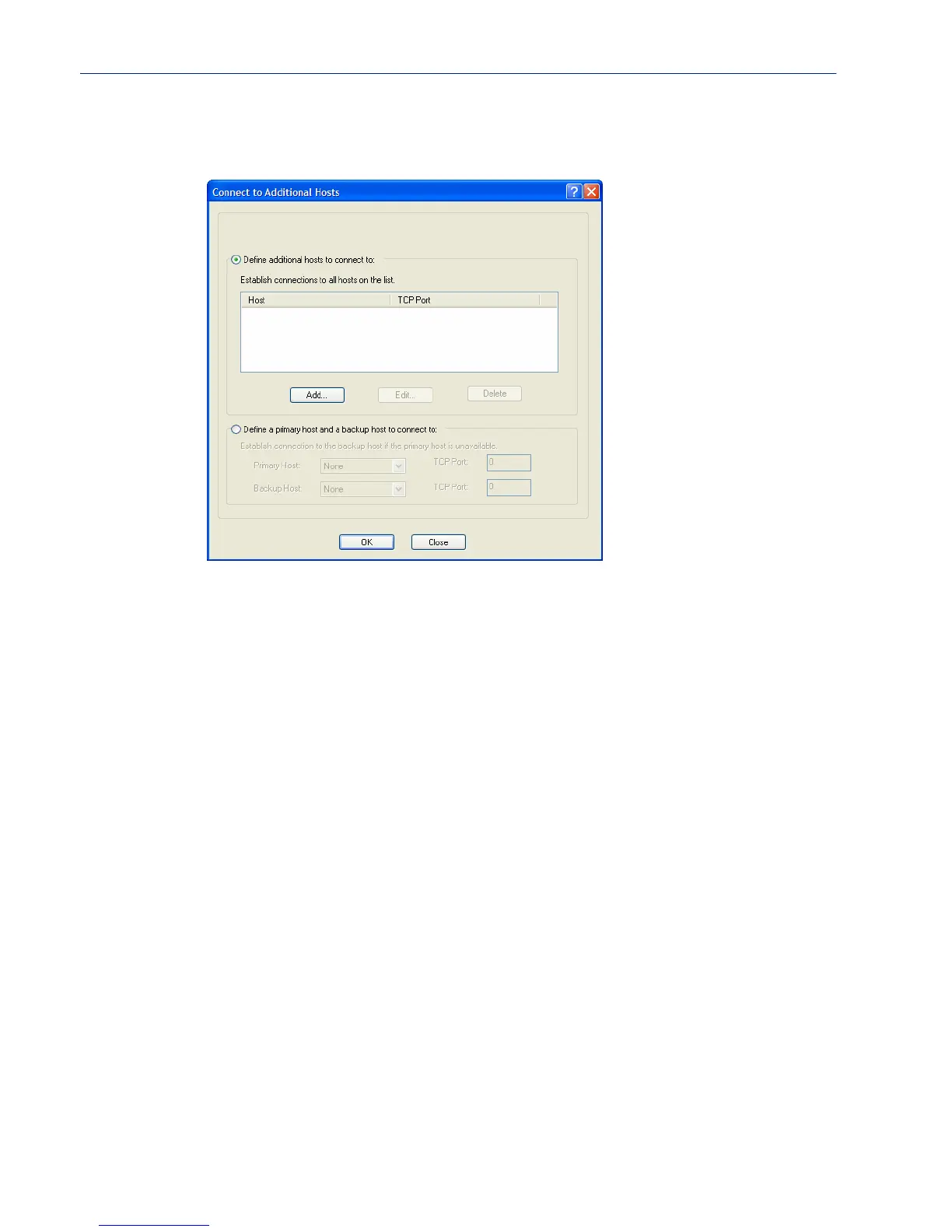
You can define a list of hosts that the I/O channel will communicate to or a primary/backup host.
Configure the following parameters:
Define additional
hosts to connect to
When this option is enabled, you can define up to 49 hosts/IOLANs that the
I/O channel or serial signal pin will attempt communicate to. With this mode of
operation, the I/O channel will connect to multiple hosts/IOLANs
simultaneously.
Default: Enabled
Add Button Click the Add button to add a host to the list of hosts that will be receiving
communication from the I/O channel or serial signal pin.
Edit Button Highlight an existing host and click the Edit button to edit a host in the list of
hosts that will be receiving communication from the I/O channel.
Delete Button Click the Delete button to delete a host to the list of hosts that will be receiving
communication from the I/O channel or serial signal pin.
Define a primary
host and backup...
When this option is enabled, you need to define a primary host that the I/O
channel will communicate to and a backup host, in the event that the I/O
channel loses communication to the primary host. The I/O channel will first
establish a connection to the primary host. Should the connection to the
primary host be lost (or never established), the I/O channel will establish a
connection the backup host. Once connected to the backup, the I/O channel will
attempt to re-establish a connection to the Primary host, once this is
successfully done, it gracefully shuts down the backup connection.
Default: Disabled
Primary Host Specify a preconfigured host that the I/O channel or serial signal pin will
communicate to.
Default: None



 To Next Page