Channels
252 IOLAN SDS/SCS/STS User’s Guide, Version 3.6
Field Descriptions
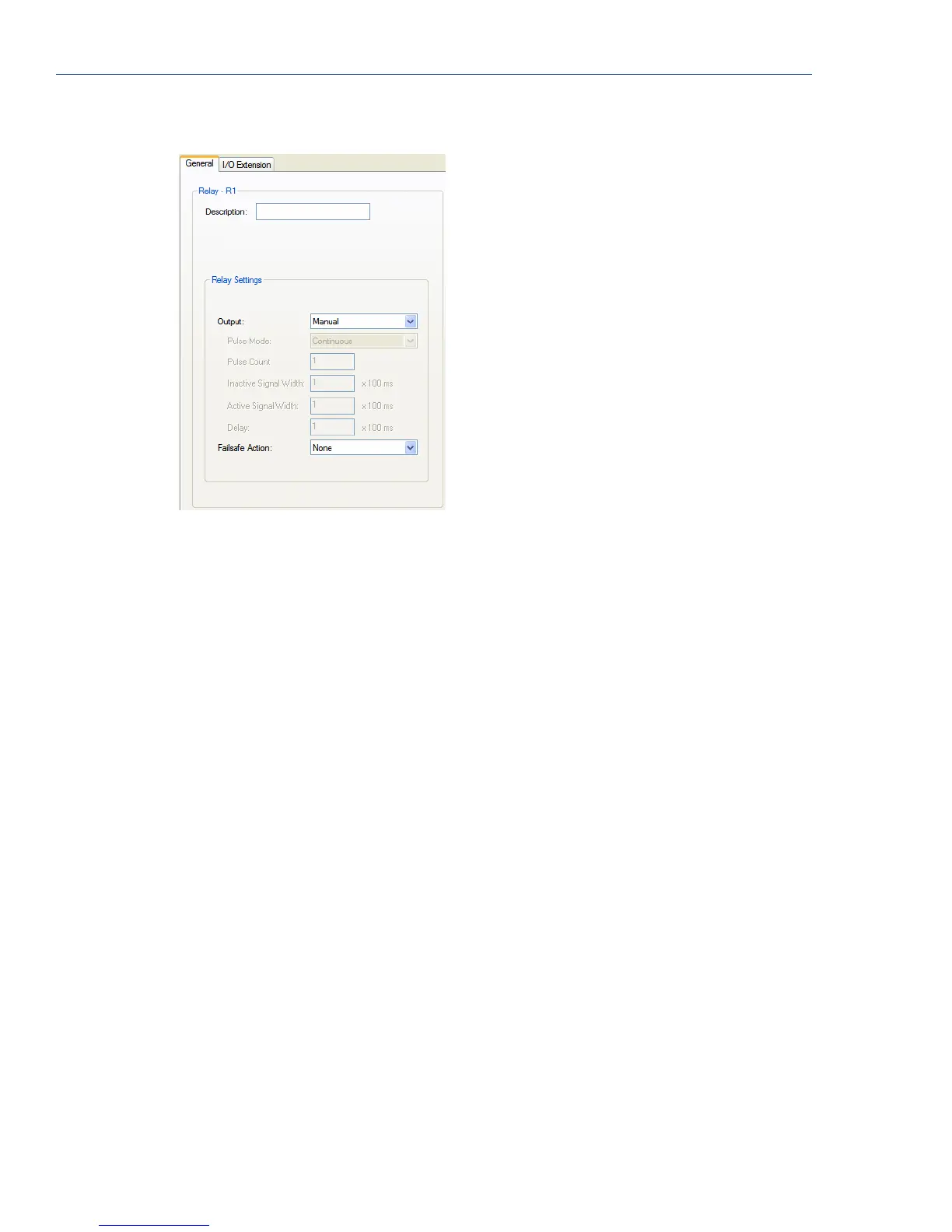
Configure the following parameters:
Description Provide a description of the channel, making it easier to identify.
Data Options: Maximum 20 characters, including spaces
Output Specify how the channel output will be handled.
Data Options:
z Manual—You must manually manipulate the channel output.
z Pulse—Activates and deactivates the channel output activity in intervals
after it is manually activated.
z Inactive-to-Active Delay—The channel output will remain inactive for
the specified time interval after it is manually started.
z Active-to-Inactive Delay—The channel output will go inactive after the
specified time interval after it is manually started.
Default: Manual
Pulse Mode When Output is set to Pulse, you can specify the manner of the pulse.
Data Options:
z Continuous—Continuously pulses active and inactive.
z Count—Pulses an active/inactive sequence for the specified number of
times.
Default: Continuous
Pulse Count The channel output will pulse for the specified number of times; each count
consists of an active/inactive sequence.
Default: 1
Inactive Signal
Width
How long the channel will remain inactive during pulse mode.
Range: 1-9999 x 100 ms
Default: 1 (100 ms)



 To Next Page