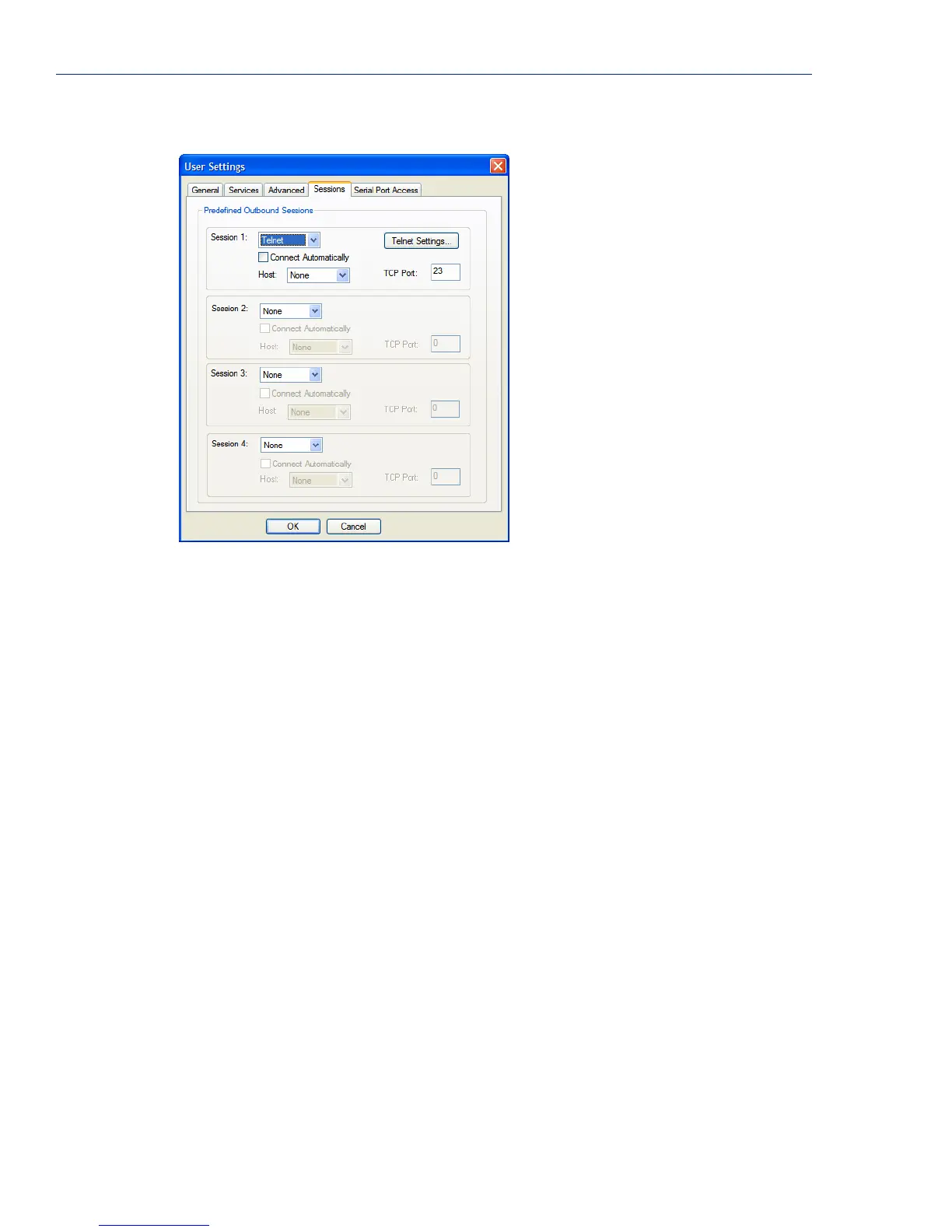
Adding/Editing Users
200 IOLAN SDS/SCS/STS User’s Guide, Version 3.6
Field Descriptions
Configure the following parameters:
Session 1, 2, 3, 4 You can configure up to four (4) sessions that the user can select from to
connect to a specific host after that user has successfully logged into the
IOLAN (used only on serial ports configured for the
Terminal profile).
Data Options:
z None—No connection is configured for this session.
z Telnet—For information on the Telnet connection window, see Telnet
Settings on page 140.
z SSH—For information on the SSH connection window, see SSH Settings
on page 142.
z RLogin—For information on the RLogin connection window, see Rlogin
Settings on page 141.
Default: None
Settings Button Click this button to configure the connection parameters for this session.
Connect
Automatically
Specify whether or not the session(s) will start automatically when the user
logs into the IOLAN.
Default: Disabled
Host The host that the user will connect to in this predefined session.
Default: None
TCP Port The TCP port that the IOLAN will use to connect to the host in this predefined
session.
Default: Telnet-23, SSH-22, Rlogin-513



 To Next Page