Configuration Methods 51
WebManager
Using WebManager
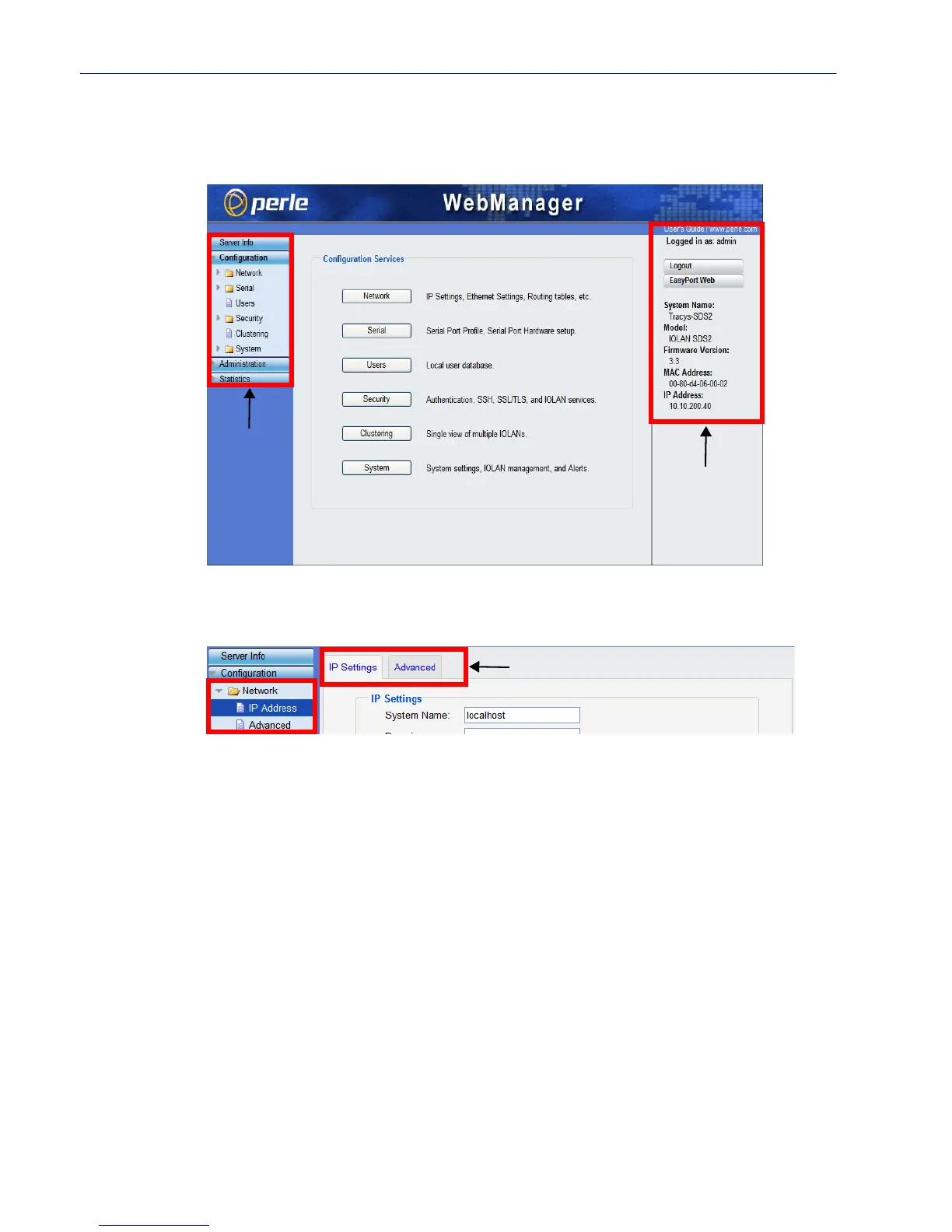
After you have successfully logged into WebManager, you will see the following:
You navigate through the different configuration windows by selecting an option in the left-hand
navigation tree. When you click on an option that is under a folder, more navigation options are
displayed:
The Network folder contains two configuration options, IP Address and Advanced. Notice that
when the
IP Address option is selected, there are more navigation options in the form of the tabs, IP
Settings
and Advanced.
Remember that in the WebManager, it is necessary to press the Apply button to save your changes.
Navigation
Tree
System
Information
Navigation Tabs



 To Next Page