Advanced
98 IOLAN SDS/SCS/STS User’s Guide, Version 3.6
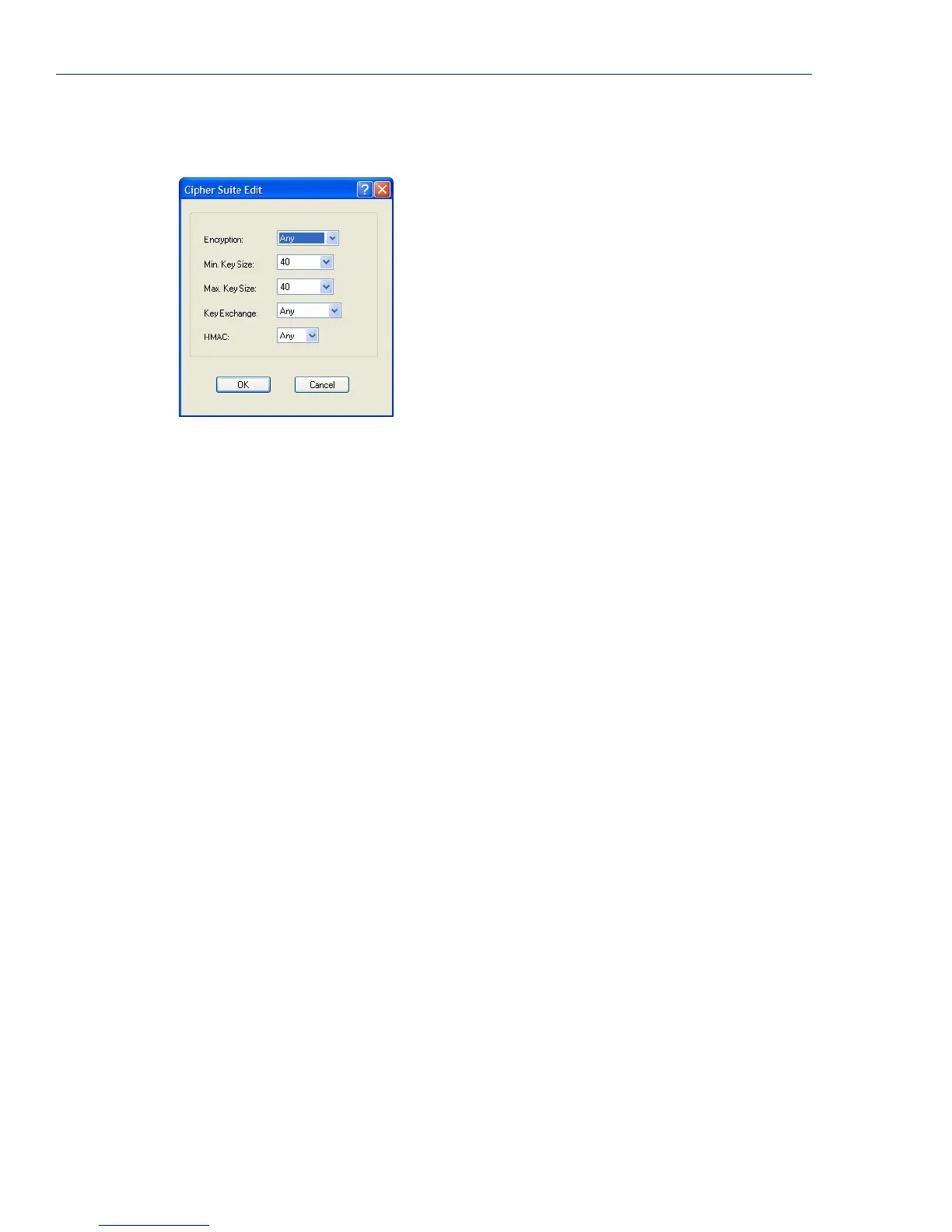
Adding/Editing a Cipher Suite
To see a list of valid cipher suite combinations, see Appendix B, SSL/TLS Ciphers on page 347.
Configure the following parameters:
Encryption Select the type of encryption that will be used for the SSL connection.
Data Options:
z Any—Will use the first encryption format that can be negotiated.
z AES
z 3DES
z DES
z ARCFOUR
z ARCTWO
Default: Any
Min Key Size The minimum key size value that will be used for the specified encryption
type.
Data Options: 40, 56, 64, 128, 168, 256
Default: 40
Max Key Size The maximum key size value that will be used for the specified encryption
type.
Data Options: 40, 56, 64, 128, 168, 256
Default: 256
Key Exchange The type of key to exchange for the encryption format.
Data Options:
z Any—Any key exchange that is valid is used (this does not, however,
include ADH keys).
z RSA—This is an RSA key exchange using an RSA key and certificate.
z EDH-RSA—This is an EDH key exchange using an RSA key and
certificate.
z EDH-DSS—This is an EDH key exchange using a DSA key and
certificate.
z ADH—This is an anonymous key exchange which does not require a
private key or certificate. Choose this key if you do not want to
authenticate the peer device, but you want the data encrypted on the
SSL/TLS connection.
Default: Any



 To Next Page