User Guide – PERC2000 System Controller
Publication 81-9059-0605-0, Rev. B
November 2010
Proprietary Information of
PESA 4-11
Chapter 4 Installing PERC2000 Software
4.1 D
ESCRIPTION
PERC2000 supports a graphical user interface (GUI) type software application for use on a
standard PC running the Microsoft Windows
®
2000, XP, Vista or Windows 7 Operating System.
The PC must have a CD-ROM drive for installation of the P2K GUI, and must have wired or
wireless access to the facility’s local area network (LAN) to connect with PESA devices
communicating over the network. A mouse with scroll-wheel is recommended for precise control
of device parameter values using slider controls, and a monitor size of 19 inches or larger is also
recommended.
4.2 PERC2000
GUI
I
NSTALLATION
Your PERC2000 installation disk contains an auto-run file that guides you through the
installation process. Examples of the pop-up screens you will see are shown below with the
appropriate step. During installation the release number of P2K software you are installing is
displayed.
Install the PERC2000 software application as follows:
1. Insert P2K installation CD into drive of host PC.
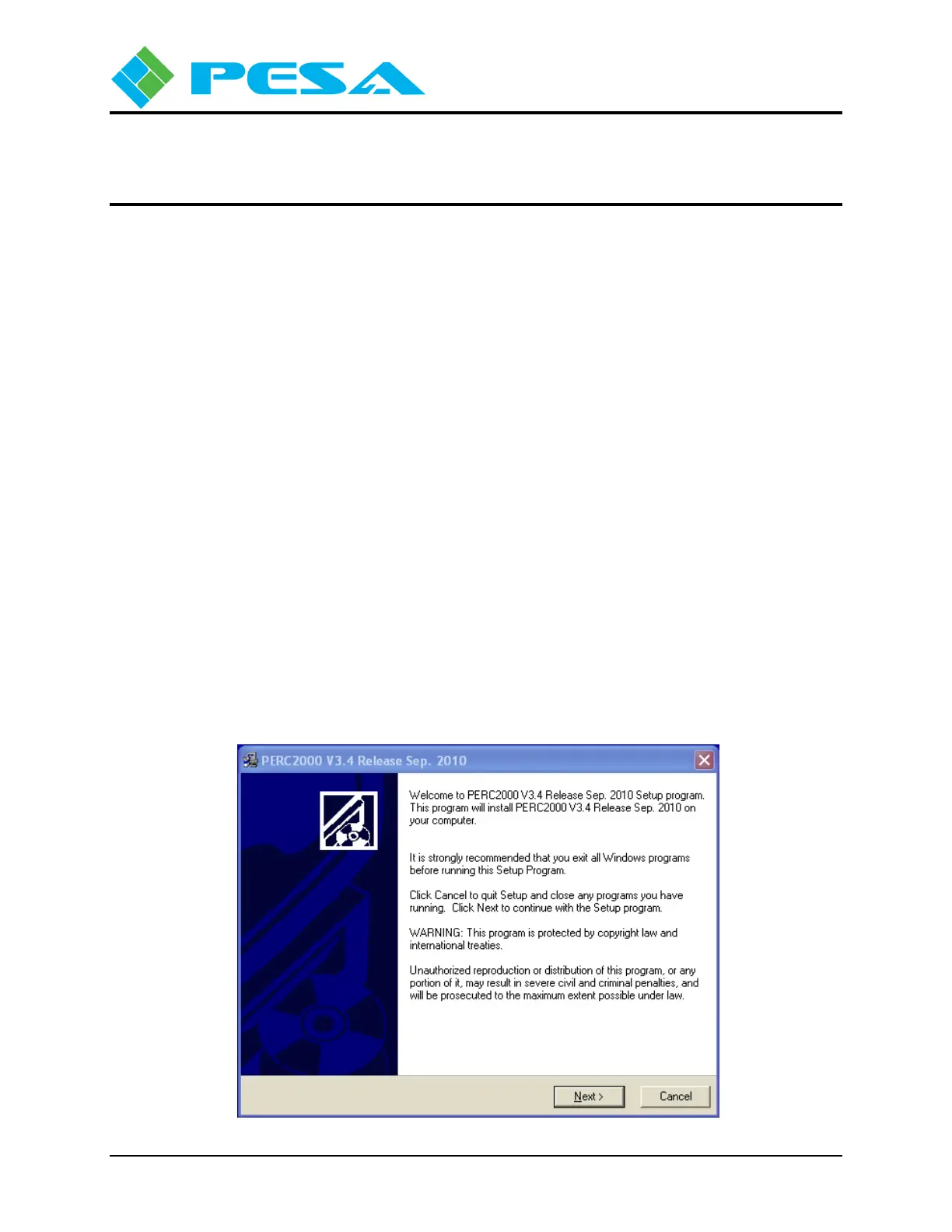
2. Allow the disk to initiate the auto-run function. When initialization is complete, the
following banner is displayed on the desktop. Click Next to begin installation of the
software.



 To Next Page