User Guide – PERC2000 System Controller
Publication 81-9059-0605-0, Rev. B
November 2010
Proprietary Information of
PESA PESA 8-29
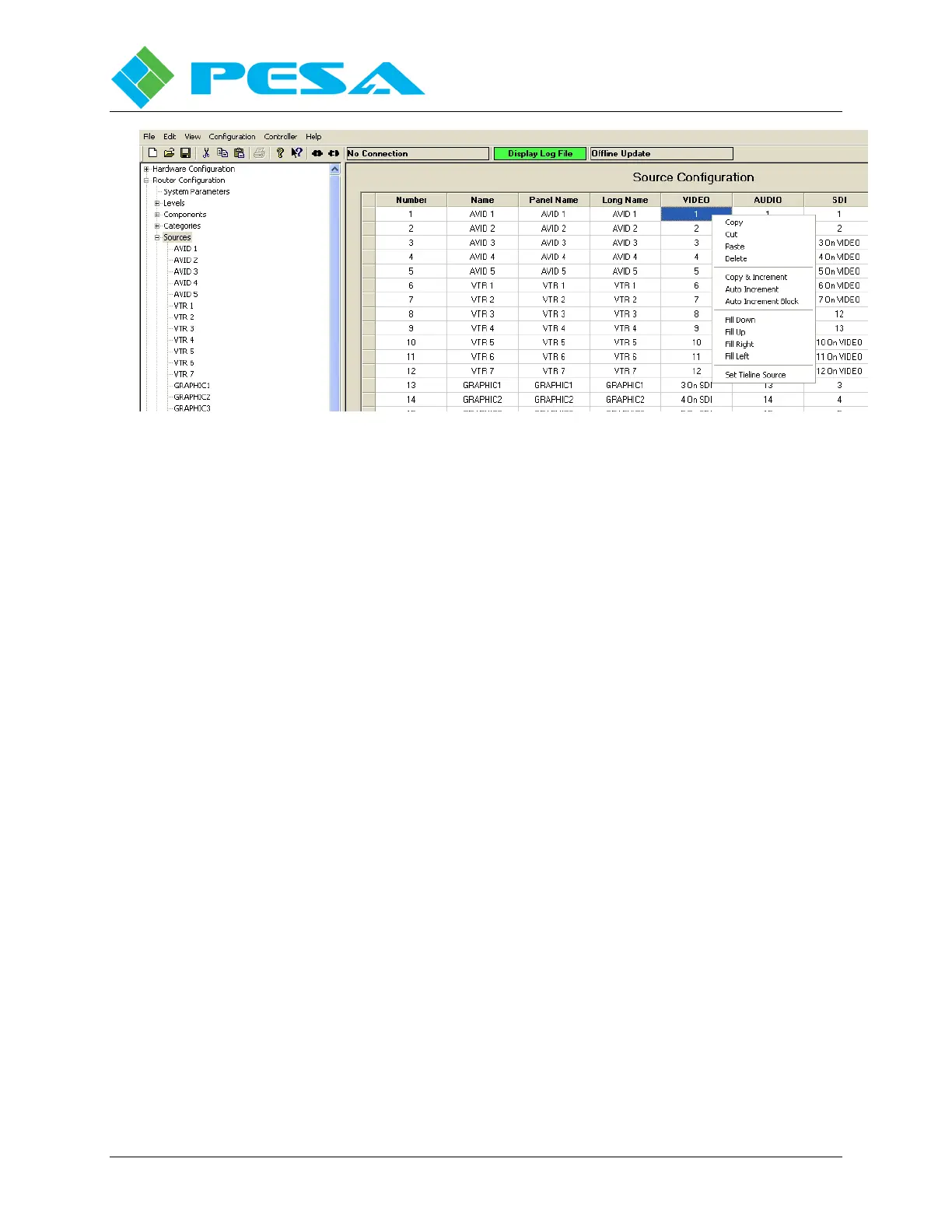
Figure 8-29 Sources Spreadsheet Right Mouse Click Options
8.9.5.5 Set Tieline Source
A Tie-line is a special purpose routing function that dedicates a physical source input and a
physical destination output on different switching levels as a direct connected path through an
external physical connection.
Sources are linked to tie-lines using the Set Tieline Source command from the right-click
command box. Click the cursor in the cell corresponding to the source and level you wish to
assign to a tie-line. Right click and select the “Set Tieline Source” option from the menu. A
graphic illustration, Figure 8-30, displays showing the level you are assigning on the right side.
On the left side of the graphic you define the source and level that you wish to tie to the source
on the level you are configuring using the pull-down menu boxes.
In the example shown, by selecting “Set Tieline Source” in the spreadsheet cell for VTR 1 on
the SDI level, the graphic below appears and shows the SDI level as the source and by selecting
6 as the Input # and VIDEO as the Level from the pull-downs we have assigned a connection to
route the source at physical input 6 on the VIDEO level through a tie-line to a dedicated
physical input on the SDI level, which the controller will access when VTR 1 is selected as the
source on the SDI level. On the source spreadsheet the text entry “6 On VIDEO” is
automatically written in the cell for VTR 1 on the SDI level. This indicates that when VTR 1 is
selected as a source on the SDI level, the source signal will be the signal on physical input 6 of
the Video level routed through an external tie-line to the SDI level.



 To Next Page