User Guide – PERC2000 System Controller
Publication 81-9059-0605-0, Rev. B
November 2010
Proprietary Information of
PESA PESA 8-34
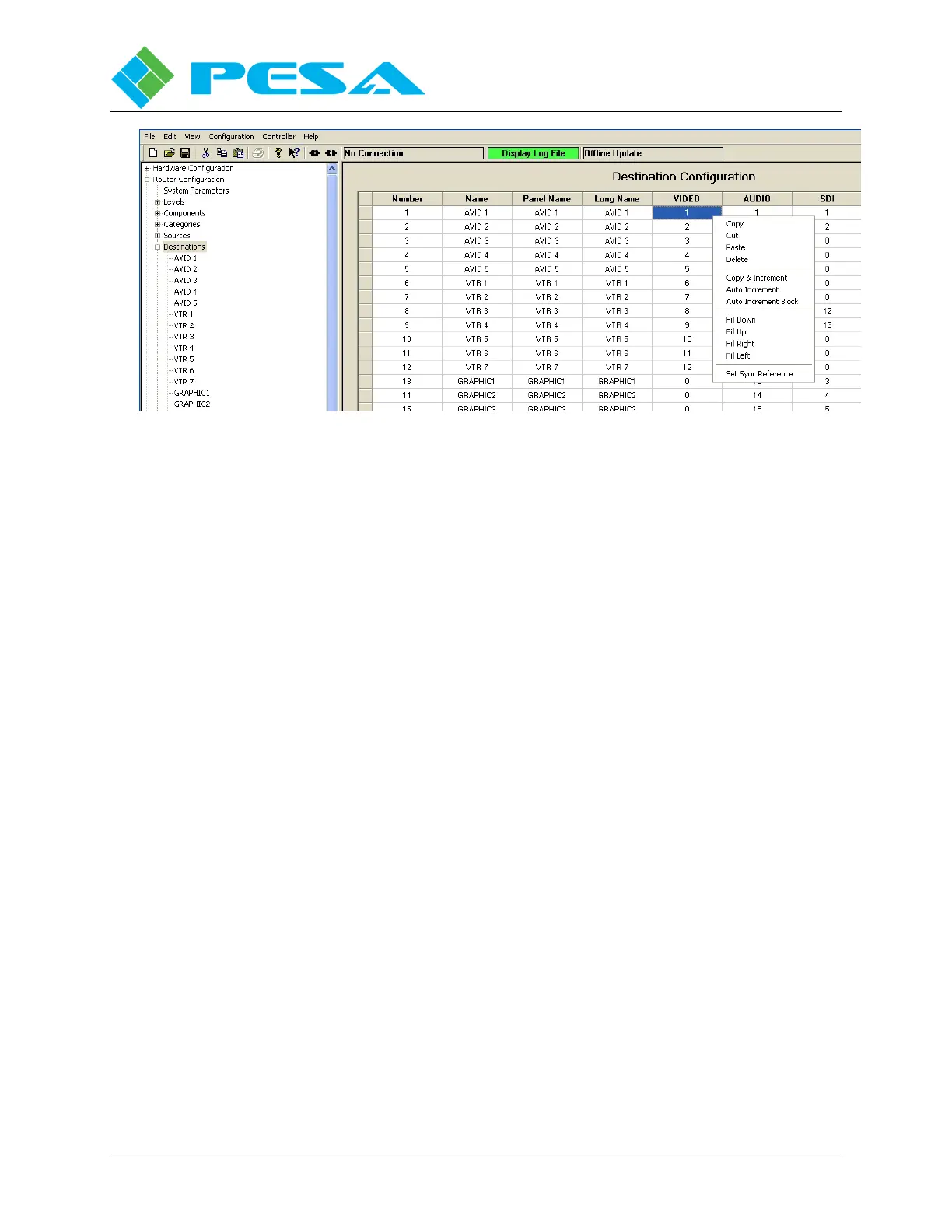
Figure 8-34 Destination Spreadsheet Right Mouse Click Functions
8.9.6.5 Set Sync Reference
Typical Cheetah installations allow input of up to two sources of external Sync Reference
signals for synchronizing switching times and destination output signals. P2K allows you to
assign either of the sync sources to any single destination or multiple destinations
simultaneously.
Destinations are mapped to sync signals using the Set Sync Reference command from the
right-click command box. Click the cursor in the single cell corresponding to the destination
and level, or to selected multiple destination cells you wish to map to a sync source. Right
click and select the “Set Sync Reference” option from the menu. A window, Figure 8-35,
displays identifying the level and current destination you are configuring at the top. In the
middle of the window you assign a sync source to the destination using the pull-down menu
boxes.
Three radio buttons allow you to assign the sync source to only the Current Destination, All
Destinations or Selected Destinations. Choose the Selected Destinations option when multiple
cells have been highlighted.
In the example shown, by selecting “Set Sync Reference” in the spreadsheet cell for VTR 1 on
the Video level, the window below appears and shows VTR 1 on the VIDEO level as the
current destination. By selecting SYNC1 from the pull-down we have assigned the physical
output named VTR 1 on the VIDEO level to synchronize to the reference input named SYNC1
for the current destination only.



 To Next Page