User Guide – PERC2000 System Controller
Publication 81-9059-0605-0, Rev. B
November 2010
Proprietary Information of
PESA PESA 8-43
8.9.10.2 Defining A Salvo Group
Click the cursor in the top cell of the Destination column. Locate the first destination you wish
to assign to the salvo group from the Destinations list at the top of the screen and double-click
the entry to copy the destination name into the cell. In like manner, move the cursor to the cells
under the various switching level columns and using the entries in the Source list double-click
the name of the source you wish to switch to the indicated level of the destination. If desired,
you may enter additional destinations and assign sources to them.
8.9.11 L
EVEL
I
NCLUDE
L
ISTS
C
ONFIGURATION
S
CREEN
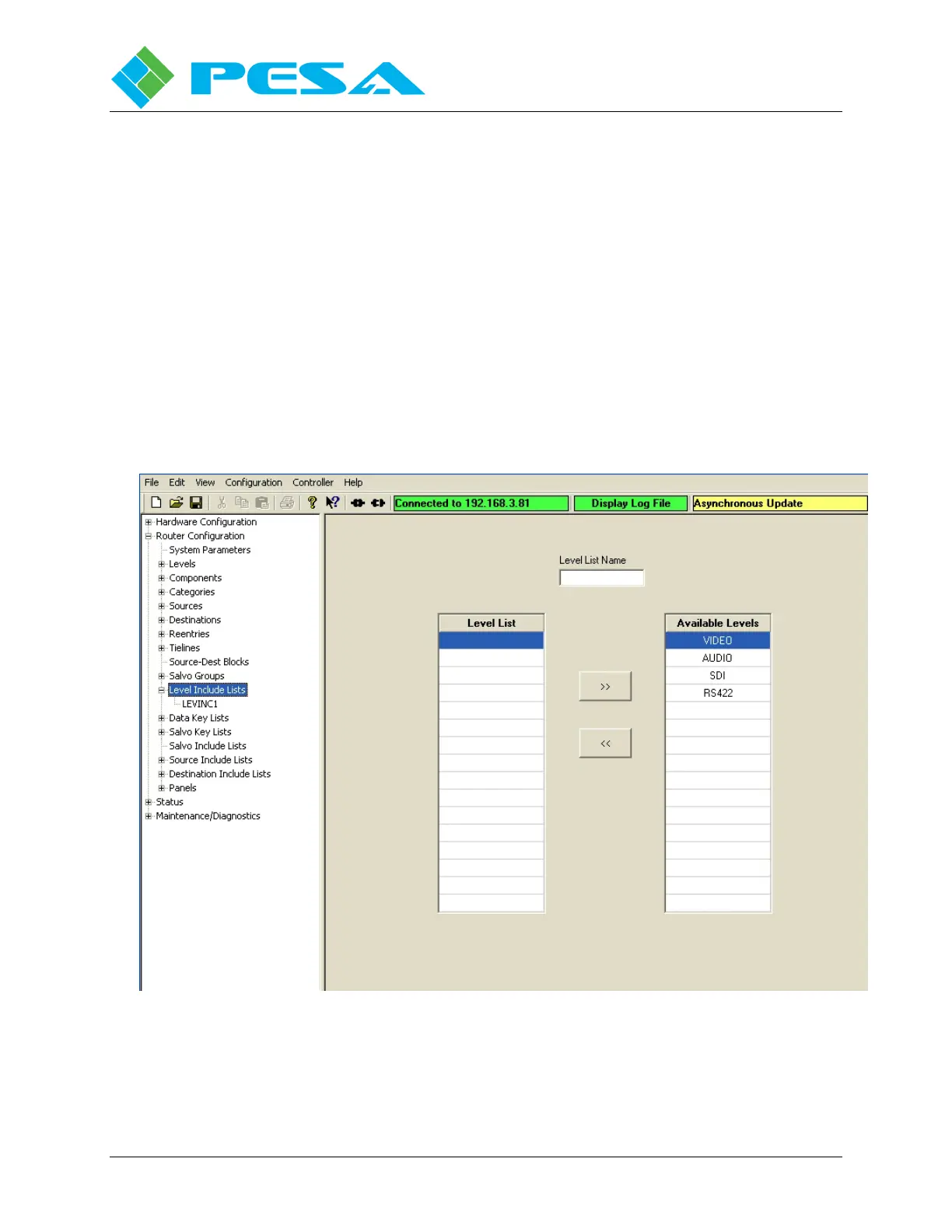
The Level Include Lists Configuration Screen, Figure 8-44, allows you to selectively build a
named list of switching levels which, when assigned to a specific remote control panel,
designates the levels that panel is authorized to control. Multiple panels may share a Level
Include List. Clicking on the Level Include Lists parent entry in the Command Screen Window
brings up a clean copy of the working screen. Note that the screen has three areas:
Figure 8-44 Level Include Lists Configuration Screen
Level List Name – This field is where you assign a name to the Level Include List. Names can
be from one to eight characters in length and are constructed using uppercase letters, numbers,



 To Next Page