User Guide – PERC2000 System Controller
Publication 81-9059-0605-0, Rev. B
November 2010
Proprietary Information of
PESA PESA 8-27
Only one source per level is allowed. A level may be left undefined on a source. Inputs may
be shared between different sources. The maximum number of sources is 2400.
8.9.5.4 Navigating the Sources Spreadsheet
The Sources Configuration Screen is accessed by clicking the Sources command entry under
the Configuration Command tree. The entire Source Configuration spreadsheet is displayed for
easy access. When the Sources tab is expanded, note that a listing of all assigned source
identifiers appears below the parent command. Clicking any of the identifiers in the list will
cause the spreadsheet cursor to immediately move to and highlight the configuration entry row
associated with the source.
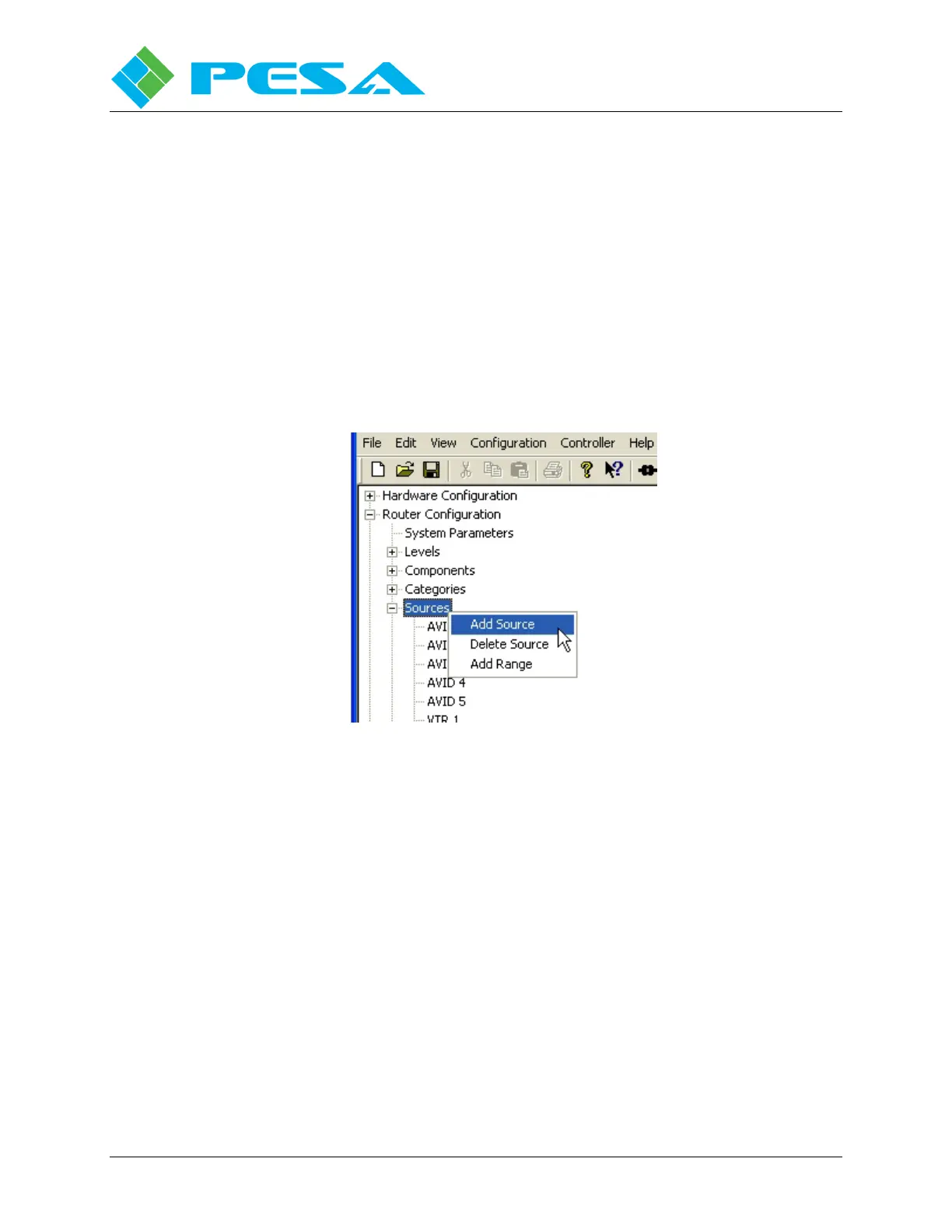
Right clicking either the Sources command tab or any source identifier entry below it, causes a
click box as shown in Figure 8-27 to appear with the following options:
Figure 8-27 Right Click Mouse Options
Add Source – Clicking the Add Source option inserts a blank line in the sources spreadsheet and
moves the cursor to the new entry line. From this line a new source can be added to the
configuration.
Delete Source – If you wish to remove a source entry from the configuration spreadsheet, move
the cursor to the source identifier beneath the Sources header in the Command Screen Window
you wish to delete, highlight the source to be deleted and right click to open the option box.
Select Delete Source and the source entry line is removed from the spreadsheet.
Add Range – Adds a range of sources using a category index type of naming scheme, as shown
by Figure 8-28. You define the base name, such as “CAM,” the starting index - such as 3 and the
number of sources to create – such as 5. This example would create sources “CAM 3:” to “CAM
7.”



 To Next Page