User Guide – PERC2000 System Controller
Publication 81-9059-0605-0, Rev. B
November 2010
Proprietary Information of
PESA PESA 8-45
8.9.12 D
ATA
K
EY
L
ISTS
C
ONFIGURATION
S
CREEN
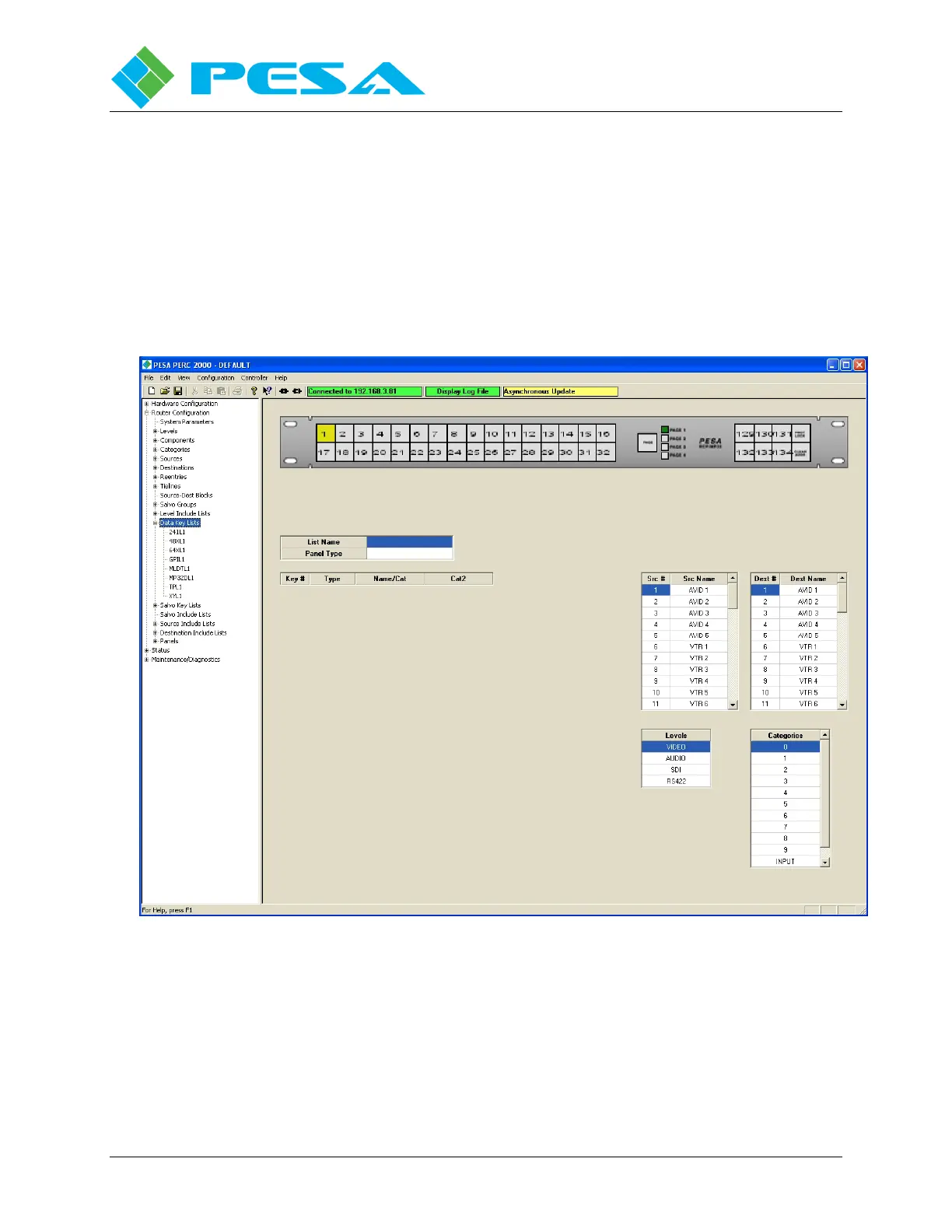
The Data Key Lists Configuration Screen, Figure 8-46, allows you to generate one or more
named lists which assign specific functions to each configurable key on a remote control panel.
Multiple panels may share a data key list as long as they are the same type of panel. Different
panel types may not use the same data key list. Clicking on the Data Key Lists parent entry in
the Command Screen Window brings up a clean copy of the configuration screen. It is from
this screen that you program keys on the various remote control panels in a system. Let’s take
a look at the elements you will find here.
Figure 8-46 Data Key Lists Configuration Screen



 To Next Page