User Guide – PERC2000 System Controller
Publication 81-9059-0605-0, Rev. B
November 2010
Proprietary Information of
PESA PESA 8-19
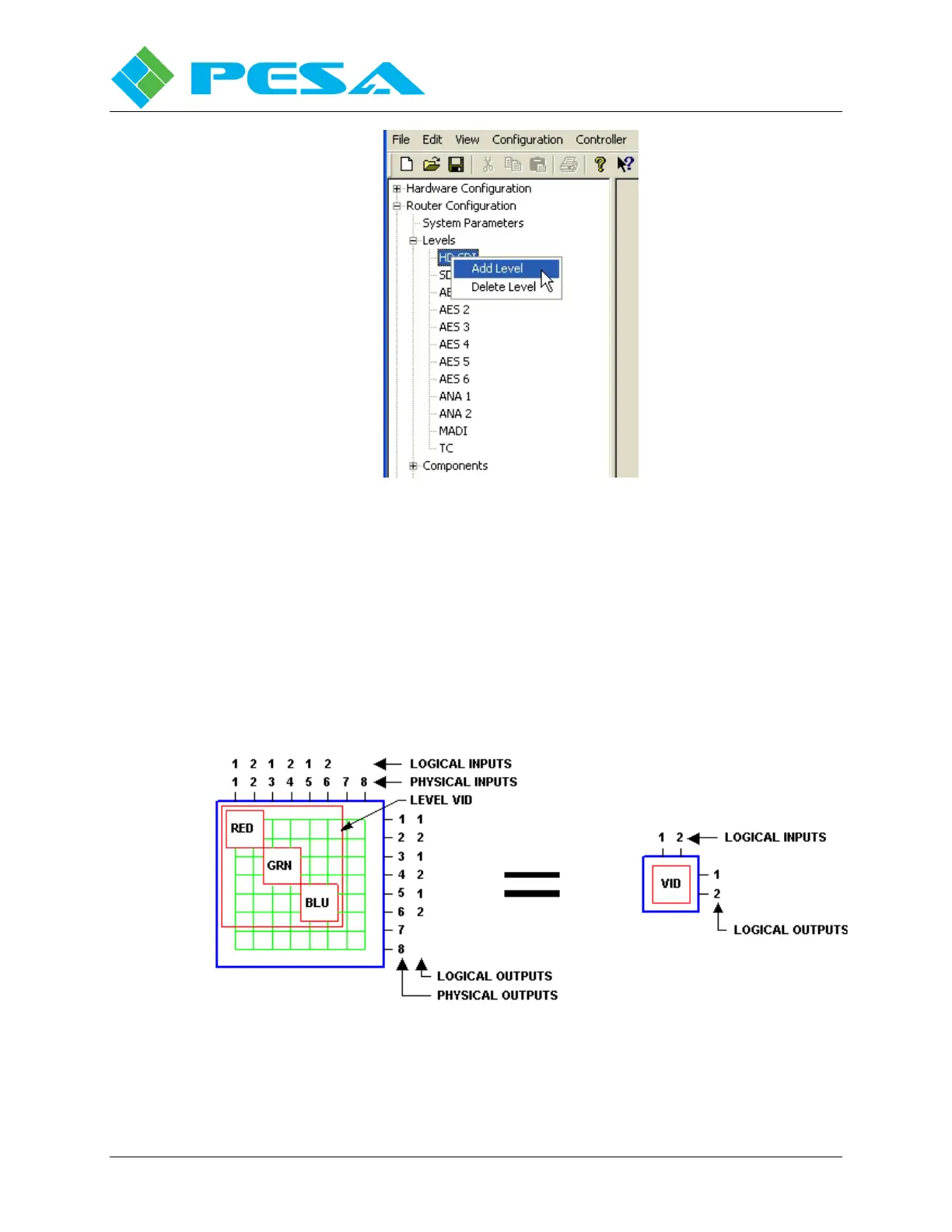
Figure 8-19 Right Mouse Click Options
8.9.3 C
OMPONENTS
C
ONFIGURATION
A component is the most basic signal element that can be switched by a system controller.
Components map level inputs/outputs of the actual physical matrix and are collected under a
level name that can be controlled by users. For example, in RGB video signals of “Red”,
“Green”, and “Blue” may be the components; in stereo audio, “Left” and “Right” audio signals
may be the components. The example shown in Figure 8-20 is a 2x2 RGB video level named
VID, which is made up of three components named RED, GRN and BLU. The maximum
number of components allowed in a configuration is 64.
Figure 8-20: Components of 2x2 RGB Video Level



 To Next Page