User Guide – PERC2000 System Controller
Publication 81-9059-0605-0, Rev. B
November 2010
Proprietary Information of
PESA PESA 8-40
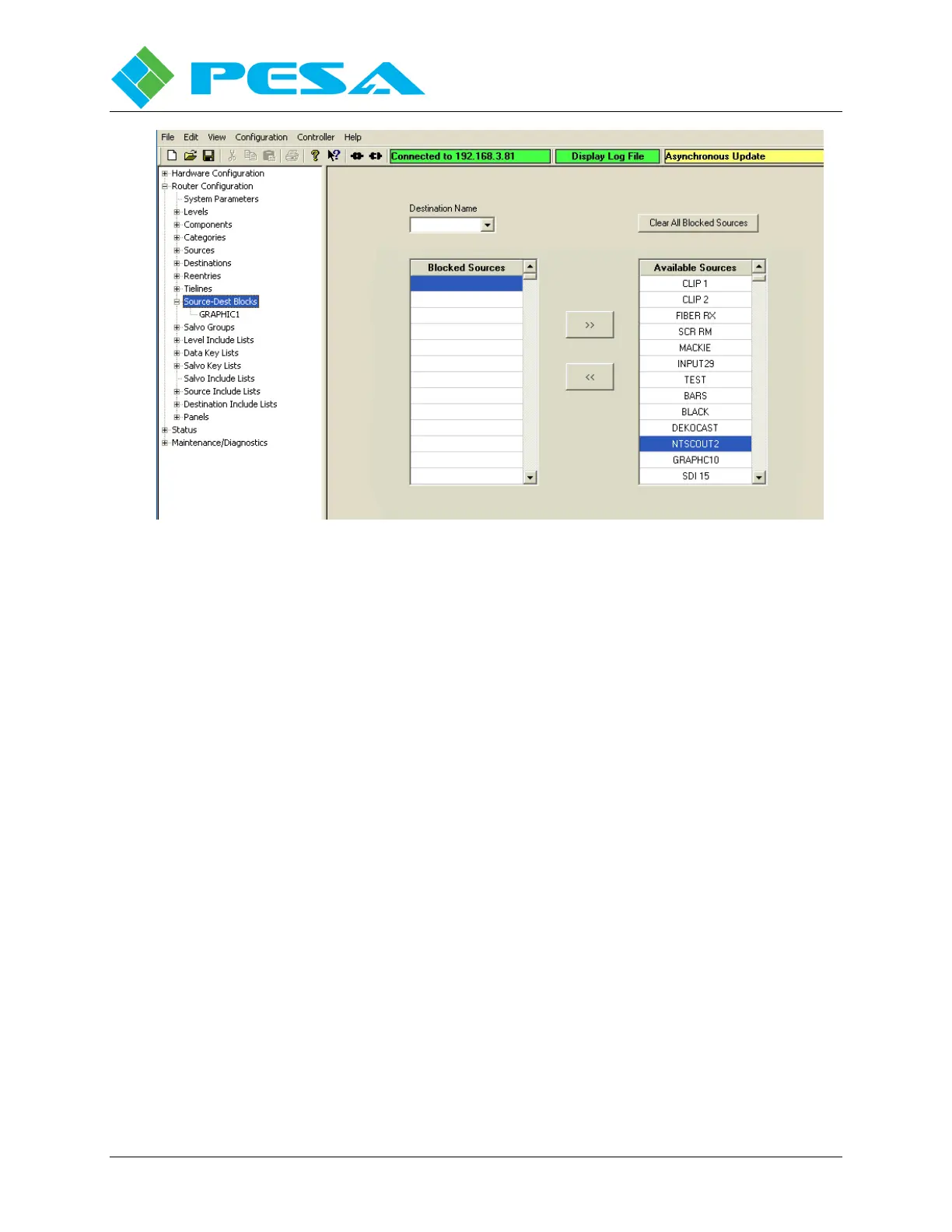
Figure 8-40 Source-Destination Block Display
Initially, all sources are listed in the Available Source list box. Listed sources are moved between
the two list boxes using the two arrows between the boxes. In order to move a source from
available to blocked, highlight the source you desire to block from access by the destination and
click the arrow pointing from the available list to the blocked list. You may list any number of
sources you wish to block. In order to unblock a source, highlight and move the source name
from the blocked list to the available list using the arrow pointing to the available list.
Expanding the tree under the Source-Dest Block parent header in the command tree window
opens a listing of destinations assigned to allow source blocking. If you wish to access the
configuration screen for a specific destination, click on the destination name in the listing. If you
wish to access a blank Source-Dest Block configuration screen, click on the Source-Dest Block
parent header in the command tree window.
8.9.10 S
ALVO
G
ROUPS
C
ONFIGURATION
S
CREEN
A salvo is a group of predefined switches made simultaneously with a single “take” command.
Salvos groups are defined on the Salvo Groups Configuration Screen, Figure 8-41.



 To Next Page