User Guide – PERC2000 System Controller
Publication 81-9059-0605-0, Rev. B
November 2010
Proprietary Information of
PESA 5-1
Chapter 5 Initial System Operation
5.1 GUI
A
PPLICATION
N
ETWORK
C
ONFIGURATION
The PERC2000 GUI application communicates over the facility Ethernet through the host PC
using the IP address of the PC. When the P2K software application is started, it immediately
begins searching the network for all PESA products intended to communicate with it that might
be connected to the net – including the system controller card. In order for the P2K application to
communicate with PESA equipment, the network interface device used through the host PC must
be actively connected to the subnet containing the equipment. In some installations, PESA
devices may reside on a subnet different from that currently configured for the host PC. The P2K
control software application allows you to easily select both the network interface device it uses
and the subnets on which it communicates. To view or modify current network communication
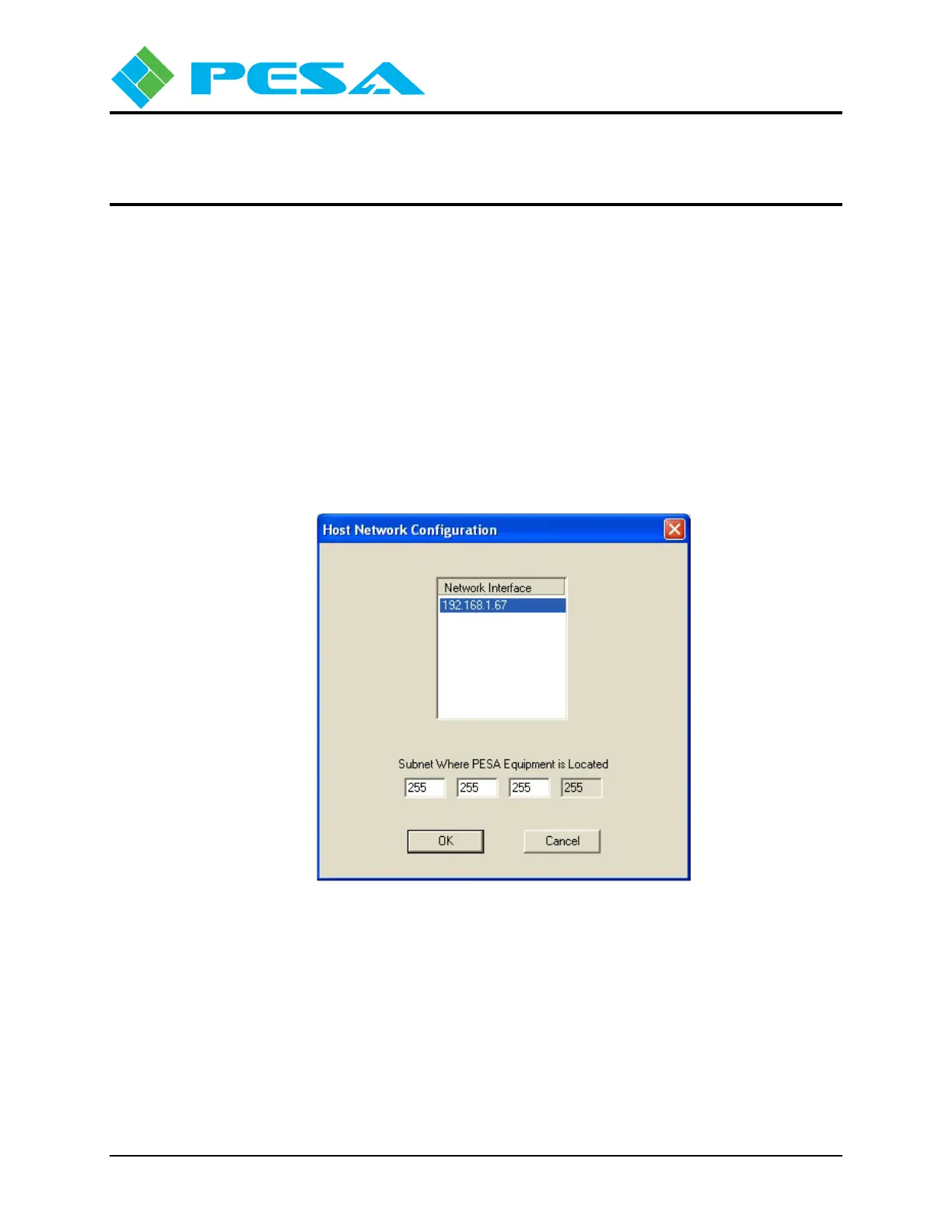
parameters, click the Network Preferences tab under the Edit menu in the menu bar to open the
Host Network Configuration screen as shown here.
The upper area displays by IP address and name the network interface devices available to the
control application. In many installations there will be only one entry in the window and by
default this would be the device used. If there are multiple entries, as would be the case, for
example, if the host PC contains both an Ethernet NIC and a wireless adapter, the device the host
PC is currently communicating through is shown highlighted. You may select the network
interface device you wish to use by double-clicking the entry in the listing. Be sure that the
network interface device you select is communicating over the subnet containing all PESA
devices you wish to control.



 To Next Page