User Guide – PERC2000 System Controller
Publication 81-9059-0605-0, Rev. B
November 2010
Proprietary Information of
PESA PESA 8-50
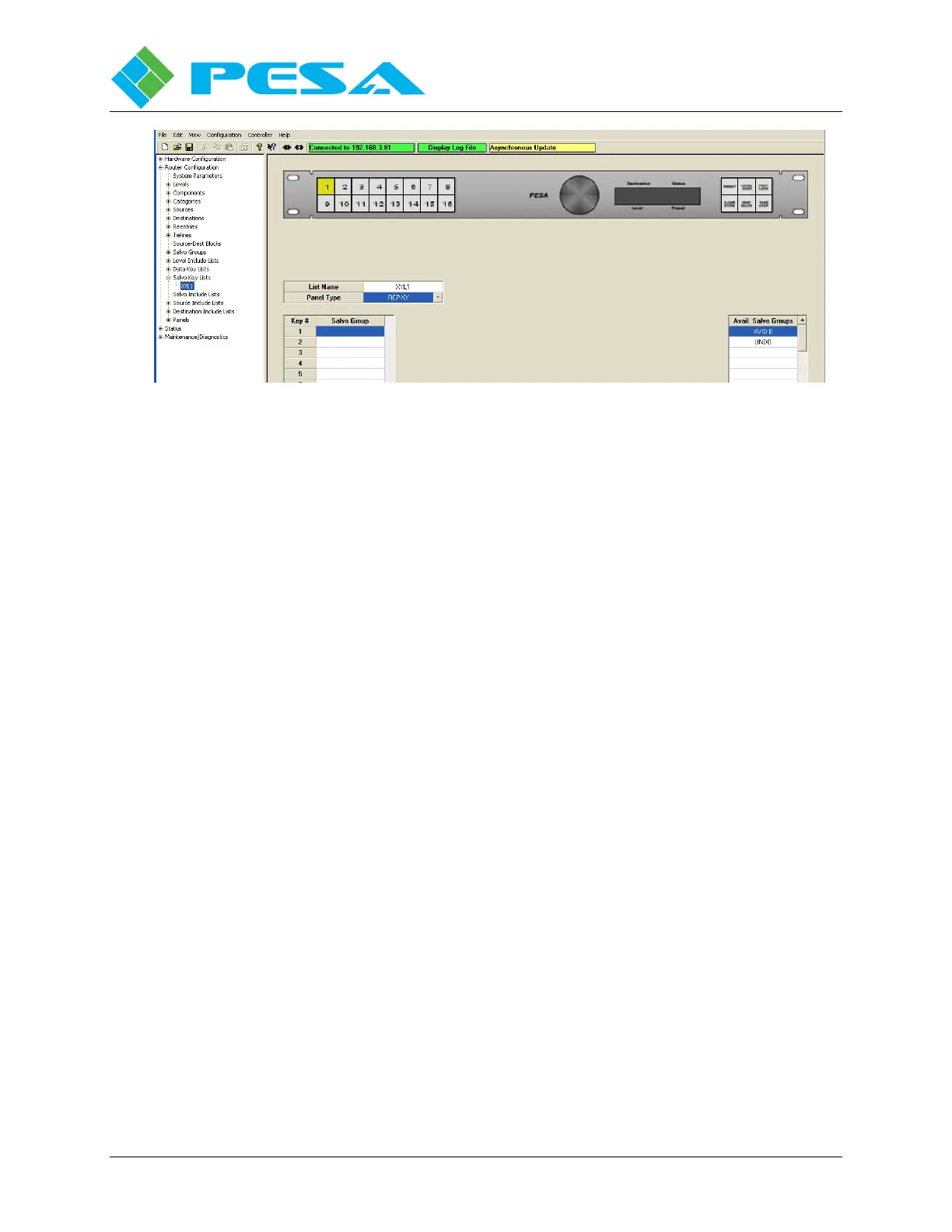
Figure 8-50 Salvo Key Lists Data Entry Fields
Once a name has been assigned to the list, click the cursor in the Panel Type field. A pull-
down box appears listing the PESA remote control panels by model number. Locate the model
number of the panel you are programming and click on the entry. The model number is placed
in the field and a graphic image of the panel appears at the top of the screen, Figure 8-51.
8.9.13.2 Assigning Salvo Groups to Configurable Panel Keys
Below the fields you just entered you will see a list field with a column labeled Key # on the
left-hand side. The numbers in the key # column correspond to the number assigned to each
key of the panel as depicted by the on-screen graphic.
On the right-hand side of the screen you will see a scroll list for Available Salvo Groups. You
can assign any key on the panel any item in the list. Once a control panel key is assigned,
whenever the remote control panel is operating in salvo mode a specific salvo group is recalled
when the operator presses the key associated with that salvo group.
For example, Figure 8-51 depicts the same panel we used to program the data key list in the
previous paragraph. In addition to keys 1 thru 36 that we programmed previously, you will see
a second group of four numbered keys (labeled 37 – 40) on the right side. Assume you would
like to program these buttons to select salvo groups, more specifically we will associate button
number 37 with salvo group AVID B and button 38 with the UNDO salvo function.



 To Next Page