User Guide – PERC2000 System Controller
Publication 81-9059-0605-0, Rev. B
November 2010
Proprietary Information of
PESA PESA 8-3
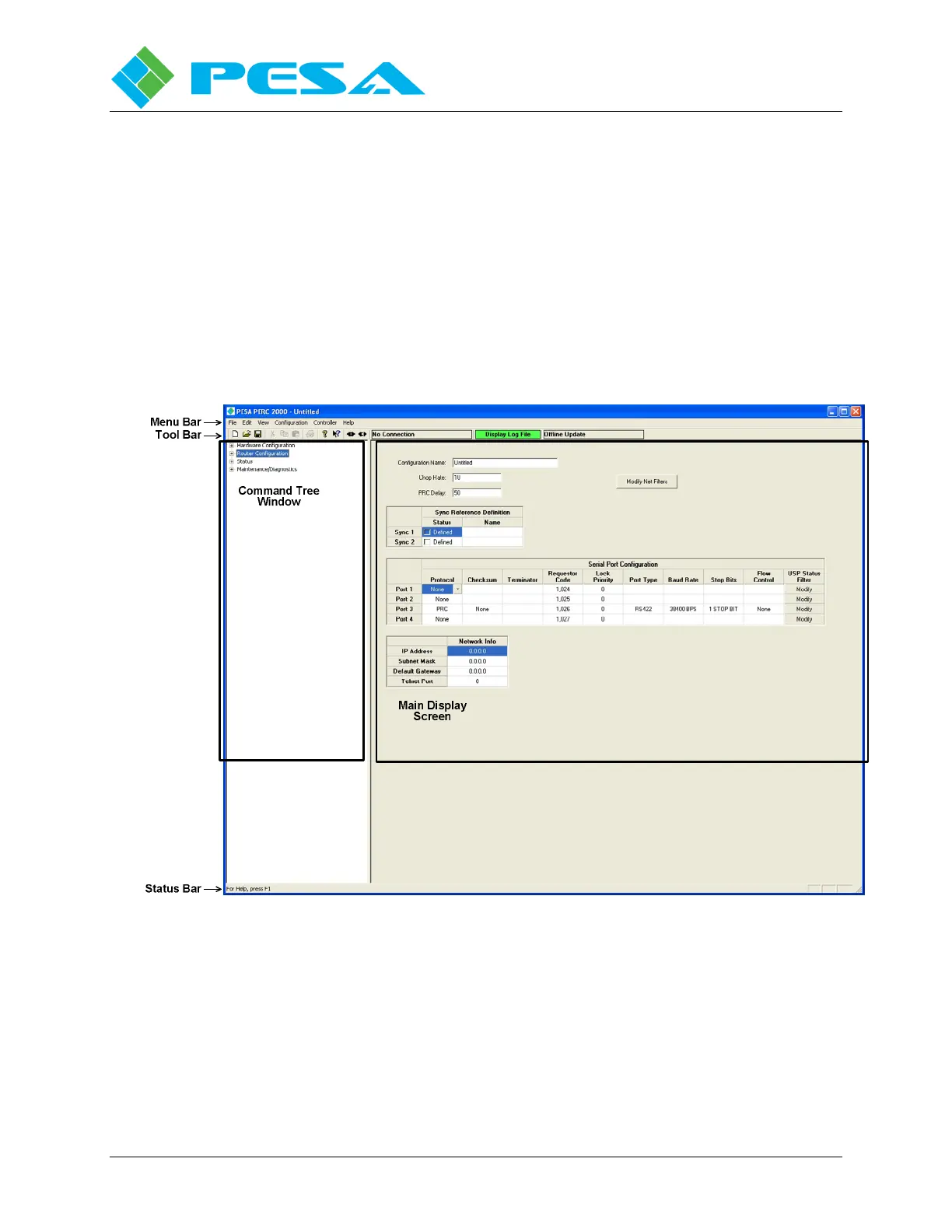
The Menu Bar, Tool Bar and Status Bar all function in a similar manner to other Windows®
based software applications. Some of the pull-down menus in the menu bar contain application
specific commands and these will be discussed in detail where appropriate in the operating guide
paragraphs.
All commands for system configuration, monitoring and diagnostics are contained in the
command tree located on the left side of the screen in the Command Tree Window. There are
four top-level (parent) command headers: Hardware Configuration, Router Configuration, Status
and Maintenance/Diagnostics. As in most Windows® applications each parent header may be
expanded to reveal sub-headers and commands by clicking the + box next to the item.
When a command is selected from the command tree, the data entry or status screen associated
with the command appears in the Main Display Screen window.
Figure 8-1 PERC2000 GUI Display Layout



 To Next Page