Sealing
49
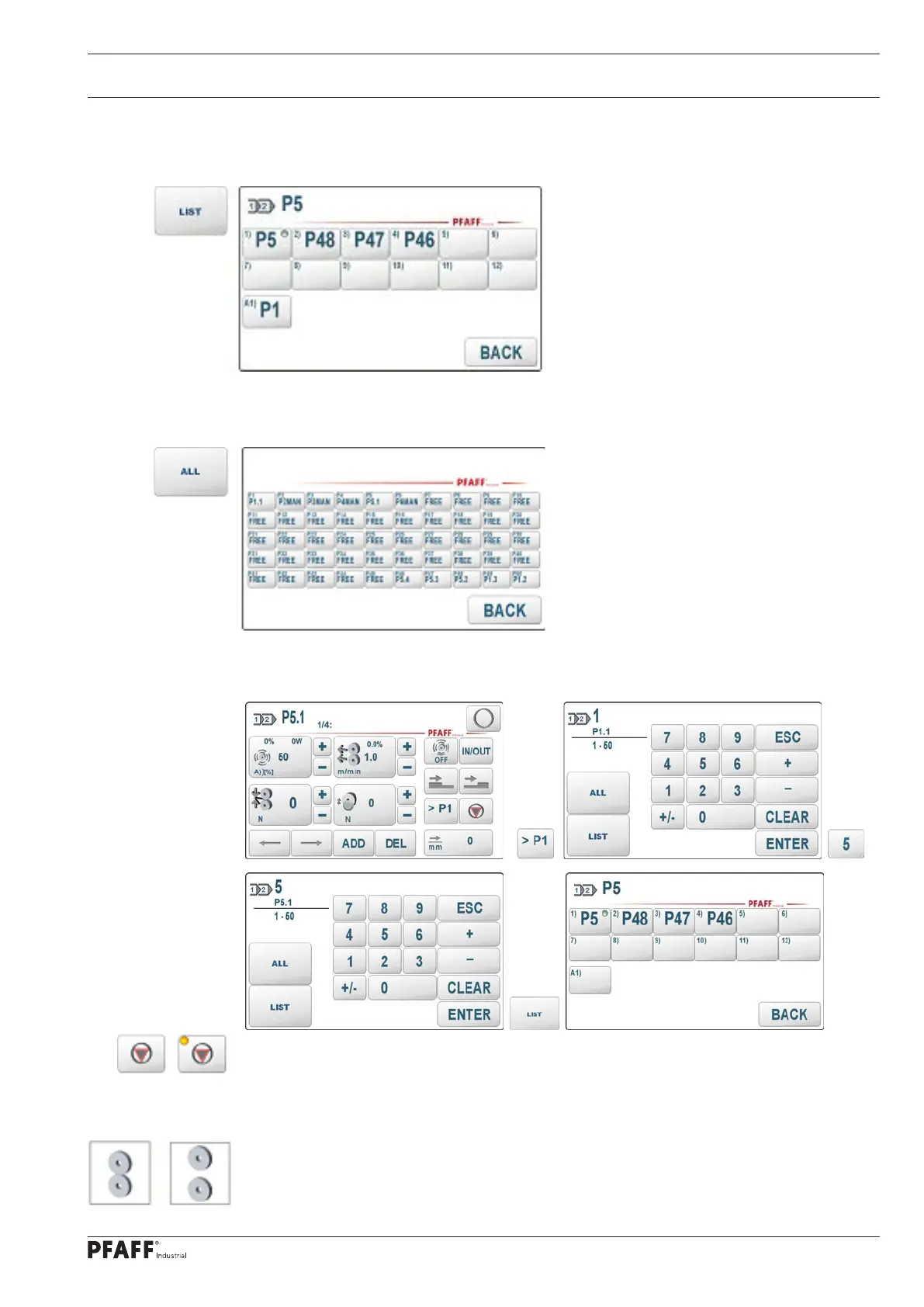
The current structure of program 5 can be displayed with the special key. In elements 1) ...
12) are the parameter sets that are assigned to areas 1..12 and in A1) there is the subsequent
program (here P1).
With the special key an overview of all parameter sets P1..P50 and their assignment to the
programs (here P1 and P5) is displayed.
If no subsequent program is required, you can reset the entry by entering the first area of
the current program (here P5). In the displayed program structure, field A1) remains empty.
Stop
The STOP function can be activated in any area. After the area has been processed, the
welding process is stopped. The sequence can then be continued with the pedal or the start
button with the following area.
The program editor automatically assigns a STOP to the last area. After the last area has
been processed, the program is ended, the rollers open or close according to the setting of
the basic roller position and the program starts again from the beginning or branches to the
set subsequent program.



 To Next Page