Input
55
Main pedal mode
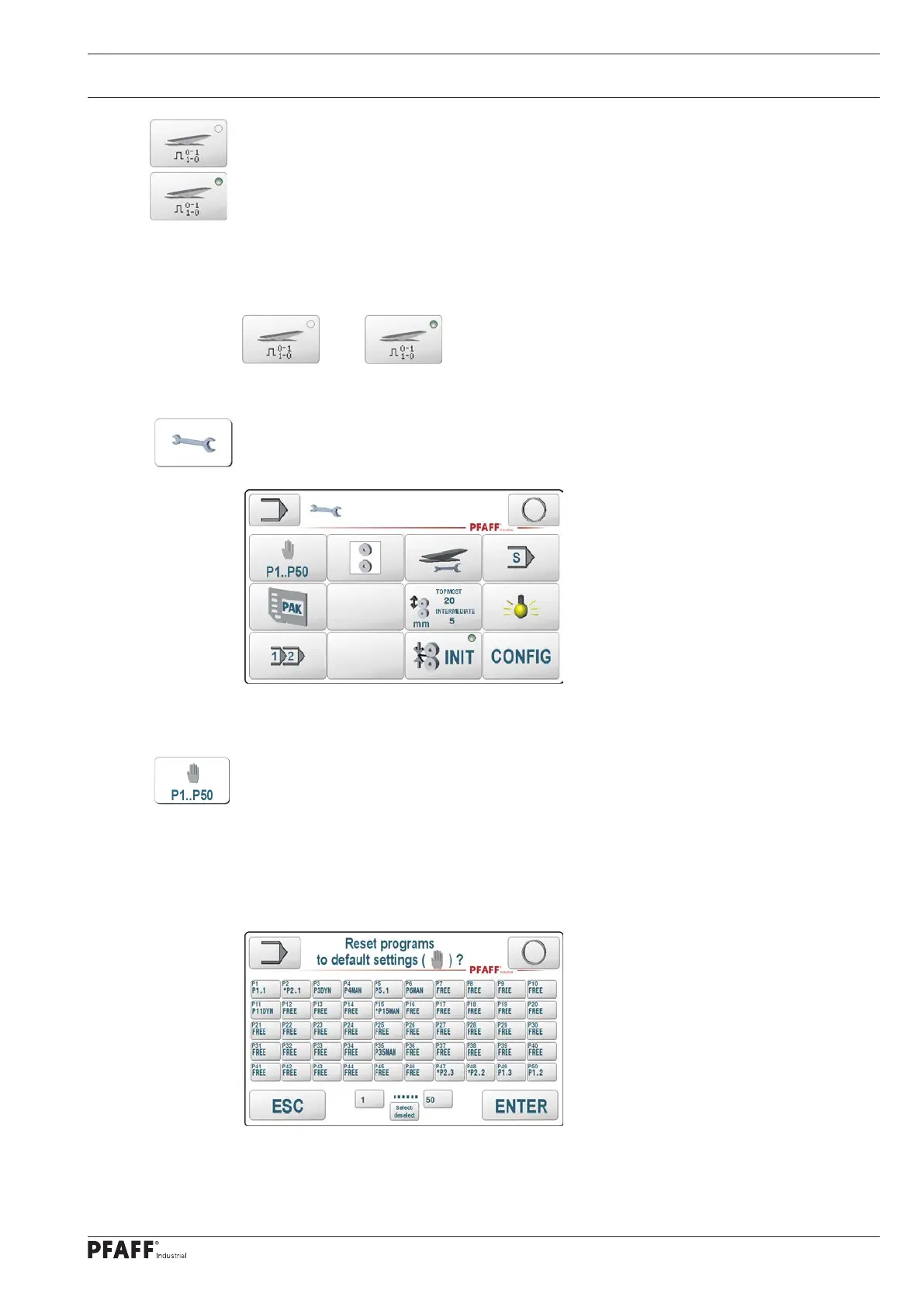
The main pedal mode is changed by pressing the touch field. The status is displayed with the
appropriate LED.
The machine operates in level mode as long as the pedal remains pressed in position +2.
The sealing process is switched on in flip-flop mode by pressing the main pedal and cancelled
by pressing it again.
The flip-flop mode is only effective in manual and programmed sealing mode. Ironing and dy-
namic sealing always work according to the level mode principle.
Level mode Flip-flop mode
Settings
Pressing the – settings – touch field on the basic input mode screen opens another screen
where the settings described below can be selected.
The settings submenu extends the input menu with the following
functions
Resetting of welding parameter data sets
This function provides an overview of the use of the welding parameter sets P1..P50 as
O Manual data record (e.g. P4: P4MAN, or P15: P15MAN)
O Dynamic data record (e.g. P3: P3DYN)
O Program link (e.g. P1: P1.1 - P50: P1.2 - P49: P1.3)
O Not used (e.g. P14: FREE)
The parameter sets can be marked individually or in groups and then reset to unused
parameter sets. Unused parameter sets are formally manual data sets that have not yet
been called up and are activated with the program number selection. They can also be linked
to programs or sequences using the program editor.



 To Next Page