Input
56
For technical reasons, the marking of the data records differs from the usual procedure with
faded in colored LEDs (50 text fields in the keys with 50 LEDs cannot be displayed).
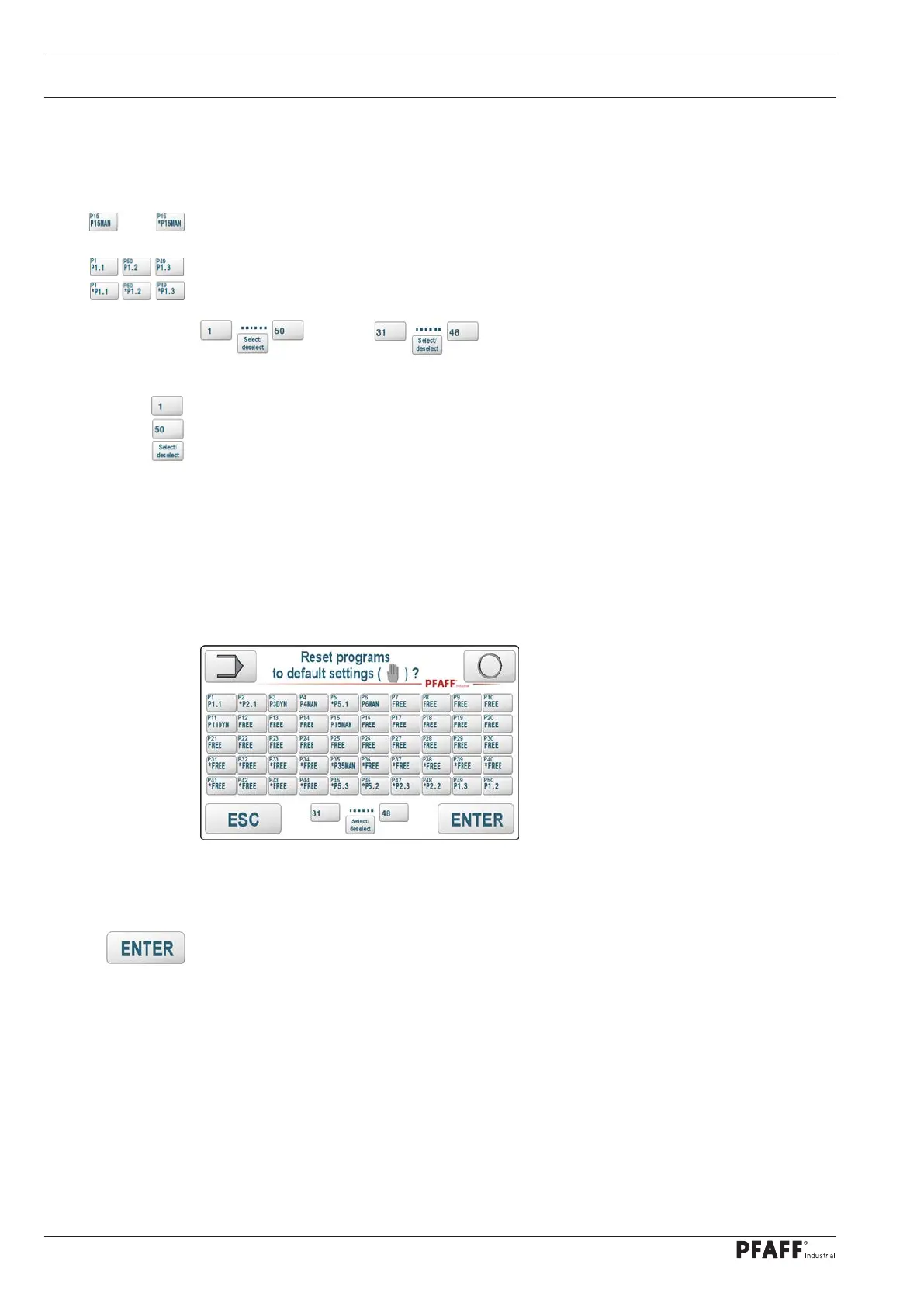
As an alternative, marked data records are shown with a preceding *.
The markings can be set or reset individually using the data record buttons
Linked data records are marked with each individual key or their marking is removed with
each individual key.
or
With these keys groups of data records can be marked.
Enter the first data record number with the left button
Enter the last data record number with the right button
Set / reset the marking of the selected data records
Note:
If linked data records (programs) are contained in a marked group of data records, all data re-
cords involved are marked even if they are outside the selected group.
In this example, areas of programs P5 and P2 are included and are therefore marked with
and reset if necessar
Note:
Unused records (e.g. P31: FREE) are also marked.
With this button all marked data records are reset to standard values.
The default settings are:
Manual welding,
No comment, amplitude welding with 50%,
Roller speed 1.0 m / min, differential 0%,
Power welding, welding force 0N, cutting force 0N (only with DUAL Cut & Seal equipment),
Start delay 0s, stop delay 0s, reverse rotation 0mm,
WELDING 0, CUTTING 0, CUTONLY 0
INUSE = 0
<->



 To Next Page