Input
60
Analog outputs
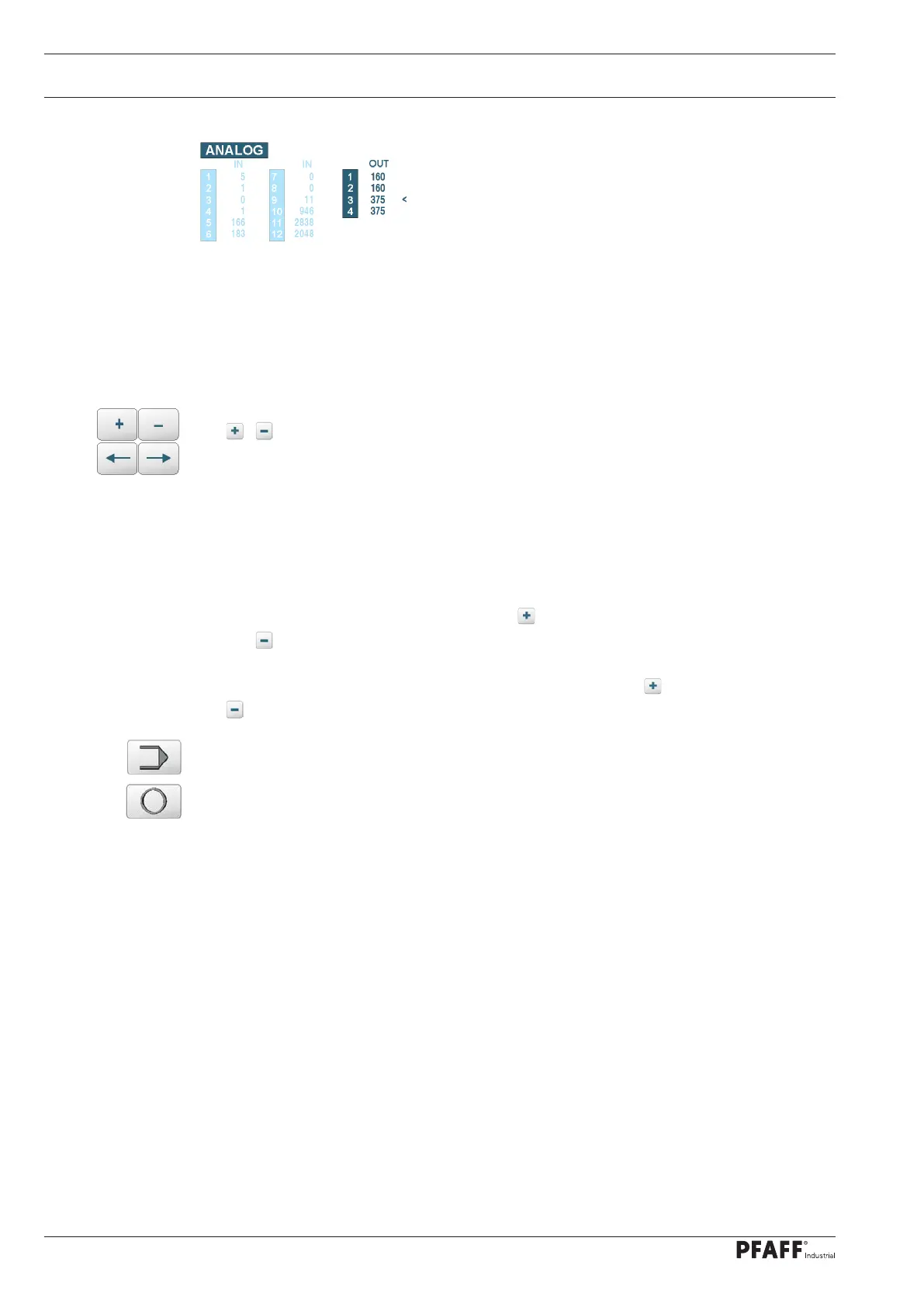
Display and input of analog outputs
(Value range 0..4095)
Analog OUT 1 X22 0..20 mA unused
Analog OUT 2 X23 0..20 mA unused
Analog OUT 3 X24/1-2 PWM1 -- LED lighting below
Analog OUT 4 X24/3-4 PWM2 – LED lighting above
Switch outputs
The / keys can be used to set the selected digital output or increase or decrease the
selected analog value.
Use the arrow keys to move the selection symbol ^ or < to the desired outputs.
The digital and analog inputs are read and displayed cyclically. The arrow keys can be used to
select one of the digital or analog outputs. The key can be used to set the digital output
and the key can be used to reset the digital output. Process locks and feedback switches
(digital inputs) are monitored and can lead to errors.
The values of the selected analog outputs are increased with the key and decreased with
the key.
These keys are used to return to the basic input mode or the settings menu.
This key can be used to switch to production (e.g.manual sealing).



 To Next Page