Phoenix LT4 Lane Machine Operation, Maintenance, and Parts Manual
3-10 Rev. Date: 01/22 61-900040-000
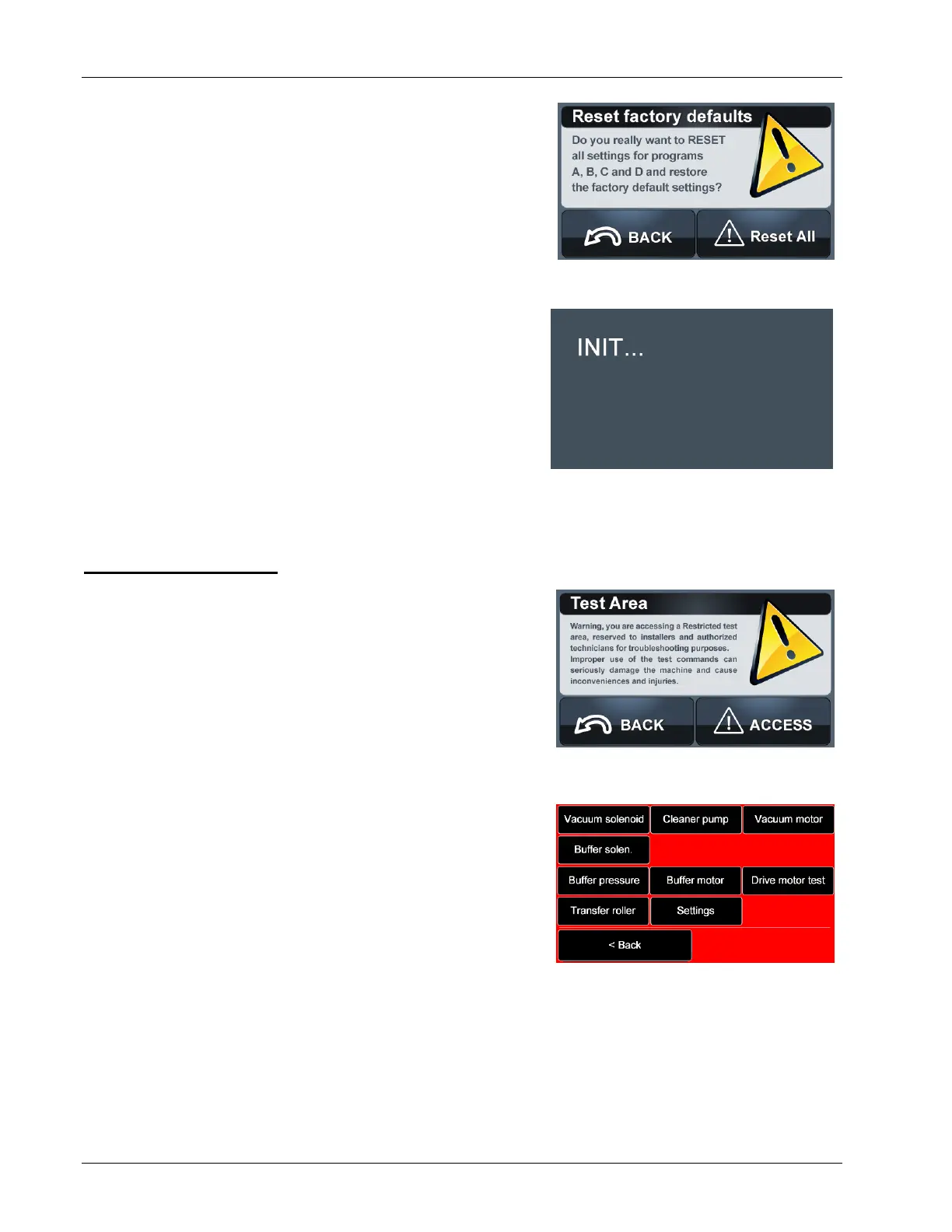
A warning message, shown in Figure 3- 17, will appear
to confirm that the defaults should be restored. To
proceed, select Reset All. Once Reset All is selected
all customizations will be lost and cannot be
recovered. Be sure to note any custom settings
that will need to be reused.
While the machine is resetting, the screen will show
display "INIT...", as shown in Figure 3- 18. Once the
process is complete, the Home screen will appear and
the machine is ready for operation.
To return to the Test screen without resetting the machine, select the Back button.
3.2.5 The Test Area
The Test Area is for testing the machine systems. To
access it, select Test Area from the Test screen. A
warning shown in Figure 3- 19 will appear. Only
operators experienced with the Phoenix LT4 Lane
Machine should access this screen. Improper use
of the test functions can damage the machine as
well as cause injury and inconveniences.
The Test screen is shown in Figure 3- 20. Below is a
description of the action each test button initiates.
Vacuum Solenoid - Touching the Vacuum
Solenoid button disengages the vacuum
solenoid and will lower the vacuum head to the
lane. This tests the operation of the vacuum
solenoid. Additionally, it can be used to reset the
vacuum solenoid after a machine timeout.
Cleaner Pump - Turns on the cleaner pump. This is used to test the operation of the
cleaner pump, check the cleaner nozzles’s flow rate and direction, or prime the
cleaning system with cleaner solution. CAUTION: Testing the cleaner pump should
ONLY be performed when the machine is in the operating position on the lane.


 To Next Page