Phoenix LT4 Lane Machine Operation, Maintenance, and Parts Manual
4-6 Rev. Date: 01/22 61-900040-000
7. Take several readings on each side of the machine.
8. If the readings from each side are not between B and C, the pressure must be
adjusted. Refer to section 4.3.1 – Adjusting the Buffer Brush Pressure.
If the readings are between B and C for all of the areas tested, the pressure does
not need to be adjusted.
9. The test can be ended at any time by touching the Cancel button or waiting for the
countdown to expire. When the test is complete, press the Back button to return to
the Home screen.
10. When testing is complete, turn off the POWER switch and unplug the Phoenix LT4
from the power source.
4.2.2 Cleaning the Cleaner Tank Area
To clean the cleaner tank area, wipe the outside of the tank with a cloth that is dampened
with the same diluted cleaning solution that is used on the lanes.
4.2.3 Cleaning the In-Line Filter
To keep particles out of the cleaner solution delivery system, the Phoenix LT4 has an in-
line filter. To check and clean the in-line filter, complete the steps below. Perform these
steps with the machine in the operating position.
Small clamps (2) or locking pliers
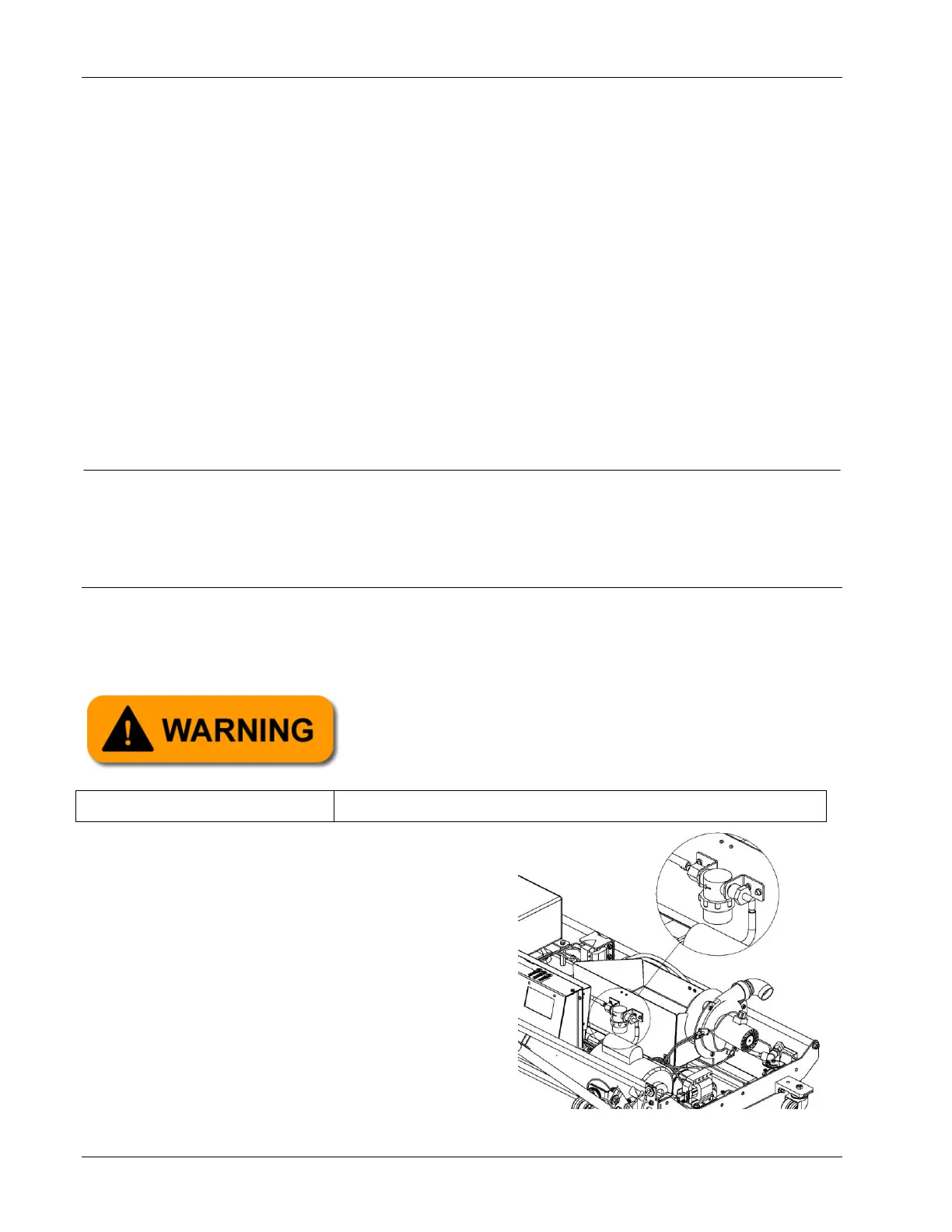
1. Locate the filter, which is attached to the
rear of the waste tank support bracket as
shown in Figure 4- 4.
Always ensure the Phoenix LT4 Lane Machine is
disconnected from any power source before starting
any maintenance, replacement, or repair task.


 To Next Page