Maintenance and Adjustments
61-900040-000 Rev. Date: 01/22 4-5
NOTE
It is possible for the pressure on one side of the brush to be different from the other
side. To ensure the oil application is consistent across the width of the brush, both
sides need to be adjusted to the same pressure.
To measure the buffer brush pressure, perform the steps below with the machine in the
operating position. In order to measure the pressure correctly, the lane and the buffer
brush should have oil on them.
Pressure Adjustment Tool, RP-43
1. Position the Phoenix LT4 about 2 feet down
the lane from the foul line.
2. Plug the Phoenix LT4 into a power source.
3. Turn ON the machine’s POWER switch.
4. From the Home screen, select the Test screen
icon and enter the Test Area by selecting its
button. Touching the Test Area button will
display a warning message. Adjusting the
buffer pressure should only be done by
experienced operators.
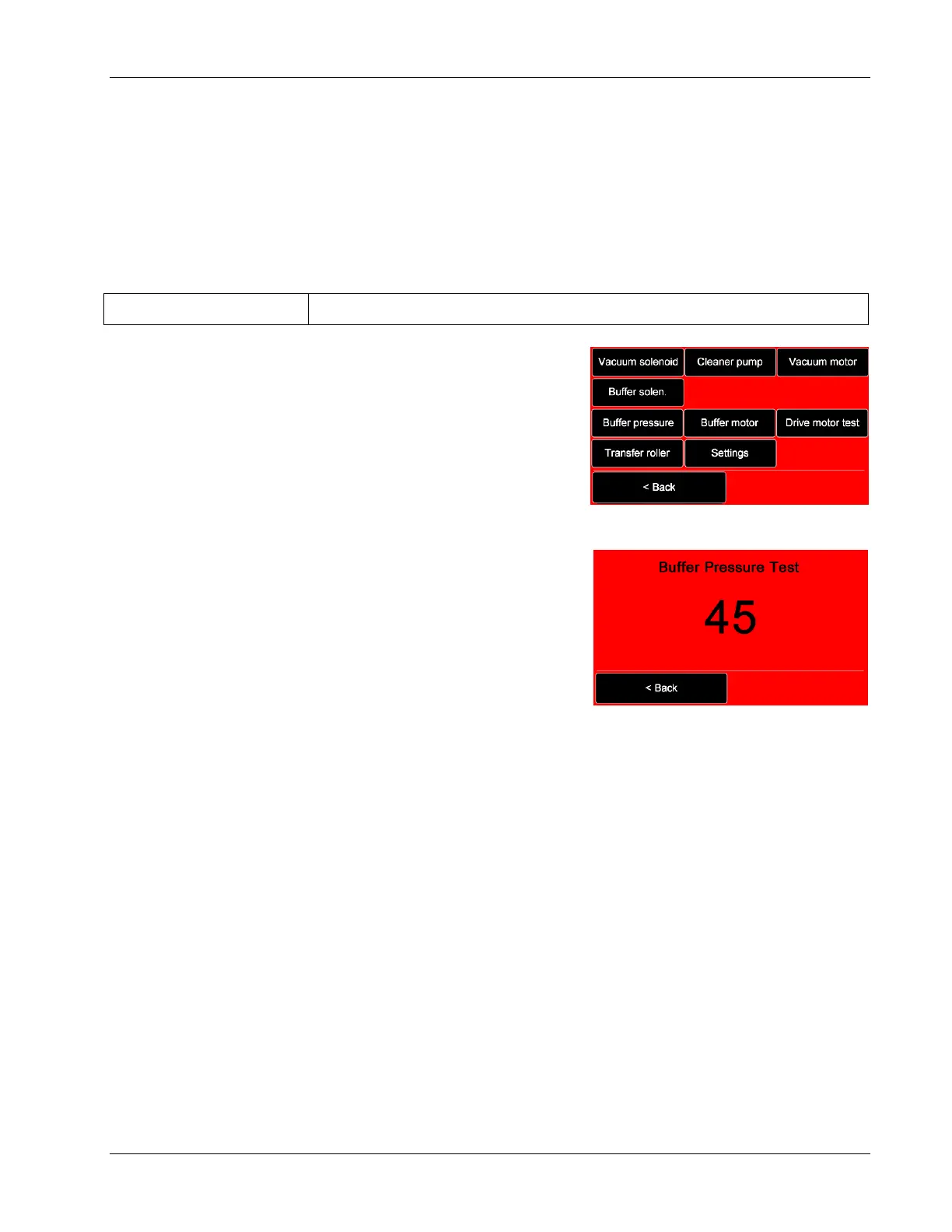
To proceed to the Test Area, select the Access
button. The Buffer Pressure option is located in
the third row of the left column as shown in
Figure 4- 2.
When ready to test the buffer pressure, press the Buffer Pressure button. The
buffer motor will engage (the drive motor will not start) and run for approximately
45 seconds. A countdown will be displayed on the screen as shown in Figure 4- 3.
The test can be stopped at any time by pressing the Cancel button located in the
bottom left corner of the screen.
5. From the rear of the machine, position the vinyl strip of the Pressure Adjusting Tool
under the middle of the buffer brush, with at least 3 inches of the vinyl strip
extending beyond the other side of the buffer brush. The engaging of the buffer
brush and the tool will be felt.
6. While observing the scale, hold the aluminum plate just off the surface of the lane,
and slowly pull the tool away from under the machine.
Pull the tool away from the brush in a straight path without lifting the
aluminum plate away from the lane.
Take the reading while pulling the tool, not as the vinyl strip initially releases
from the buffer brush.


 To Next Page