LUCAS® 2 Chest Compression System – Service Manual
3323809-001, © 2017 Physio-Control, Inc.
14
4. LUCAS® 2 Program Loader
LUCAS® 2 PROGRAM LOADER IS
SOFTW
ARE FOR UPDATING THE PROGRAM IN LUCAS. IT CAN ALSO BE USED TO
READ ERRORS AND
W
ARNINGS FROM THE DEVICE. THIS SECTION EXPLAINS HOW THE
SOFTWARE W
ORKS.
4.1. Software Installation
Installation of a USB driver must be completed to connect to the Lucas device. Run the
application directly by clicking on the USB Driver icon. (This is only needed the first time the
LUCAS 2 Program Loader is installed, independent of which version. Then copy the file
(LUCAS2_V2X.exe) file from the media to the desktop, or to another location, and then
create a shortcut on the desktop.
4.2. Connect the Device
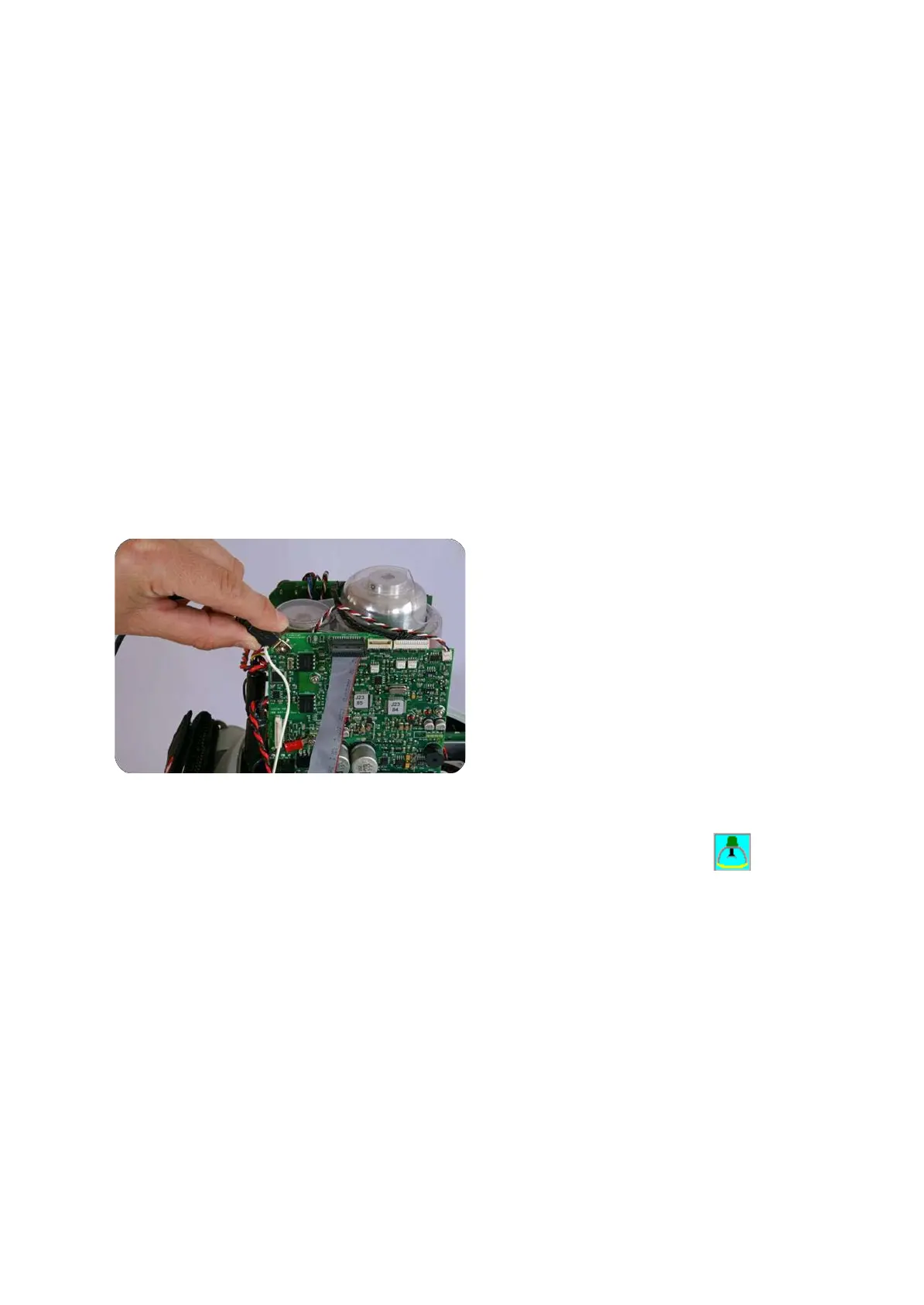
Connect an USB cable between the computer and the device, the connector is situated at
the lower left side of the Control PCB on LUCAS 2.2. (On LUCAS 2.0 and LUCAS 2.1 the
connector is situated at the top left corner of the Protective PCB, according to picture below.)
Start the device.
Start the software by executing the .exe file for the device you are working on. For example,
if you are working on a LUCAS 2.2, you will execute LUCAS2_V22.exe file.












 To Next Page