LUCAS® 2 Chest Compression System – Service Manual
3323809-001, © 2017 Physio-Control, Inc.
16
The present Errors and Warnings appear in each CPU’s box window.
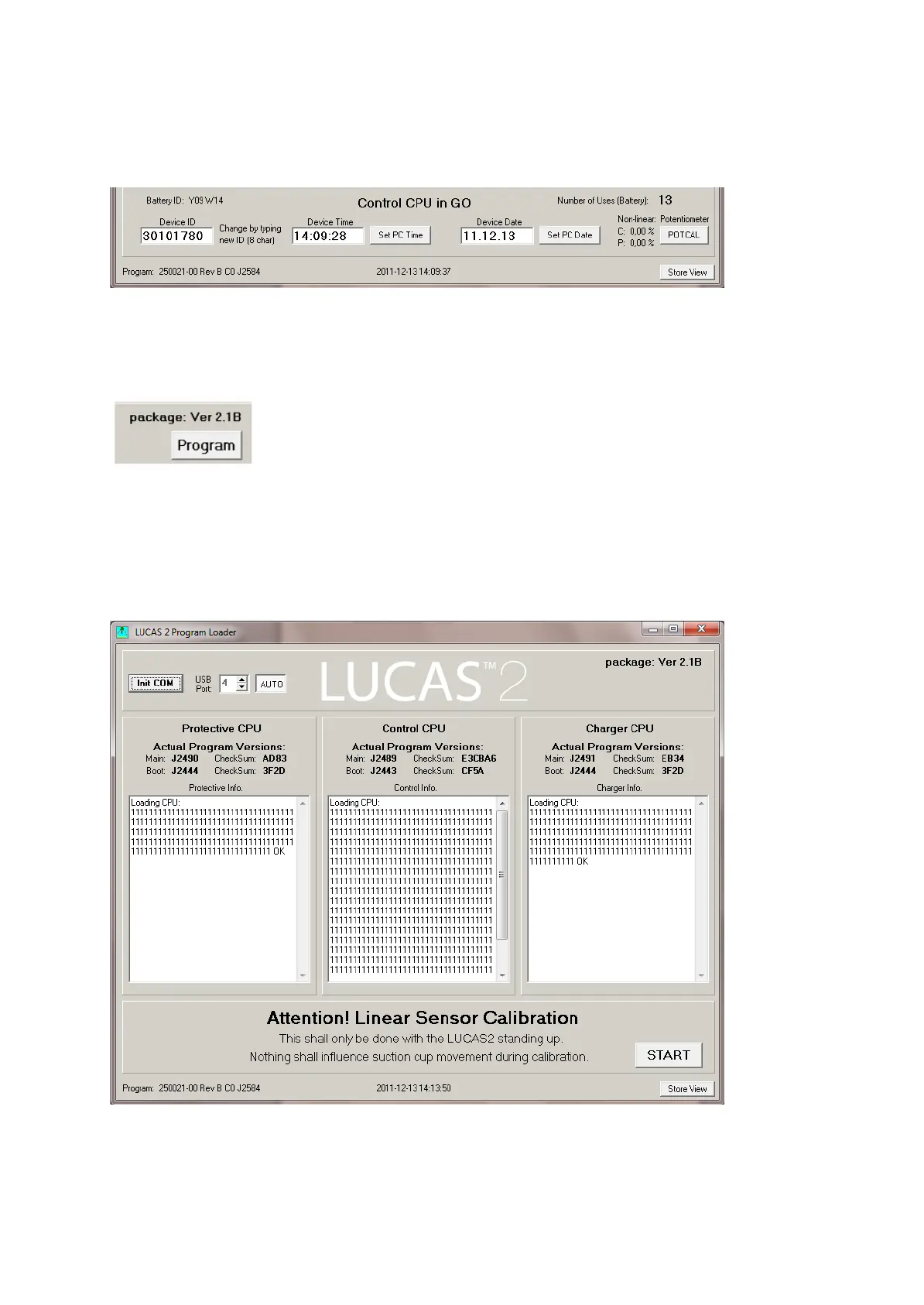
It’s also possible to set the Device ID, Time and Date (uses the PC time and date).
4.4. Update the Program
To update the program, click Program in the upper right corner.
The programming process will start and update the software for each CPU.
When all three CPU’s are updated this window will appear where you are prompted to
make a Linear Sensor Calibration. Before you click the Start button please make sure that
nothing can influence the movement of the suction cup and that the device is in its upright
position.
Click START.
Now the Calibration process will start. The progress can be followed in the Control
CPU’s window.












 To Next Page