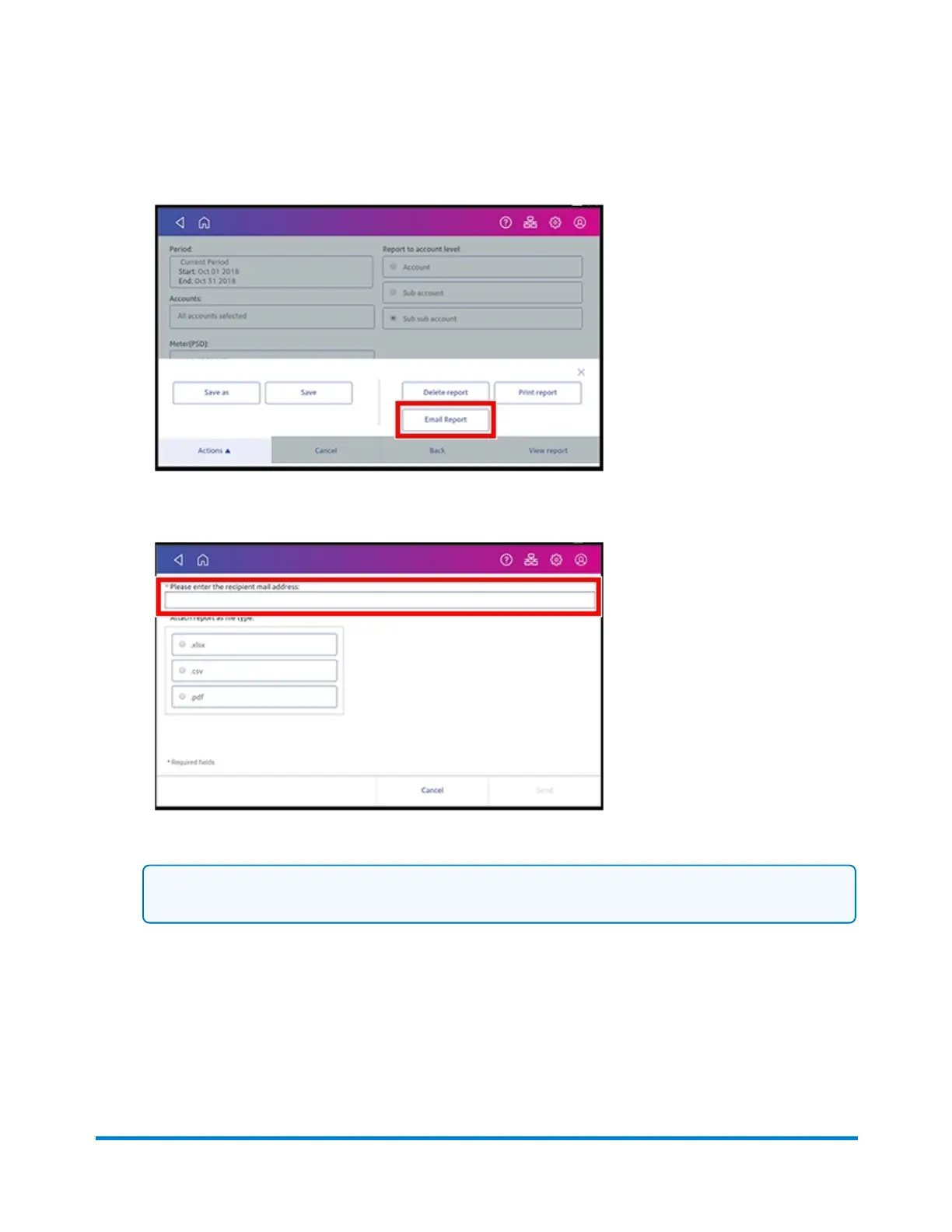
10. Tap Email Report.
11. Tap in the Please enter the recipient mail address box and enter the recipient's email address.
Note: The email address you enter will remain until you turn off then turn on the device.
12. Tap the file type you wish to send: xlsx (Excel), csv (comma-separated values), pdf (Portable
Data Format).
13. Tap Send. The report appears from no-reply@pb.com.
View and Print Reports
Pitney Bowes Operator Guide February 2021 161













 To Next Page