2. Tap Display Brightness in the Device & Network section of the screen.
3. Move the slider to adjust the brightness.
4. Tap the back-arrow or Home icon to exit the Settings screen.
Adding favorite apps
Add your favorite apps to the app drawer to make them easy to find on the Home screen.
1. Tap SendPro Apps on the Home screen. All the available apps display.
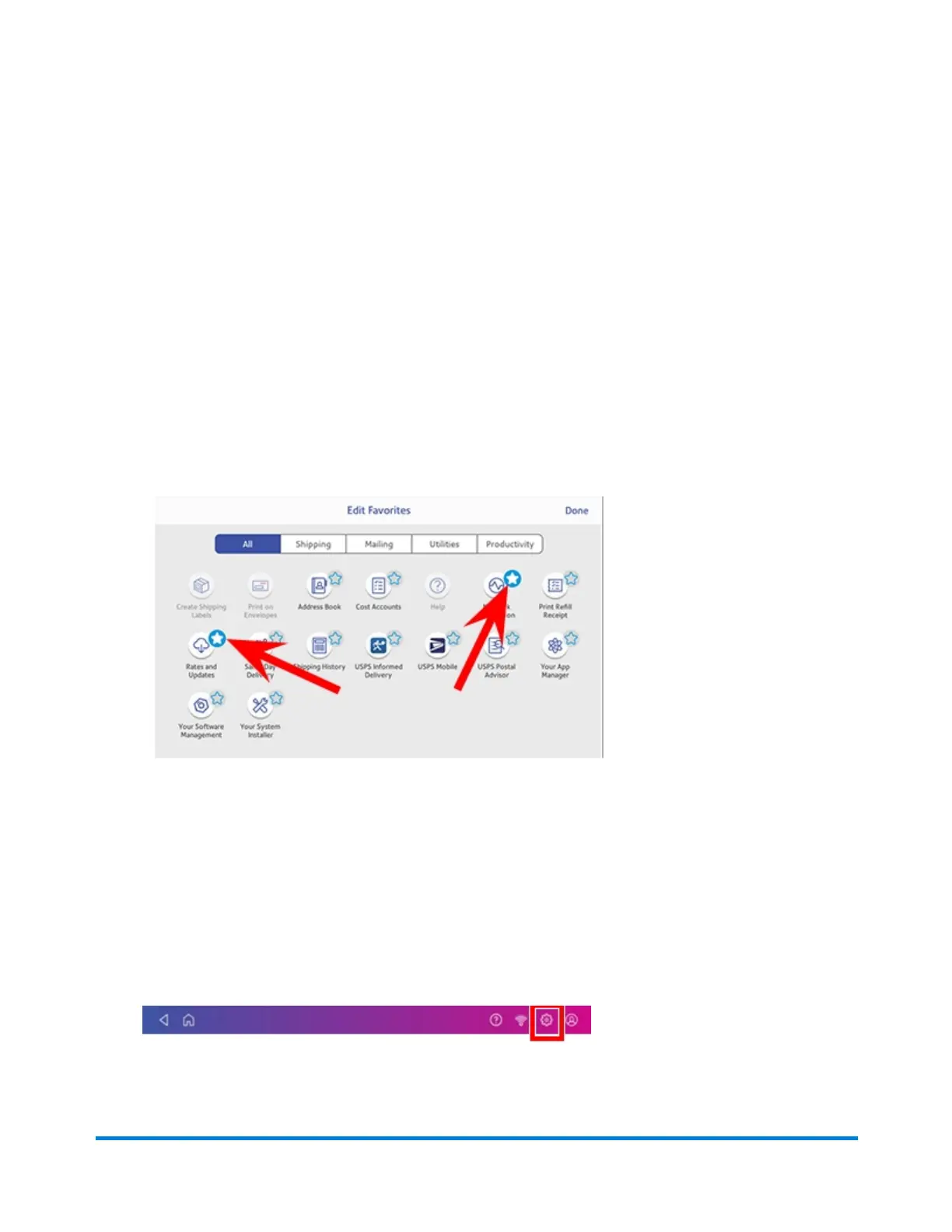
2. Tap Edit favorites and a star appears next to each app.
3. To select an app to appear in the favorite section of the Home screen, tap the star next to it. This
highlights the star as shown here.
4. Tap Done when complete.
Setting up Energy Saver
Use the energy saver to reduce energy usage. The energy saver turns your device off after a period of
inactivity.
1. Tap Settings on the toolbar.
2. Tap Energy Saver in the device & Network section.
Managing your device
Pitney Bowes Operator Guide February 2021 60













 To Next Page