Viewing and creating a USPSshipping label refund
report
You can view and print all the USPS shipping label refunds you've requested on your device.
1. Open the Shipping History screen:
l Tap History in the application drawer at the bottom of the Home screen, or,
l Tap SendPro Apps on the Home screen, then tap Shipping History.
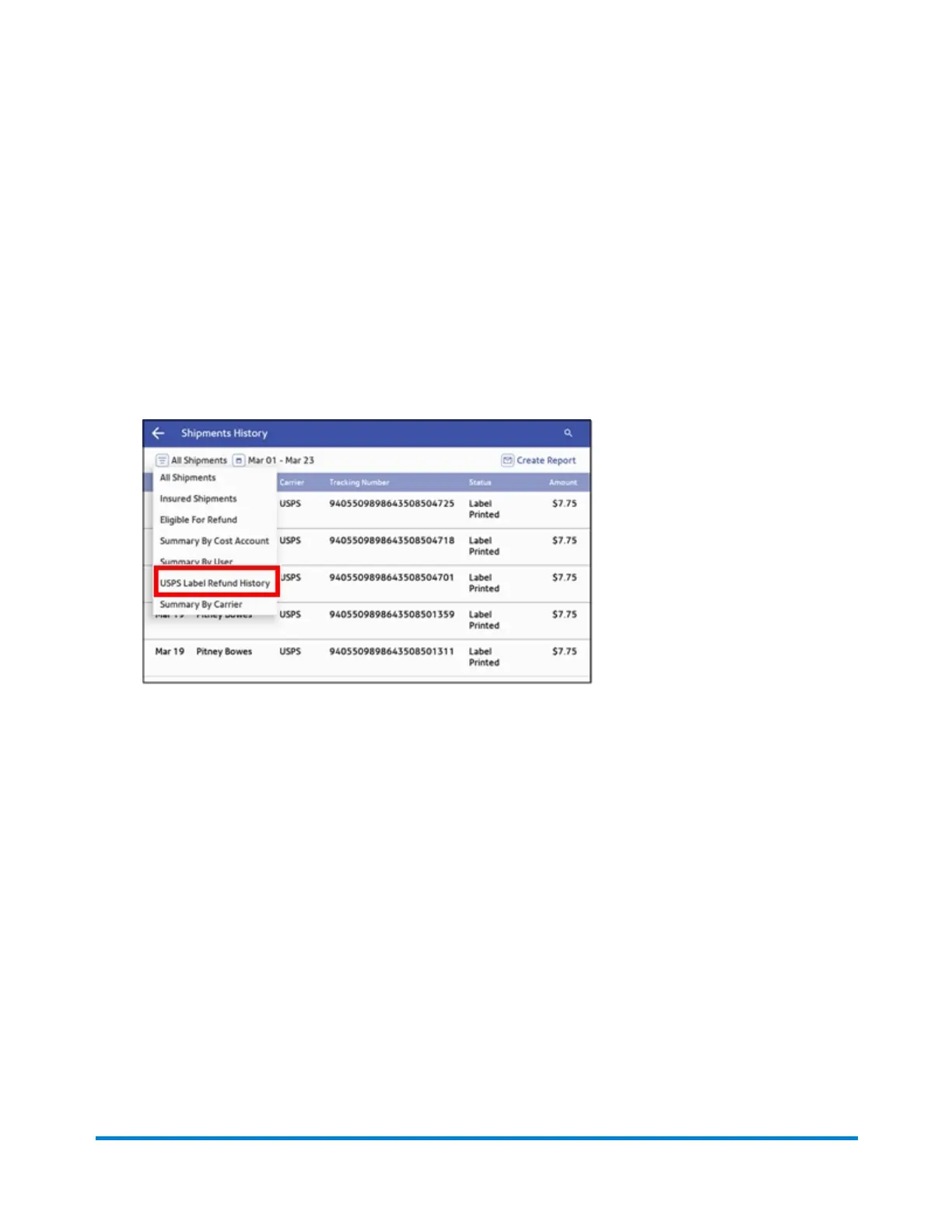
2. Tap on the menu icon next to All Shipments and select USPS Label Refund History.
3. All the USPS labels appear on the screen. To view the details of a specific shipping label refund,
tap on the shipment.
l The details screen shows the sender and recipient address, the cost account, purchase date
and the package type.
4. (Optional) To create an email report of all the USPS shipping label refunds:
a. Tap Create Report.
b. Enter the email address. Tap the green check mark to confirm.
c. Tap Email Report.
d. You will receive an email with an attached .csv transactions history file.
View and Print Reports
Pitney Bowes Operator Guide February 2021 164













 To Next Page