3D PATIENT EXPOSURE
28 Planmeca ProMax 3D Max with ProTouch
User’s Manual
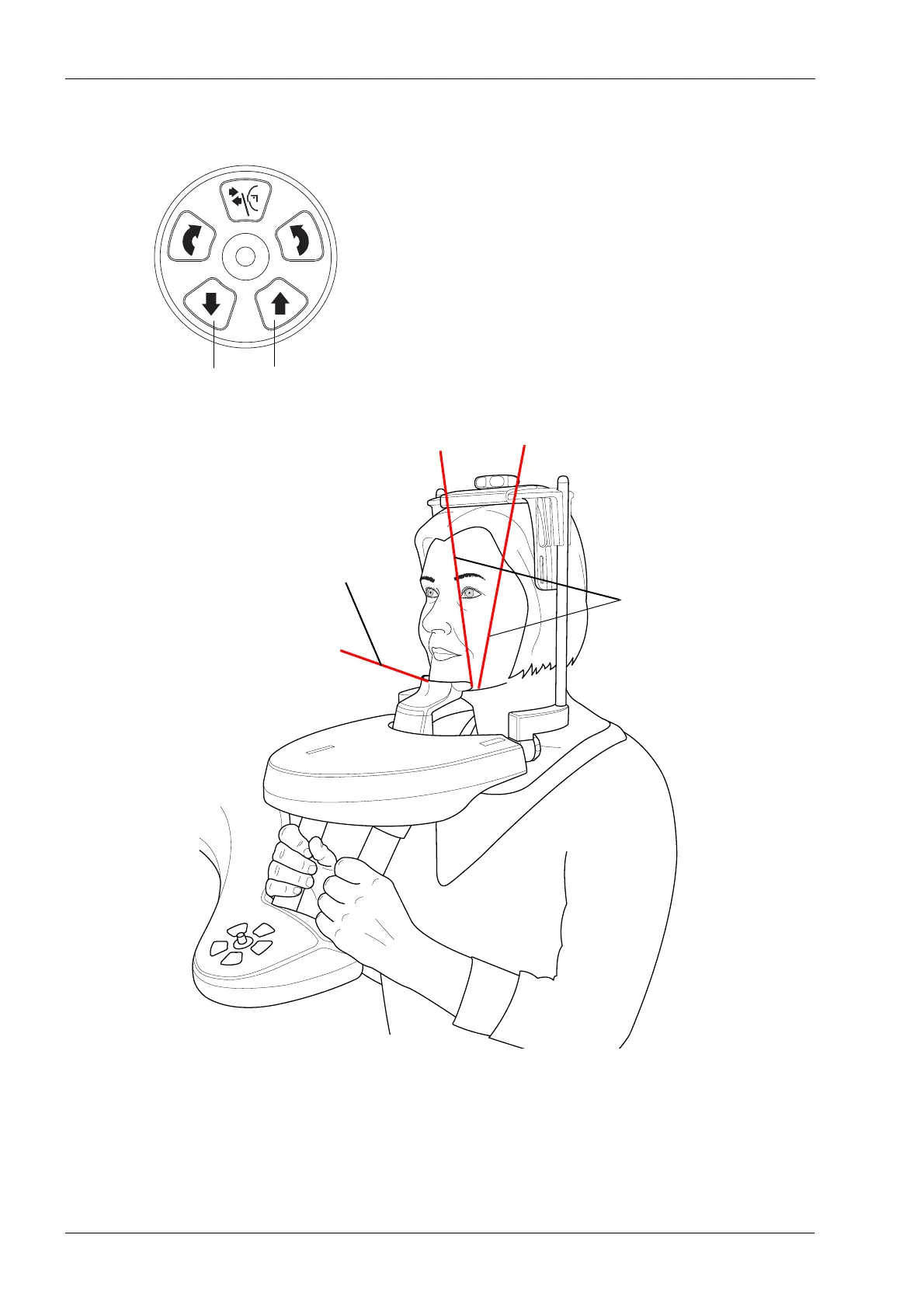
8.4.2 Positioning patient’s head
1. Guide the patient to the X-ray unit. The patient can sit
or stand during the exposure.
2. Adjust the X-ray unit to suit the height of the patient. To
do this, press either of the height adjusting buttons
until the chin cup is approximately level with the
patient’s lower jaw.
The positioning lights come on:
3. Ask the patient to grasp the patient handles.
4. Check that the patient’s head is firmly positioned in the
head support.
• You can adjust the head support by turning the
adjusting knob at the top.
Volume bottom light
Volume center lights
(front and side lights)














 To Next Page