3D PATIENT EXPOSURE
30 Planmeca ProMax 3D Max with ProTouch
User’s Manual
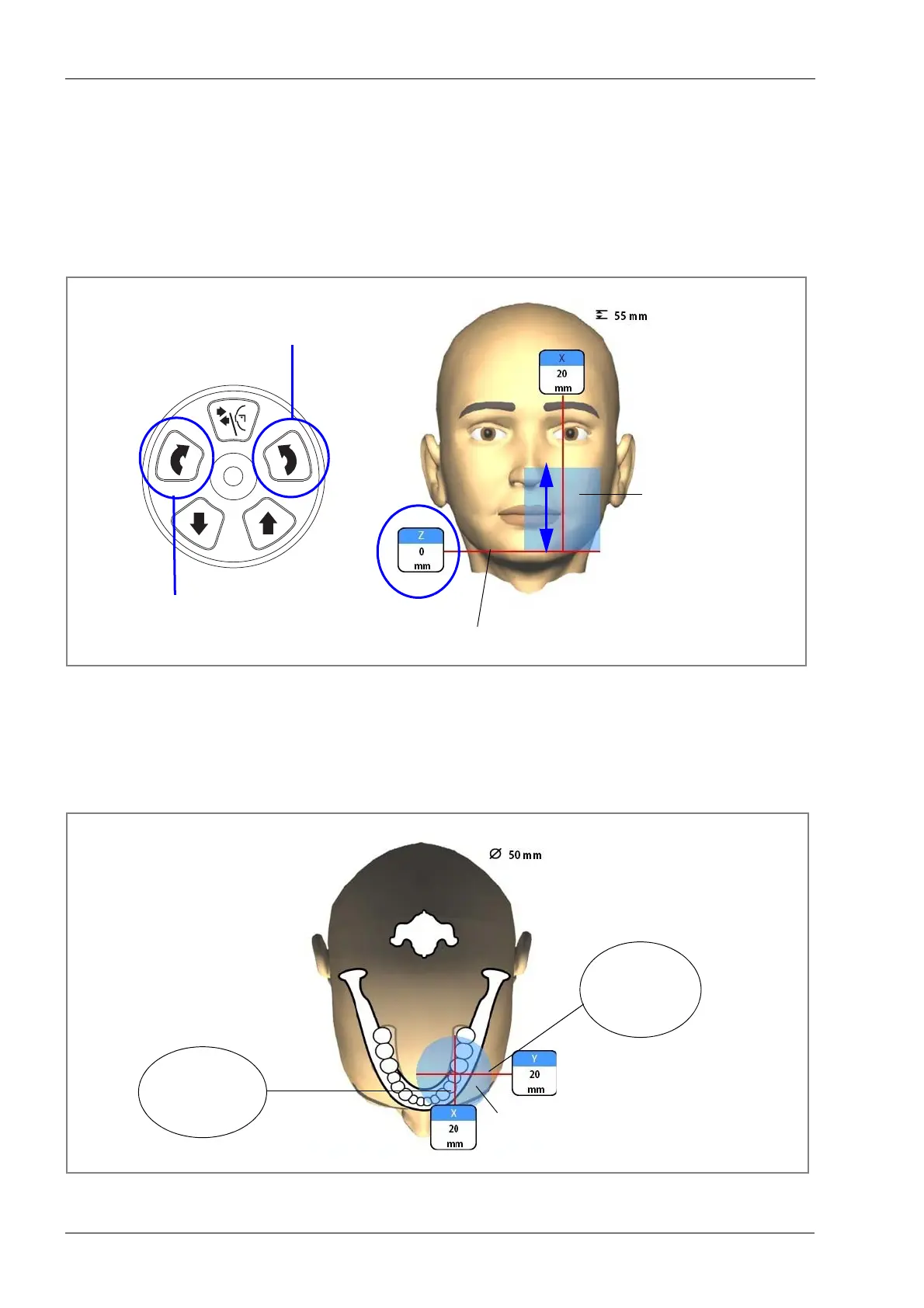
8.5.1 Moving image volume vertically (Z laser)
The volume bottom light (Z laser) indicates the position
where the lower edge of the image volume is.
Check that the image volume is positioned at the correct
height for this patient. If you need to move the image
volume up or down, press the image volume up or down
button. The volume bottom light (Z laser) will move
accordingly.
8.5.2 Moving image volume horizontally (X and Y lasers)
The volume center lights cross in the middle of the image
volume. With the patient positioned in the unit, the volume
center lights form red lines on the front (front light) and on
the left side (side light) of the patient’s head.
Image volume
Volume bottom light
Move image volume up
Move image volume down
Up
Down
Image volume
Side light
Front light
Volume center lights:
(Y laser)
(X laser)














 To Next Page