SETTINGS
48 Planmeca ProMax 3D Max with ProTouch
User’s Manual
11.1.2 Time and Date (1200)
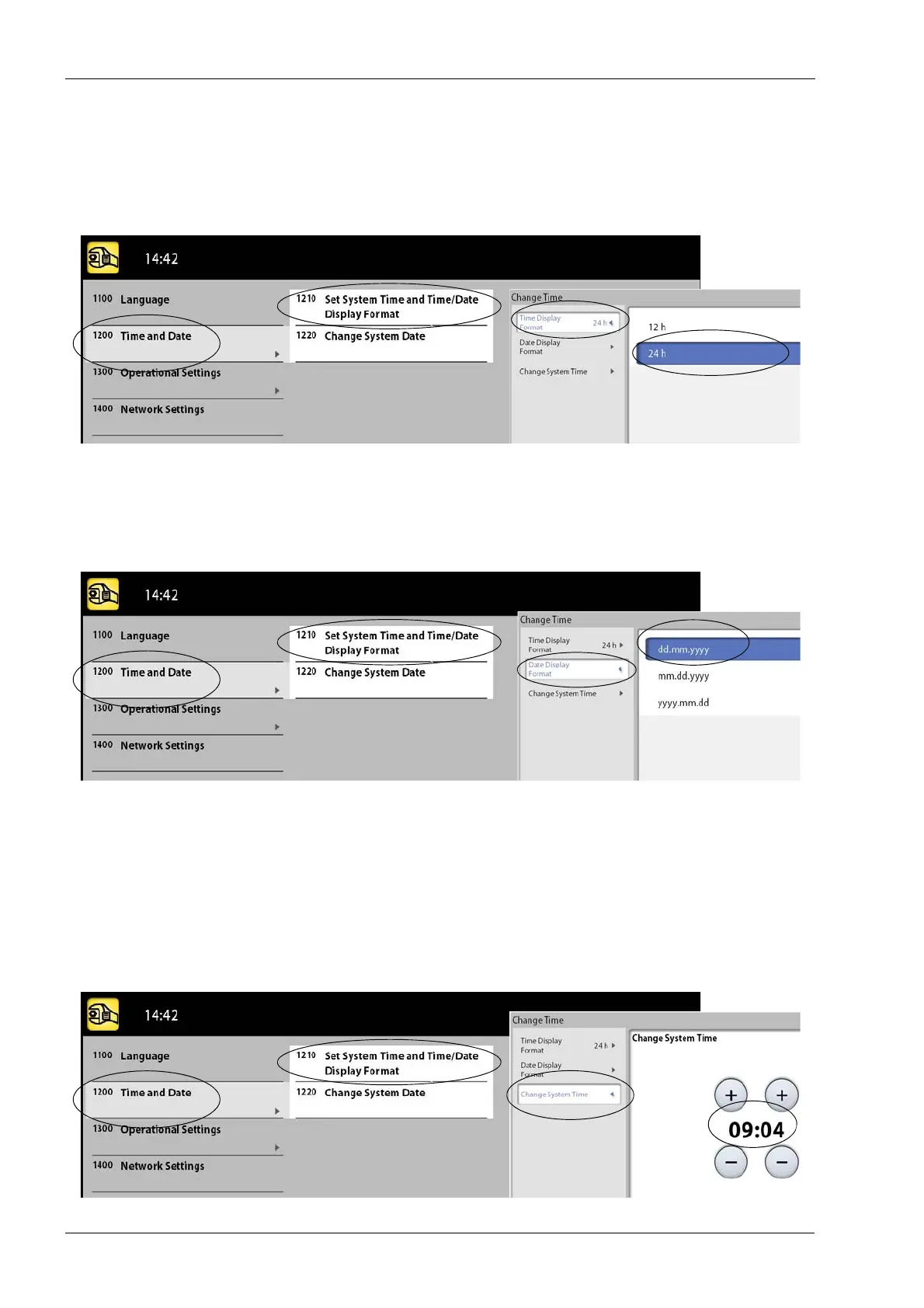
• Set time display format
Select User > 1200 Time and date > 1210 Set System
Time and Time / Date Display Format > Time Display
Format. Then select the display format you wish to use.
• Set date display format
Select User > 1200 Time and Date > 1210 Set System
Time and Time / Date Display Format > Date Display
Format. Then select the display format you wish to use.
•Set time
NOTE The time is set to the local time at the factory. Change
the time setting to show the correct time before you
start using the X-ray unit.
Select User > 1200 Time and Date > 1210 Set System
Time and Time / Date Display Format > Change System
Time. Then use the plus and minus buttons to change the
time.














 To Next Page