Planmeca ProMax 3D Max with ProTouch 43
3D MODEL EXPOSURE
User’s Manual
10.1.3 Taking a calibration exposure
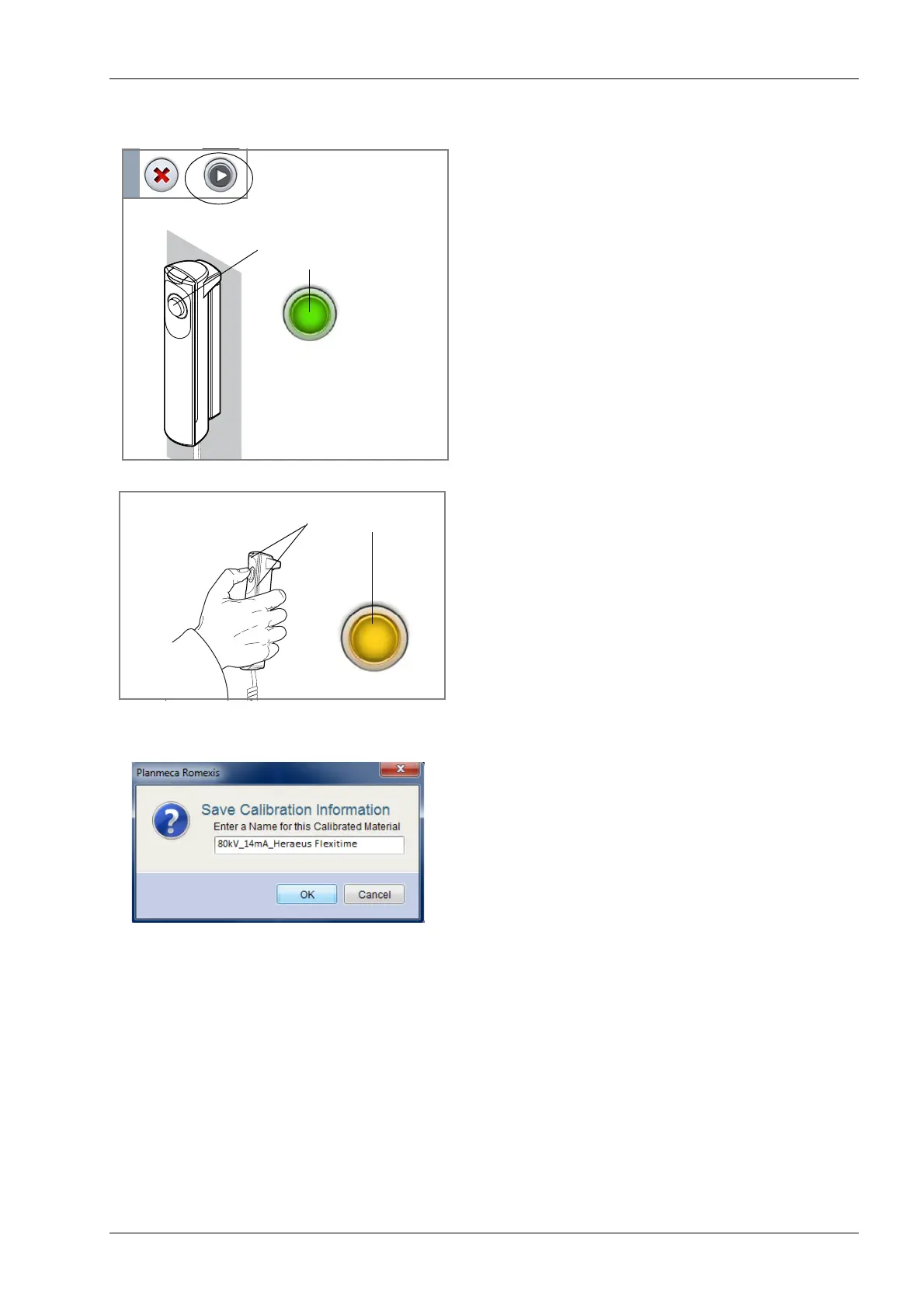
1. Select the forward button on the touch screen.
Green lights flash on the touch screen and exposure
button when the X-ray system is getting ready for an
exposure. The green lights stop flashing and stay on
continuously when the X-ray system is ready for an
exposure.
2. Press and hold down the exposure button for the entire
duration of the exposure.
During exposure yellow radiation warning lights
illuminate on the exposure switch and on the touch
screen, and you hear a radiation warning tone.
Additionally, a radiation warning symbol is shown on
the touch screen. Note that the exposure lasts longer
than a 3D patient exposure.
3. In the Planmeca Romexis program, enter a name for
this material and click OK.
NOTE The calibration exposure values are automatically
included at the beginning of the name. The exposure
values shown here are only examples.
Green lights
Flashing green =
Getting ready
Continuous green =
Ready














 To Next Page