Planmeca ProMax 3D Max with ProTouch 29
3D PATIENT EXPOSURE
User’s Manual
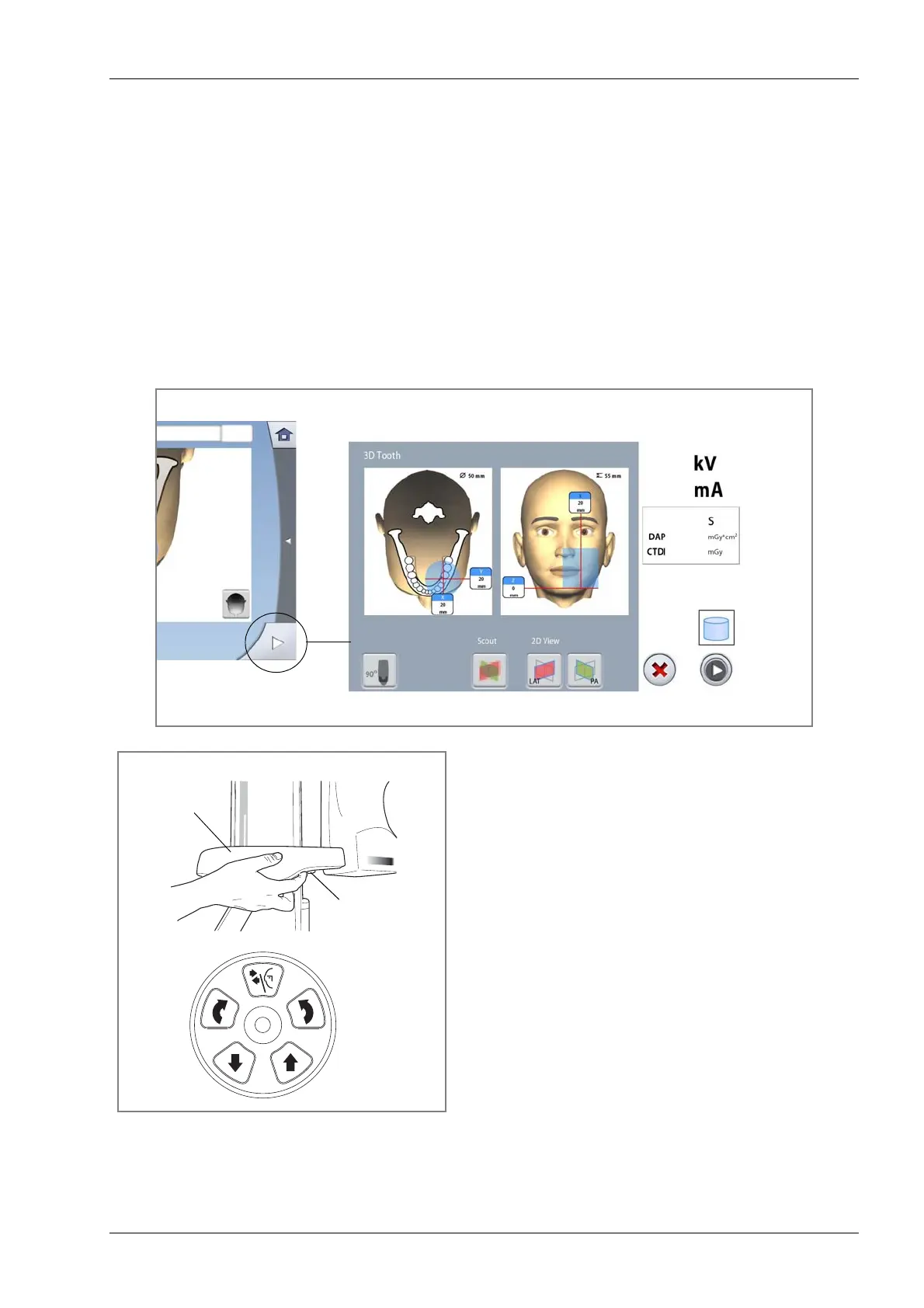
8.5 Adjusting volume position
The volume positions are preset at the factory for a
standard patient. However, as all patients and their
anatomical structures are different you have to check that
the preset position covers the area of interest for this
patient. If this is not the case, you have to adjust the
volume position according to the patient’s anatomy. The
positioning lights and the illustrations on the touch screen
help you to do this.
NOTE The illustrations are for guidelines only.
Use the forward field at the bottom right corner to enter
the view where you can adjust the volume position in
three directions.
To switch the positioning lights on (if they are not already
on) do one of the following:
• Touch the thumb wheel on the underside of the patient
support table.
• Press any of the positioning controls (button or
joystick).
The lights will automatically switch off after two minutes.
Forward field
Top view
Front view
patposlights3.eps
Thumb wheel
Patient support table
Positioning
controls
OR














 To Next Page