3D PATIENT EXPOSURE
22 Planmeca ProMax 3D Max with ProTouch
User’s Manual
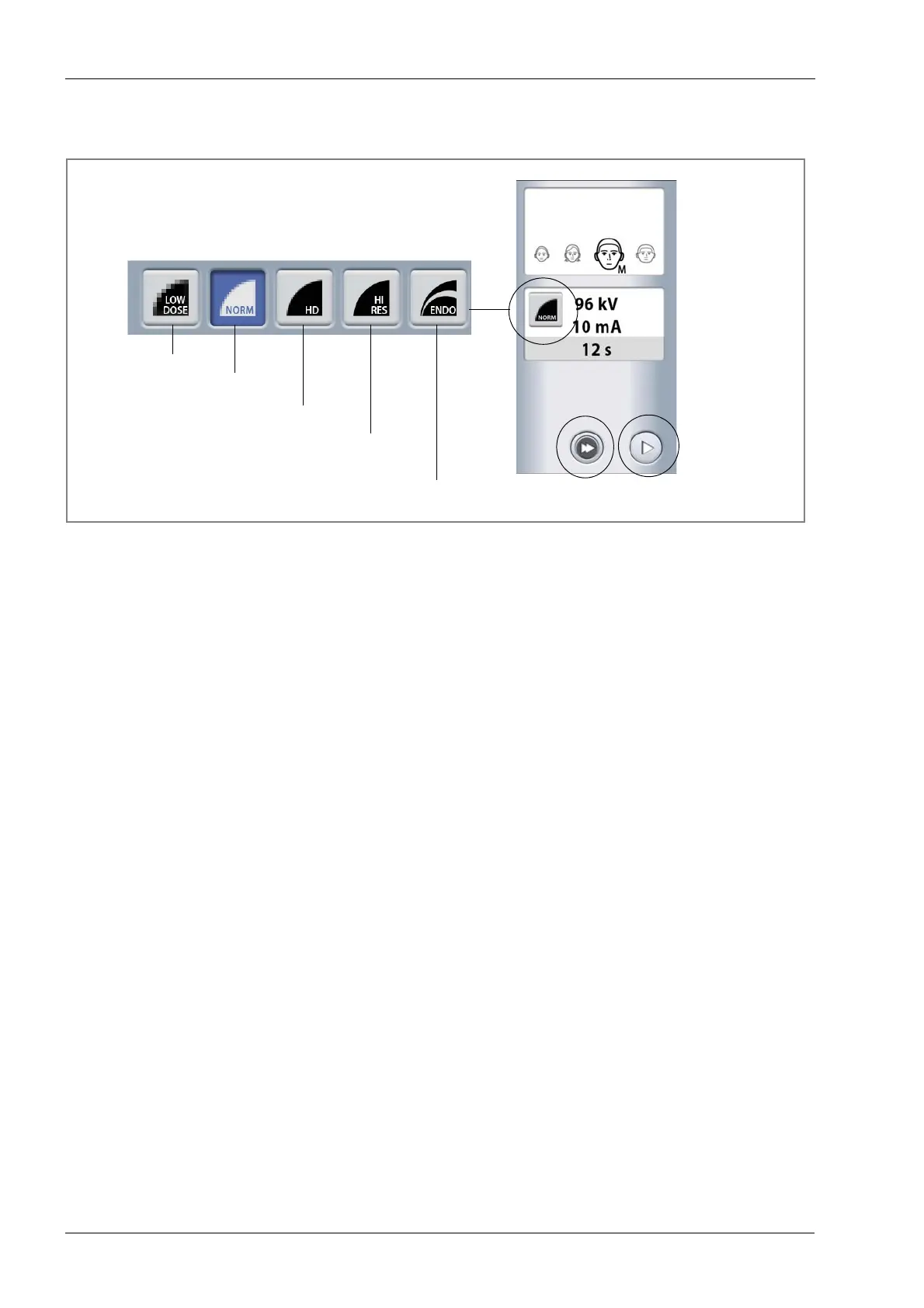
8.2.3 Selecting image resolution
Select the image resolution you wish to use.
NOTE The available options depend on the selected
program.
NOTE The exposure values will automatically change
according to the selected patient size and image
resolution.
• Low dose: Lower exposure values and reduced patient
radiation dose (typical voxel size 0.40 or 0.60 mm)
• Normal resolution: Suitable for most targets (typical
voxel size 0.20 mm)
• High definition: Better image quality for small targets,
e.g. ear bones (typical voxel size 0.15 mm)
• High resolution: Sharp images (typical voxel size 0.10
mm)
• Endodontic: Very sharp images for endodontic
applications and other small targets, e.g. ear bones
(typical voxel size 0.075 mm)
8.2.4 Adjusting exposure values
NOTE Always try to minimize the radiation dose to the
patient.
The exposure values have been preset at the factory for
each patient size and image resolution. The preset
exposure values are average values and they are only
meant to guide the user.
Low dose
Normal resolution
High definition
High resolution
Select image resolution:
Fast forward
Forward
(skip next screen)
Endodontic














 To Next Page