3D MODEL EXPOSURE
42 Planmeca ProMax 3D Max with ProTouch
User’s Manual
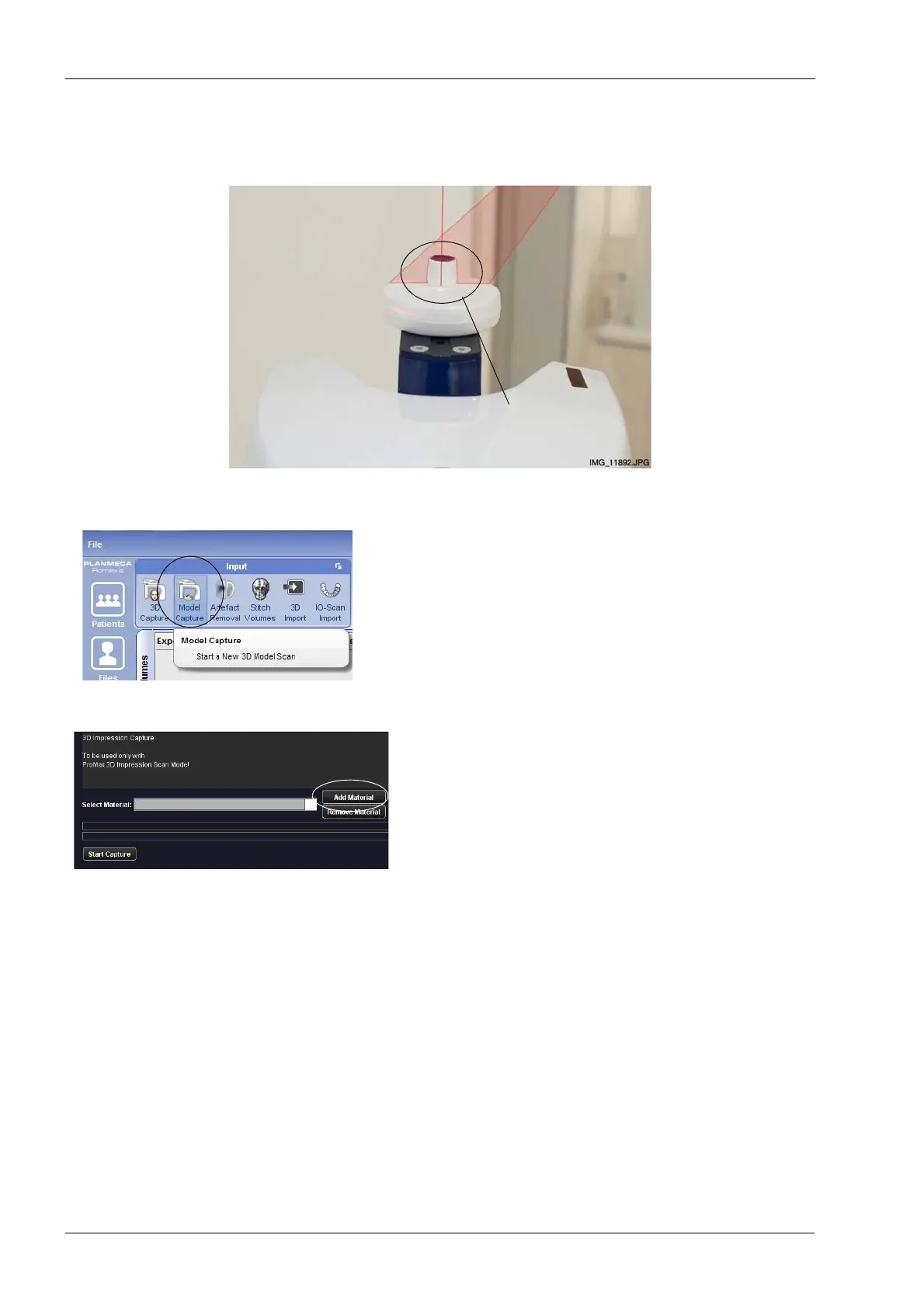
3. Place the calibration cup on the polystyrene disc so
that the volume center lights cross in the middle of the
cup.
4. In the Planmeca Romexis program, click 3D > Model
Capture. Refer to the Planmeca Romexis User’s
Manual for details on Romexis functions.
5. Click the option Add Material in the window that
appears.
Volume center
lights
Calibration cup
on polystyrene disc














 To Next Page