110
Polyend Play Manual Rev 1
NOTES
Sequencing Patterns
6
Chord Fills
Chord algorithm will populate 4 selected tracks over a pattern length up to
64 steps with melodic and chord progressions. It is important that the SD
card format is structured properly. The ‘MelodyFills’ folder will contain the
source pattern templates for generating chords and melodies when using
the ll algorithm. Also try experimenting with different scale and scale lter
settings.
▌ CREATING PATTERNS FROM CHORD FILLS.
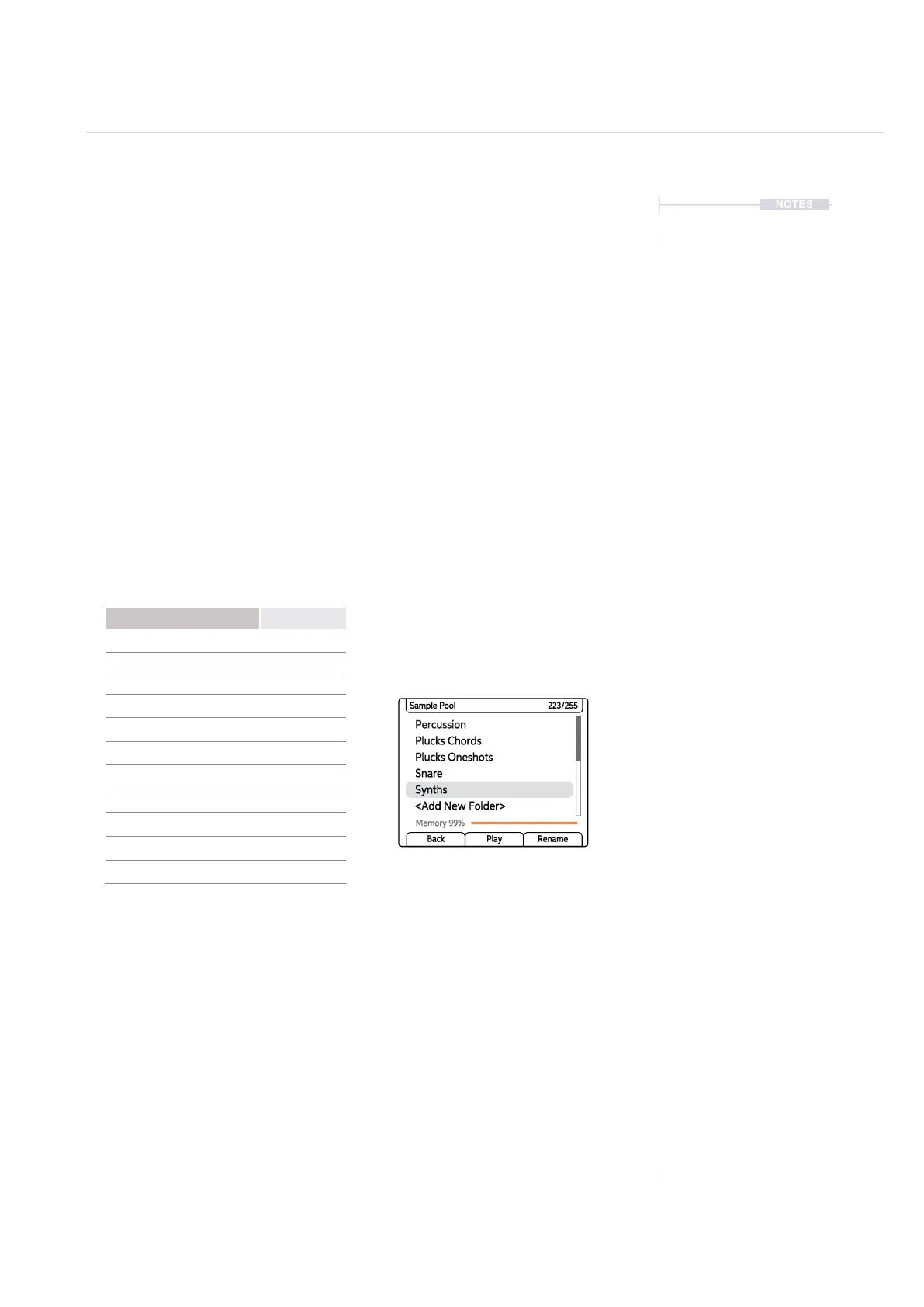
1. To use the Chord Fill function ensure that the sample pool contains a
synth folder i.e. a folder with the character string ‘Synth’ in the name.
Some sample packs already have synth folders, so one can simply be
loaded to the project sample pool. Chord ll is heavily reliant on
correctly formatted sample packs and the samples in a synth folder.
2. The length of the tracks can be up to 64 steps. Set a track length for all
tracks to suit the pattern required.
3. Select the 4 track channels to ll into by pressing the [Select] function
pad buttons for the respective tracks. Rows represent tracks. The Track
will illuminate blue and the track select function button lit bright green.
Selected tracks will cover each note in a generated chord.
4. Press [Fill] button. Initial selection of ll will select the mode. When
subsequently pressing the [Fill] button within the ll mode, a ll will be
initiated to populate steps on selected tracks.
Factory Sample Pack Folder
80’s Moms Pack Synths
Drum and Bass Pack Synth
Dubcore Drums Synth
Dubstep Pack Synth
Gangsta Rap Pack Synth
House Pack Synth
Trap Pack Synth
Intellectual Pack Synths
Slam Modeling Pack VHS Synths
Tech House Pack Synth
Juke-Footwork Pack Synth
Synth Folder
If a synth folder does not exist in the sample pool,
it can be created and named as such. Copy
samples to this folder to use in the chord ll.
Percussion
Plucks Oneshots
Synths
Plucks Chords
Snare
<Add New Folder>
Sample Pool 223/255
Memory 99%
Back Play Rename



 To Next Page