26
Installation
4.9 External communications connection
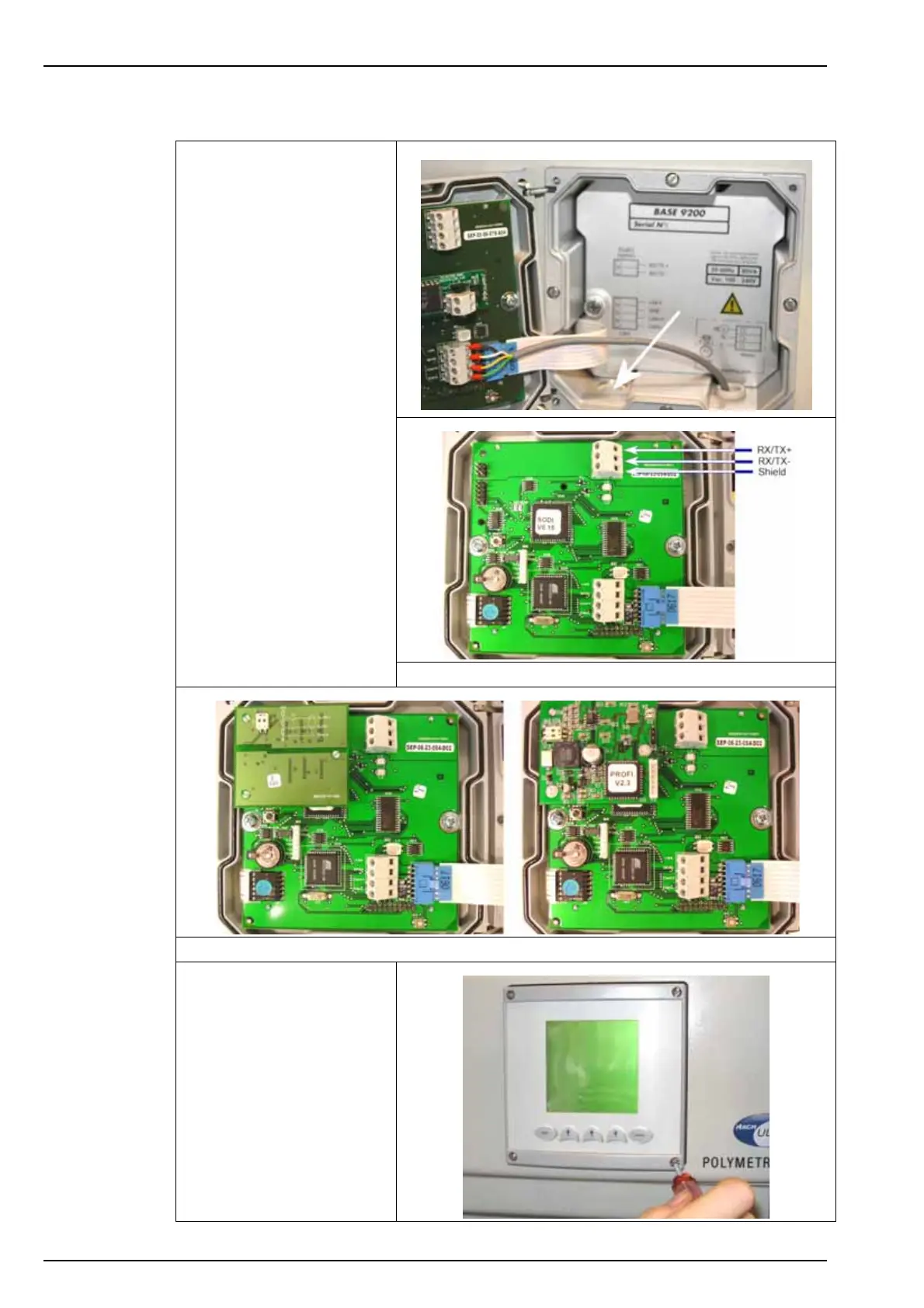
1. As with the power cable,
run the communications
cable through an external
cable gland on the left
side of the cabinet, and
into the analyzer.
2. Pass it through the cable
gland located right and
farthest from you on the
base of the transmitter, so
it appears inside the
transmitter through the
left front cable gland (as
indicated).
3. Depending on the type of
board installed in the
analyzer, connect the
communication cable as
indicated.
Note: Connection is the same on
the CPU board for both the
JBUS/MODBUS and PROFIBUS
options.
CPU board without RS485 option
CPU board with JBUS/MODBUS option - - - - - CPU board with PROFIBUS option
4. Close the transmitter door
and screw securely back
in place.



 To Next Page