66
Maintenance
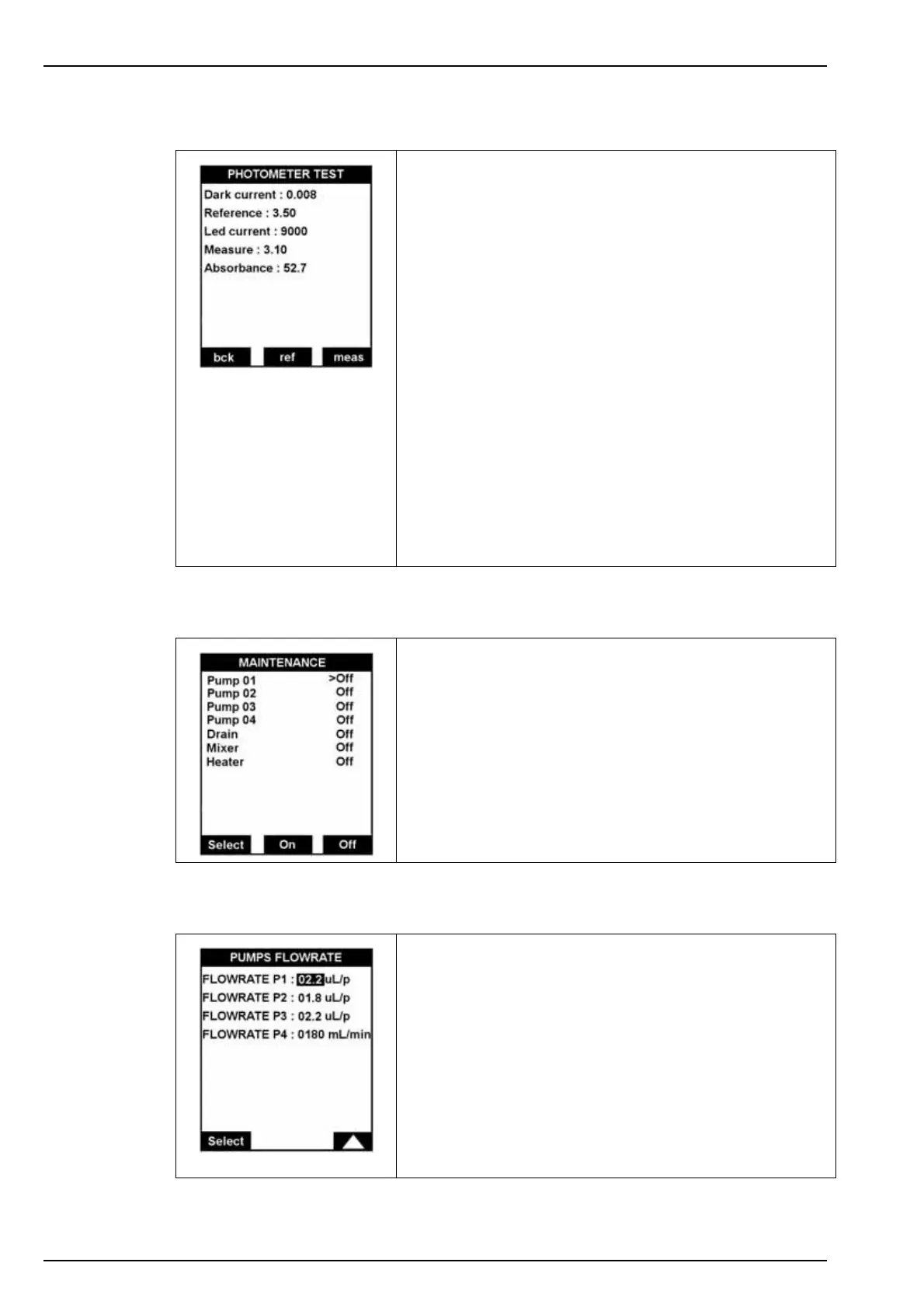
9.11 Photometer test
9.12 Pumps - others
9.13 Pumps flowrate
With this option, technicians can verify the correct functioning
of the photometer. During the process, the mixer is operating
and the transfer valve is open.
Displayed parameters:
• Dark current: Measurement value which corresponds to
the LED emission.
• Reference: Reference signal after LED current
adjustment.
• Led current: Current of the LED.
• Measure: Continuous photometric measurement signal.
• Absorbance: Absorbance in milli-Abs.
Function keys:
•bck: Begins the measurement which corresponds to
switching off the LED.
•ref: Allows adjusting the LED current and to measure the
reference voltage.
•meas: Starts the continuous photometric measurement.
This option verifies the correct functioning of the pumps, the
mixer, the drain and the heater.
Use the Select key to verify an element and press the On key
to operate it or Off key to stop it.
A label is affixed to each pump indicating the flow rate which
has been factory defined.
Enter this value into the respective field:
• P1 - Reagents R1A and R1M
• P2 - Oxalic acid
• P3 - Reducer
• P4 - Calibration pump
Note: The information for the calibration pump is used to determine
the consumption of calibration solution, so that an alarm can be
triggered when the solution gets low.



 To Next Page