50
User Setup
7.5 Sequence
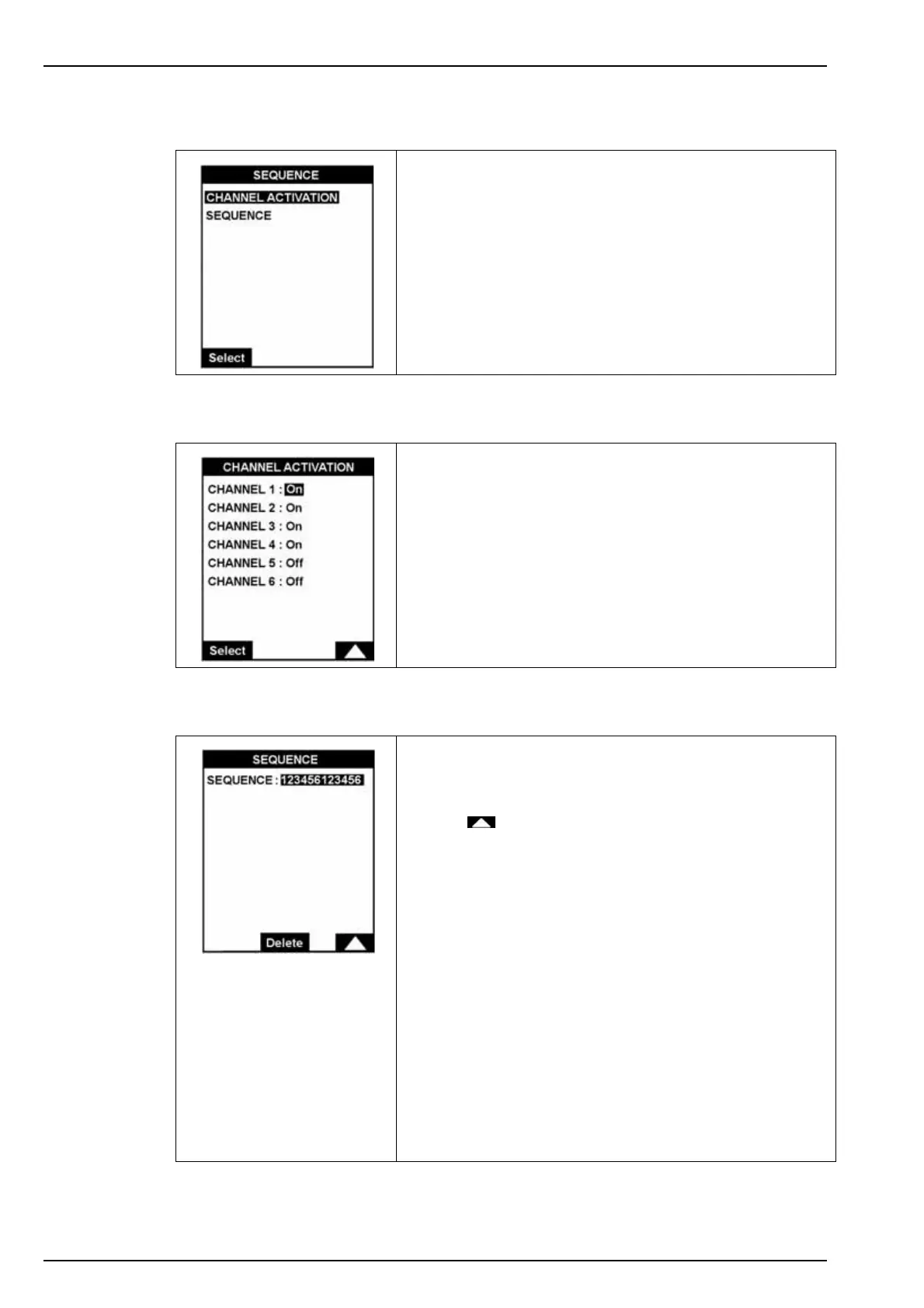
7.5.1 Channel activation
7.5.2 Sequence
The option allows you to activate or deactivate the
measurement channels, and to define the order in which the
samples are measured.
The CHANNEL ACTIVATION option defines which channels
are active and which are not.
The SEQUENCE option displays the configured sequence
and lets you change it.
The sequence is set up in 12 steps.
Use the key to change the number of the channel.
The Delete key replaces the number by the asterisk symbol.
This symbol indicates no measurement for that step in the
sequence.
Sequences examples:
1. 1 2 3 4 5 6 * * * * * *
4 5 6 3 2 1 * * * * * *
These two sequences analyze samples (1 to 6) in a different
order.
2. 12 12 12 12 12 12
or 12 ** ** ** ** **
or 1* 2* ** ** ** **
These three sequences have the same effect and set the
analyzer to measure channels 1 and 2 alternately.



 To Next Page