45
User Setup
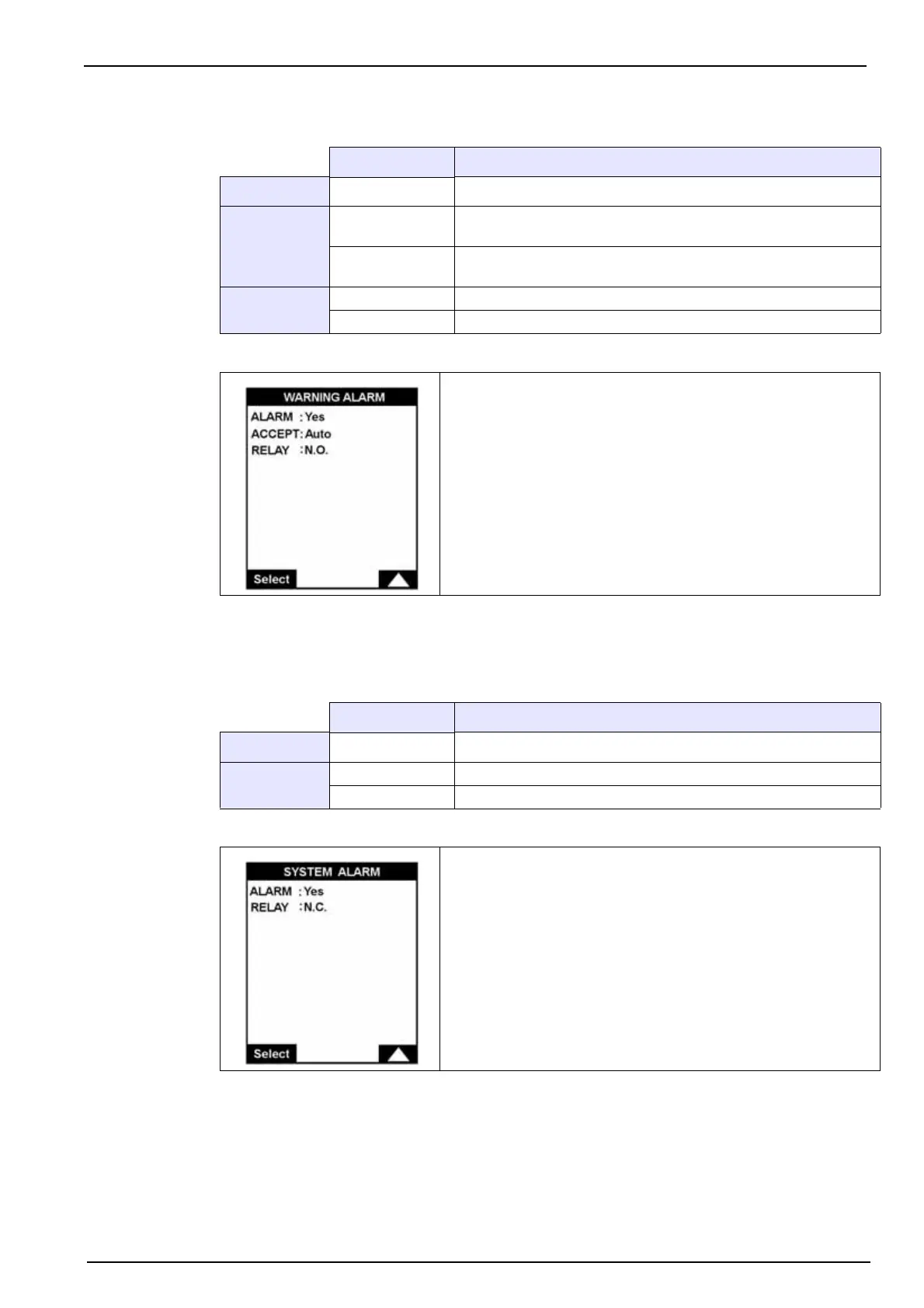
7.2.2 Warning alarm
Refer to Alarm conditions on page 46 for a list of warning alarm conditions.
7.2.3 System alarm
Note: The system alarm can only be acknowledged manually, either by holding down the Enter key or,
remotely, by using the digital input, In11 on the I/O card (see Figure 10 on page 27).
Refer to Alarm conditions on page 46 for a list of system alarm conditions.
Value Description
ALARM Yes or No Activate or deactivate the warning alarm
ACCEPT
Manual
When the alarm is triggered, it can only be turned off by pressing
the Enter function key
Auto
When the alarm is triggered, it will turn itself off when the reason
for the alarm is no longer valid
RELAY
N.O. Normally open
N.C. Normally closed
Define the warning alarm parameters.
Value Description
ALARM Yes or No Activate or deactivate the system alarm
RELAY
N.O. Normally open
N.C. Normally closed
Define the system alarm parameters.



 To Next Page