35
Operating Instructions
5.3 Main menu
For a diagrammatic overview of the complete menu structure, refer to Analyzer menu overview
on page 36.
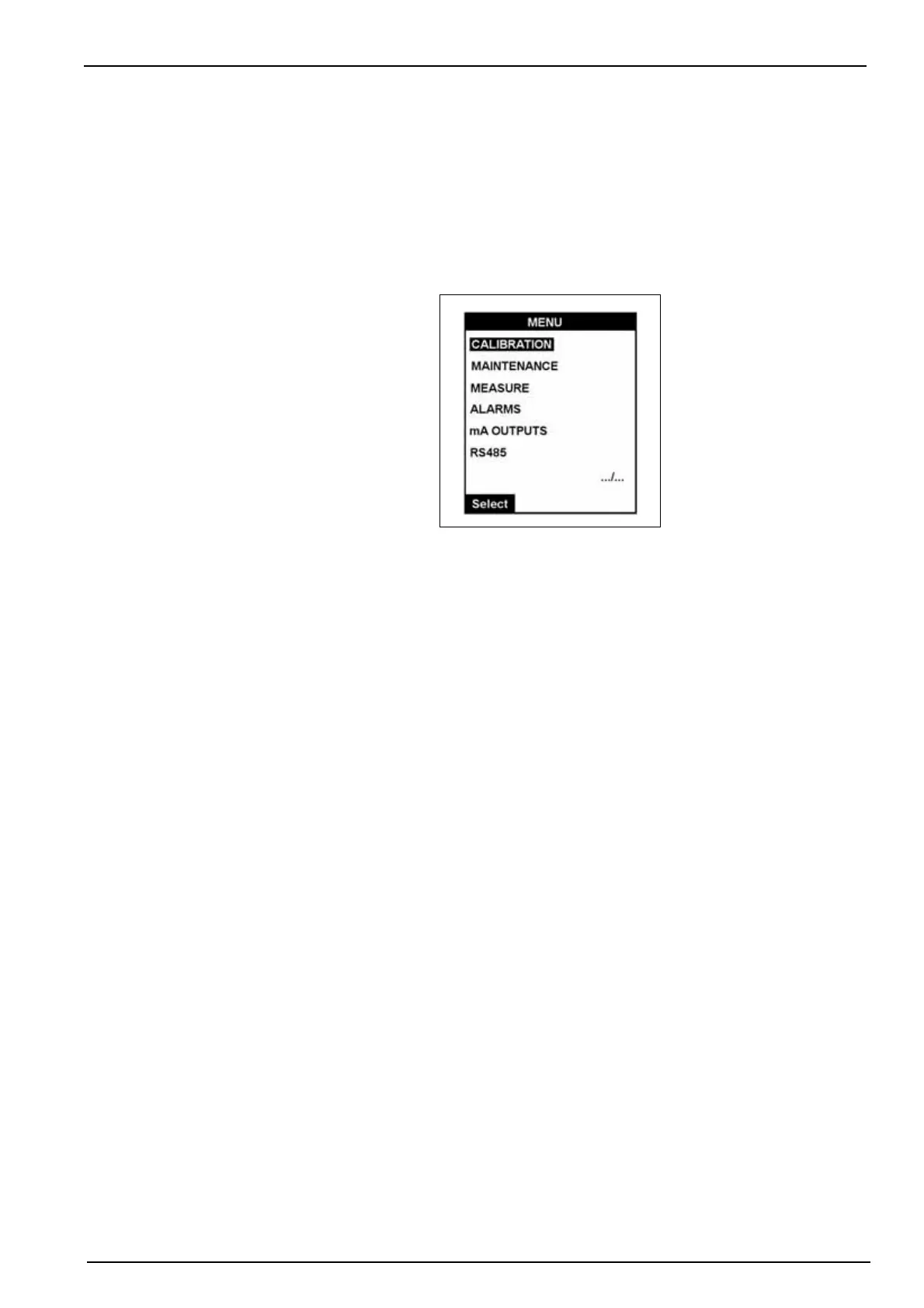
The main menu is accessible from the main measurement screen (see illustration in Main
screen on page 33). Press the function key under Menu to take you to the main menu.
Note: If a PROGRAMMING password has been set (see Code on page 38 for details on how to do this),
you will be required to enter a password to gain access to the main menu.
In the illustration above, the symbol “.../...” is displayed in the bottom right. This indicates that
there are more options available in this menu than those currently displayed. As you scroll down
the other menu options will become visible in a rolling menu.
The first option in the menu will always be highlighted by default. To scroll to the required option,
press the Up Arrow function key under the Select option.
Note: Scrolling past the last item in the list will take you back to the first item. It is not possible to scroll
upwards through any list.
Detailed information on all the menu options is available throughout in this manual.



 To Next Page