64
Maintenance
9.7 Startup
9.8 Reagents refill
The analyzer monitors the reagent and calibration solution consumption. Messages are
displayed when the solution levels are low.
This option is used after the analyzer has not been used for
an extended period of time, or when starting the analyzer for
the very first time.
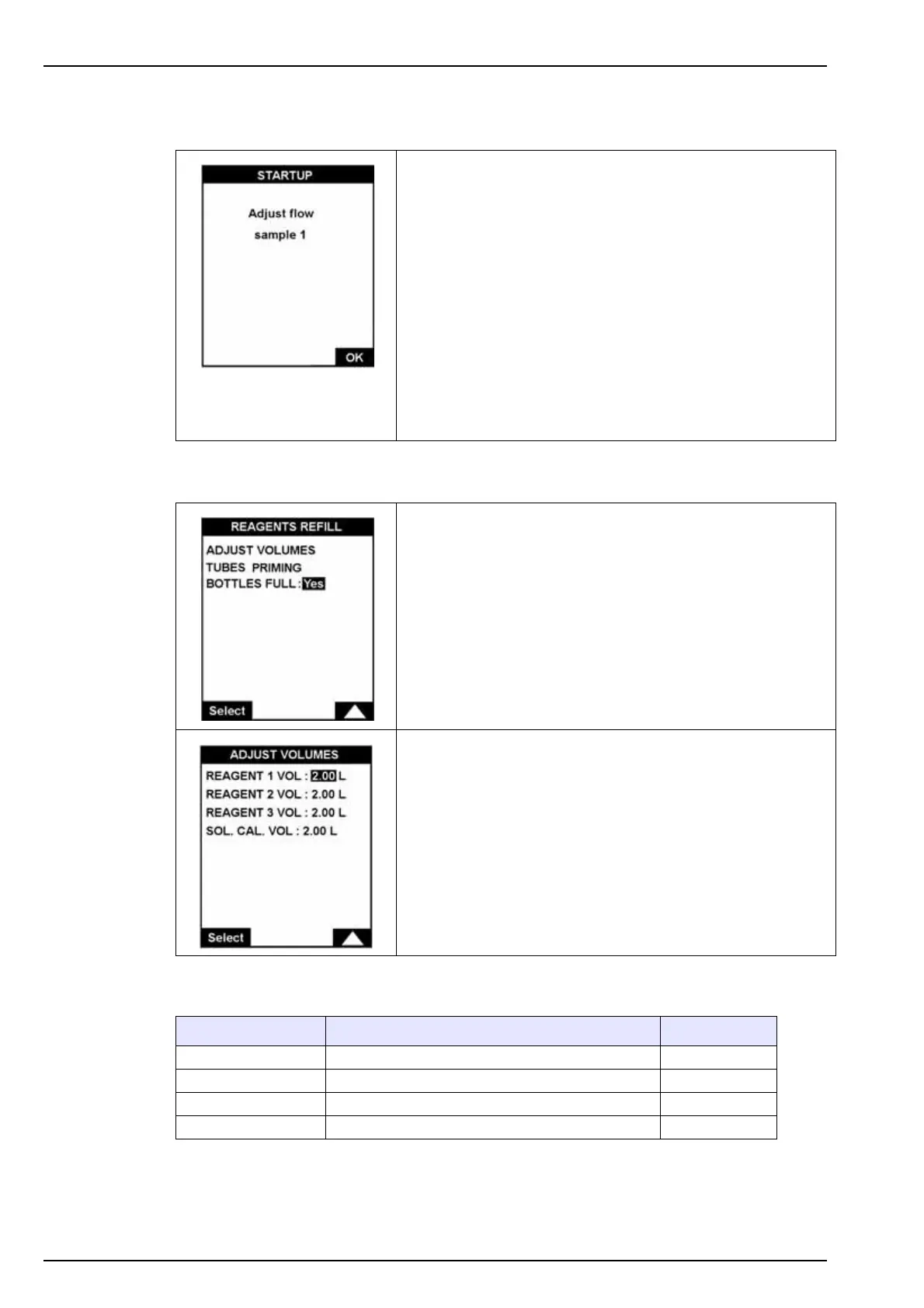
Using a screwdriver, set the flow rate for the first sample using
the adjustment screws on the front panel (item 4 in Figure 2
on page 15). Regulate the flow (between 5 and 30 L/hour) to
ensure a slight overflow into the overflow vessel.
Note: Do not completely unscrew the adjustment screw as it has no
stop and may provoke a sample leak.
Select OK to continue to the next sample channel.
When all channels have been set, the pumps are primed.
Check visually that the tubes are full and then press Enter to
return to the menu.
Each time the reagent and calibration solutions are
replenished, access this menu for:
ADJUST VOLUMES: the canister volumes are displayed and
can be modified.
TUBES PRIMING: start the priming / renewal procedure of the
reagents in the tubes.
BOTTLES FULL: choose this option each time the canisters
have been refilled. The volumes are automatically reset to 2
liters.
If ADJUST VOLUMES has been selected in the menu above,
the current volumes of the reagent canisters and the
calibration solution are displayed.
These can be individually modified.
Message Reason Relays set
Reagent < 250ml Low reagent level (range < 10 days) Warning (Re 11)
Cal. Sol < 300ml Calibration low level (range < 2 calibration) Warning (Re 11)
Short reagent Reagent canister volume < 150ml System (Re 12)
Short cal. Calibration solution canister volume < 150ml



 To Next Page