51
Section 8 Calibration
Before attempting to setup the analyzer, ensure you have read and understood how to enter
and change data fields as described in the section entitled Data Entry on page 33.
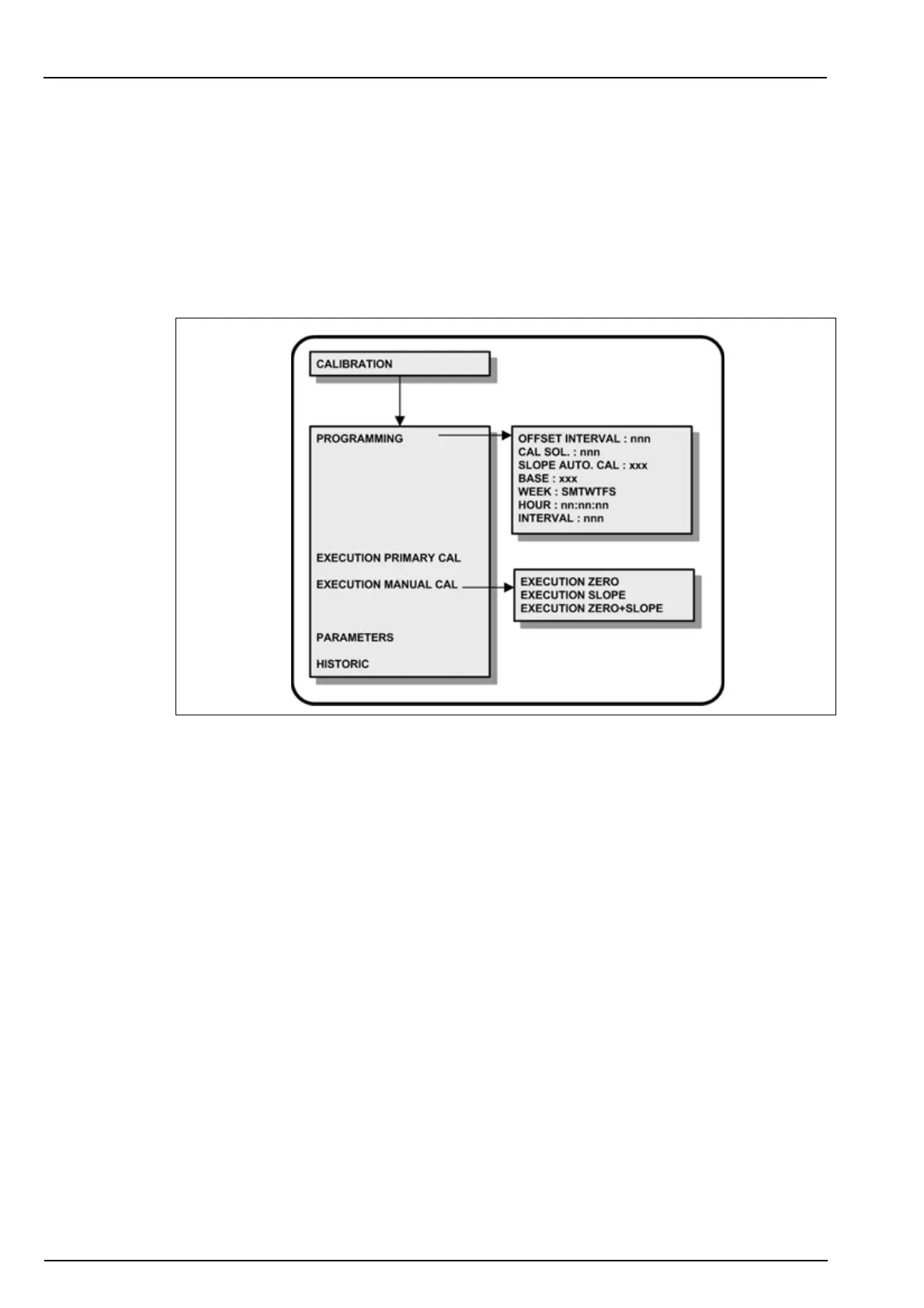
8.1 Menu overview
Select the CALIBRATION option from the main menu.
Note: If a PROGRAMMING password has been set (see Code on page 38 for details on how to do this),
you will be required to enter a password to gain access to the main menu. In addition, if a CALIBRATION
password has been set, you will also be required to enter this password to get access to the calibration
menu.
For continued accurate measurements, the analyzer should be calibrated on a regular basis.
Calibrations allow the adjustment of:
• ZERO of the system
• SLOPE of the system
• Both ZERO and SLOPE of the system
The ZERO calibration is performed chemically by the analyzer. In order to avoid the use of
water free of SiO
2
, the analyzer carries out a measurement without a colorimetric reaction. The
slope of the system is then calibrated with a standard solution of known concentration of SiO
2
.
Three types of calibration are available:
• Primary
• Manual
• Automatic
In addition, the CALIBRATION menu also gives access to the current calibration parameters
and a history of previous calibration results.



 To Next Page