42
User Setup
7.1.2 Grab sample
7.1.3 Historic
This option allows you to take measurements from an off-line
sample. An initial “Please wait...” screen is displayed while
the measuring cell is rinsed.
Prepare a beaker of 200mL of the sample to analyze.
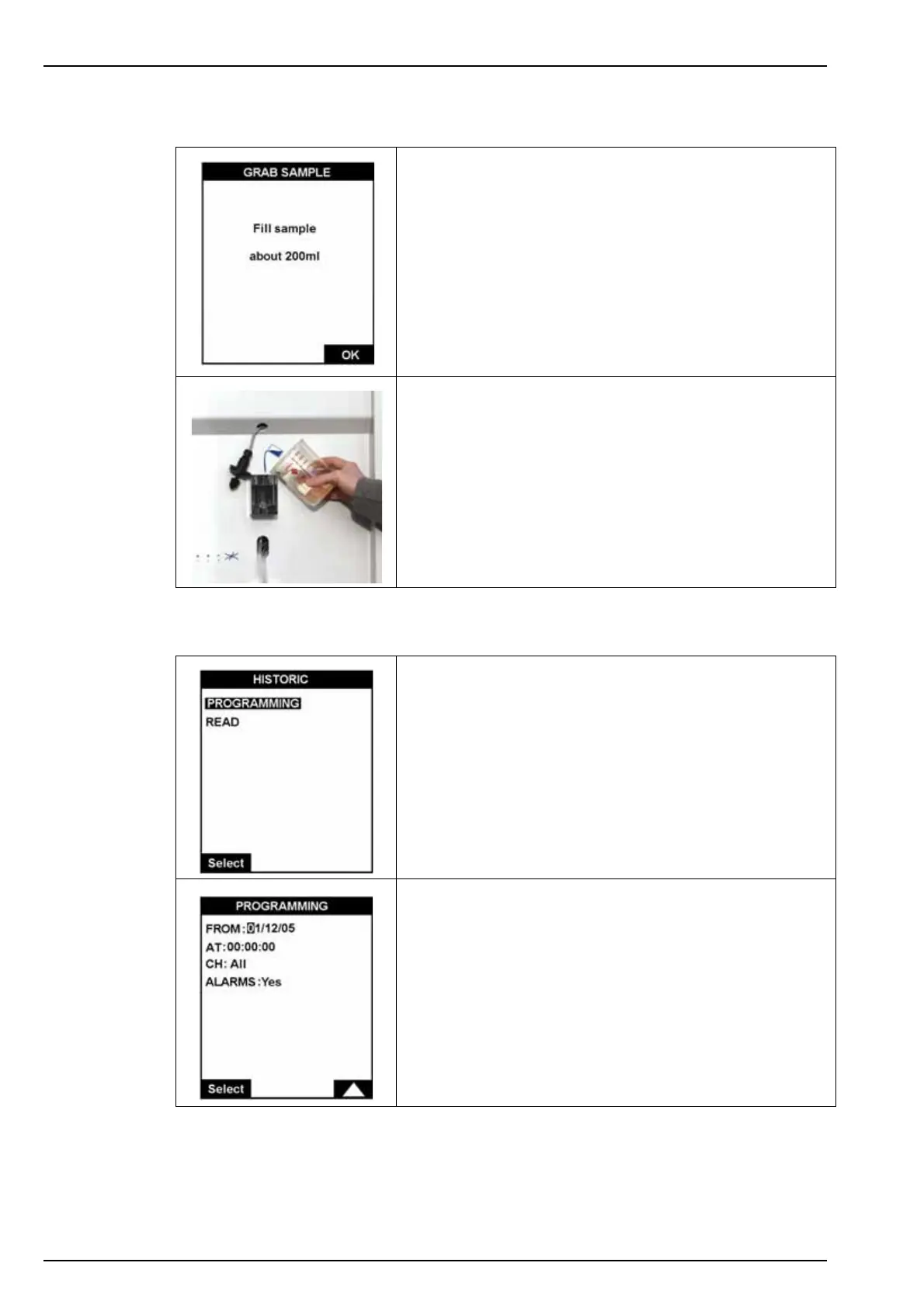
When rinsing is complete, a screen will be displayed asking
for the sample to analyze (illustrated left).
• First remove the sample level detector from the overflow
vessel and fill the vessel with the sample (illustrated left).
• Replace the sample level detector.
• Press OK to start the measurement.
When the measurement completes, the results are displayed
on screen and a message is displayed to inform you that the
measurement has finished.
The Esc key can be used to abort the measurement at any
time and return to the previous screen.
This option allows you to view the previously stored
measurements and any alarms that were triggered.
The PROGRAMMING option sets the date (FROM) and the
time (AT) from which the history will be displayed, and the
measurement channels required.
•CH: all channels or a specific channel (1 to 6)
• ALARMS (yes or no): if set to yes, displays any system
and warning alarms that were triggered



 To Next Page