55
Calibration
8.1.6 Calibration results
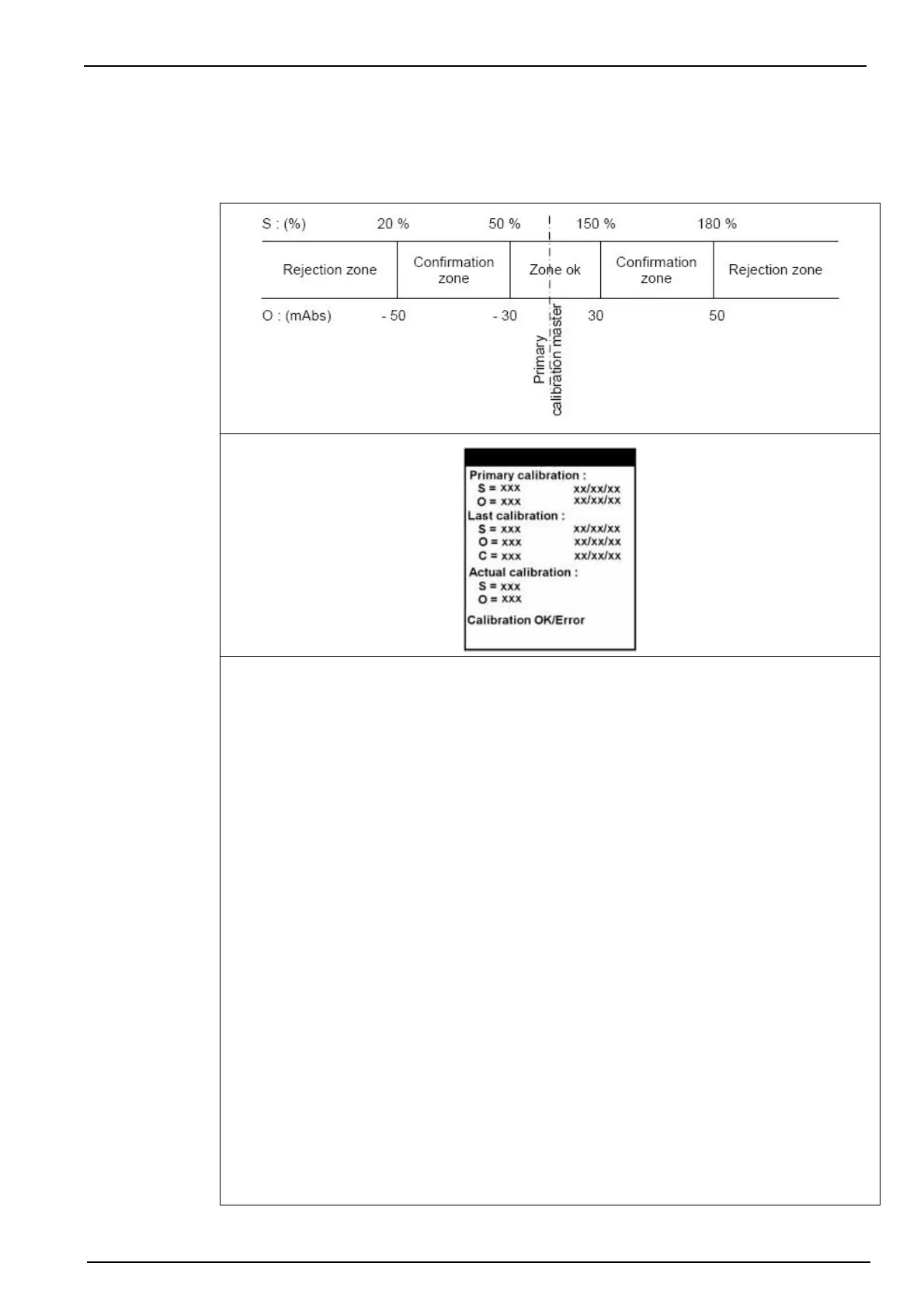
At the end of a manual or automatic calibration, the analyzer compares the results with the
primary reference calibration parameters. Depending on the results, you can accept, restart or
cancel the calibration. There are 3 zones:
Zone ok
Normal variations compared to the reference values. The new parameters are acceptable.
In automatic mode, the analyzer returns to its measurement cycle. In manual mode, validate
with OK and restart the analyzer (Start function key).
S: XXXXX DD:MM:YY - Slope
O: XXXXX DD:MM:YY - Offset
C: XXXXX DD:MM:YY - Concentration of the sample solution just measured, calculated using
the calibration values from the Last calibration.
Confirmation zone
Abnormal variations compared to the reference values. The new parameters can be accepted
but a warning is displayed and confirmation is required.
In automatic mode, the analyzer does not take the new parameters, but returns to
measurement mode with the previous parameters. In manual mode, you must confirm (Conf)
or cancel (Cancel) to accept or reject the new parameters.
Note: In automatic mode, where the calibration lies within the confirmation zone, the analyzer takes one
measurement and then recalibrates. After 3 successive invalid calibrations, the analyzer waits for the next
programmed date before attempting another calibration.
Rejection zone
Parameters are abnormal. There is a basic problem such as an invalid calibration solution
preparation being used.
In automatic mode, the analyzer stops and triggers a system alarm. In manual mode, you can
Cancel (return to measurement mode with the previous parameters) or Restart the
calibration.



 To Next Page