Powered by Safety
®
27
Usage
01.4IB.48041
Table F Menu Navigation (cont.)
Information Screens - Press From Main Screen
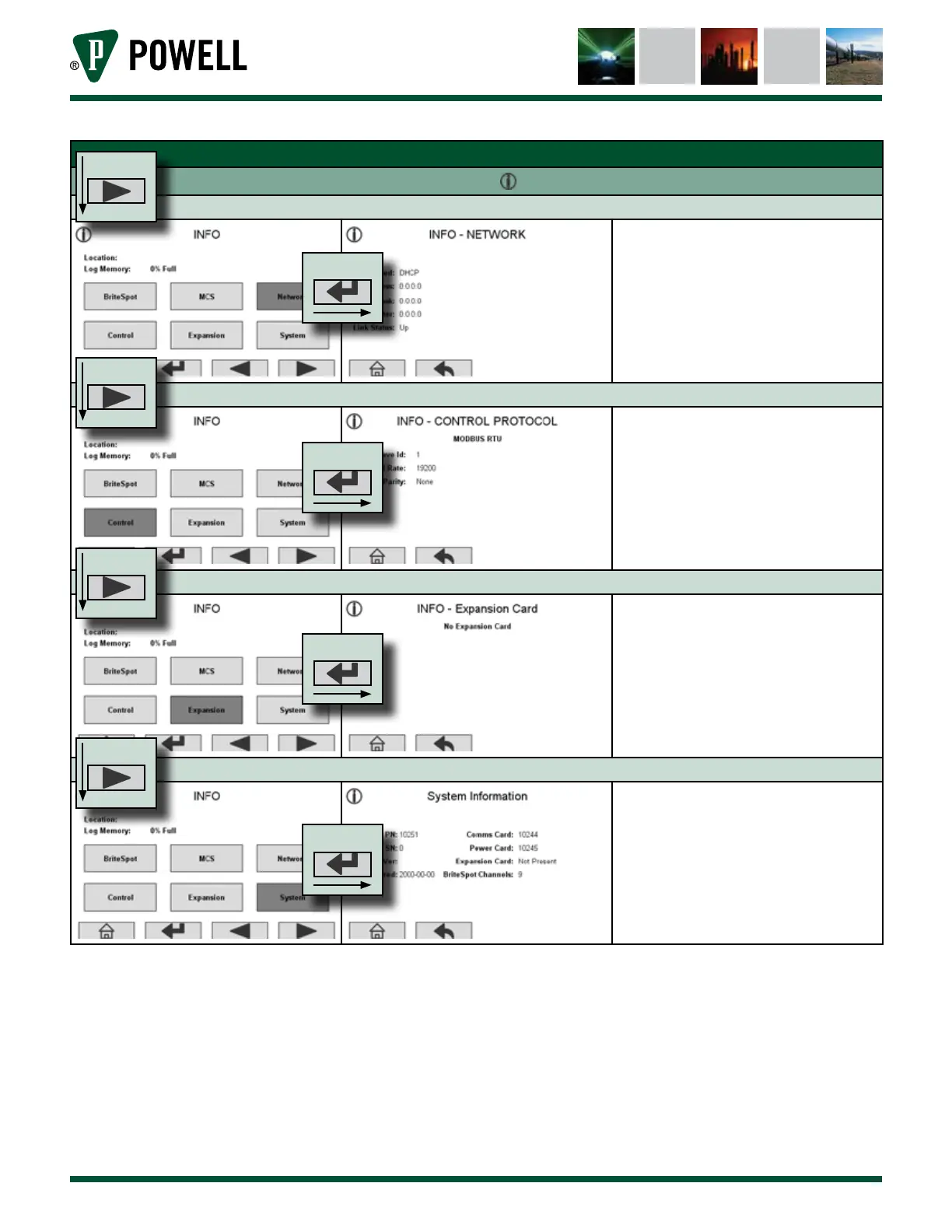
Network Information
The network information page allows
the user to see the device’s IP address
and how it is assigned as well as the
netmask, router, and link status.
Control Protocol Information
This page allows the user to see the
control protocol settings:
• MODBUS TCP or RTU
• Slave ID
• Baud Rate
• Port
Expansion Card Information
This page displays information about
the expansion card, of one is installed.
System Information
The system information page displays:
• Pertinent Part Numbers
• Serial Number
• Firmware Version
• Date of Manufacture
• Number of BriteSpot® Channels
PRESS
PRESS
PRESS
PRESS
PRESS
PRESS
PRESS
PRESS



 To Next Page