Powered by Safety
®
43
Usage
01.4IB.48041
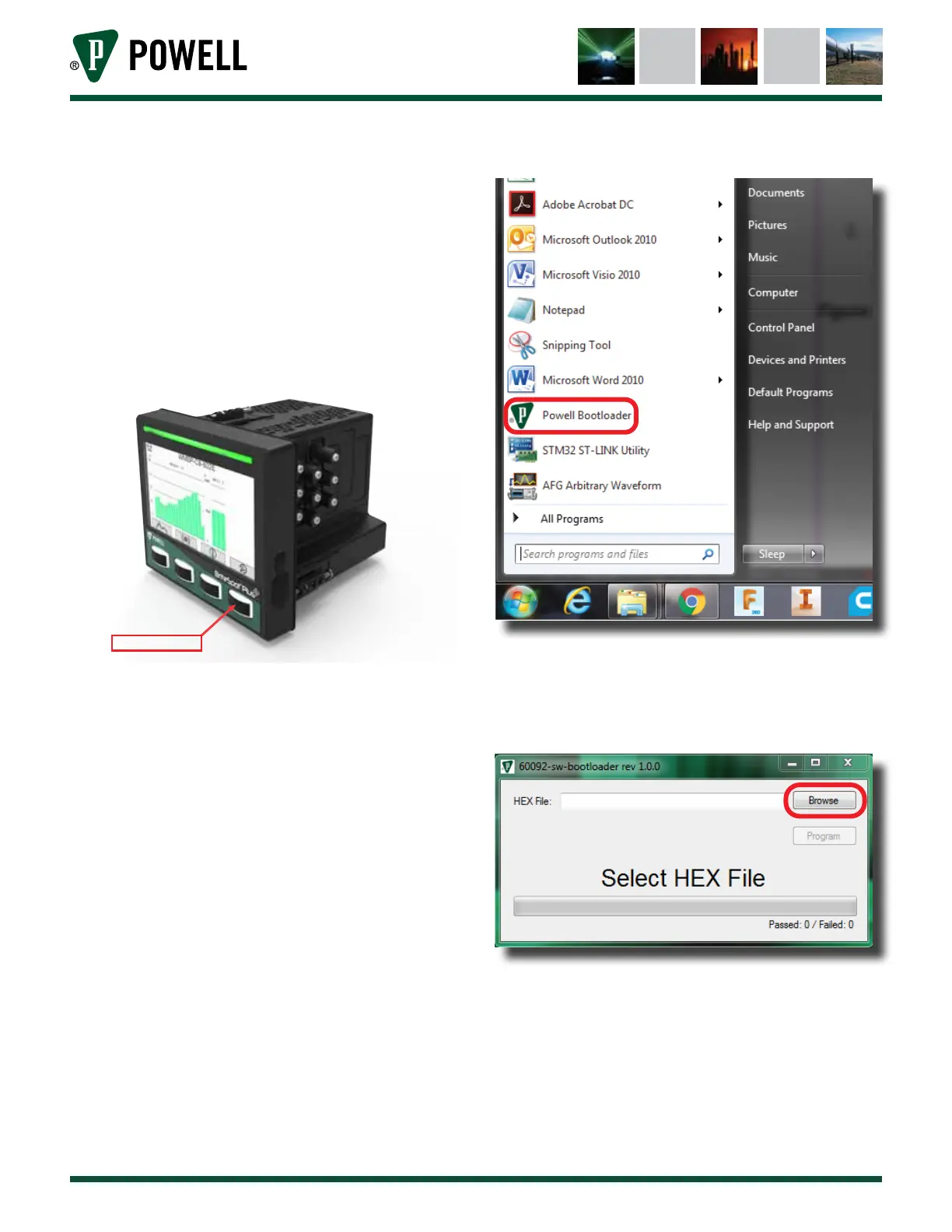
3. Place the BriteSpot® Plus into bootloader
mode:
• Navigate to the settings menu in the UI
and select reboot
• While the unit is rebooting, hold down
the right most button (Figure 58)
• Once all four buttons are flashing the
unit has entered bootloader mode
Figure 58 Entering Bootloader Mode
Hold this button
4. Start the previously installed Powell
bootloader application as shown in
Figure 59.
Figure 59 Starting Bootloader Application
5. Browse to and select the firmware .hex file
(Figure 60).
Figure 60 Select .hex File
6. Click “Program”, the device will be
programmed with the selected firmware
(Figure 61).



 To Next Page